
האם הסרטון הזה נוצר בבינה מלאכותית: מדריך הזיהוי שלך ל-2026
תוהים האם הסרטון הזה נוצר בבינה מלאכותית? המדריך שלנו ל-2026 מספק תהליך אימות שלב-אחר-שלב, מבדיקות ידניות ועד לכלי זיהוי AI מתקדמים.
סרטון נוחת בפיד שלכם ועוצר אתכם במקום. פוליטיקאי נראה כמודה במשהו שערורייתי. סלבריטי נתפס בסצנה שמרגישה לא נכונה אך לא מזויפת באופן בולט. האינסטינקט הראשון שלכם הוא לשאול את אותה שאלה שכולם שואלים היום: האם הסרטון הזה נוצר בבינה מלאכותית?
התשובה הנכונה אינה להסתכל בעיניים בוחנות יותר על הפיקסלים. היא להריץ תהליך אימות. התחילו בבדיקות אנושיות מהירות שניתן לבצע תוך שניות. לאחר מכן עברו לניתוח אוטומטי כאשר הקליפ עדיין נראה סביר. הסדר הזה חשוב, כי ההקשר חושף לעיתים קרובות זיוף הרבה לפני שהתוכנה עושה זאת.
העיניים שלכם יכולות לשקר: המציאות החדשה של וידאו
אנשים עדיין חושבים שהם יכולים "פשוט לדעת" מתי קליפ הוא מזויף. הביטחון הזה מיושן. צופים אנושיים מציגים דיוק של 57.1% בלבד בהבחנה בין וידאו שנוצר בבינה מלאכותית לצילום אמיתי, ורק 9.5% מהמשתתפים הצליחו לעשות זאת באופן אמין, על פי הממצאים הקשורים ל-Runway שסוכמו בהסקירה של Genra על נתוני הזיהוי.
זה קרוב מספיק להטלת מטבע כך שהאינטואיציה כבר לא יכולה לשאת את הנטל.
הסיבה פשוטה. יצירת וידאו מודרנית לא נכשלת בדרכים הרועשות והברורות שאנשים מצפים להן. לעיתים קרובות היא מדייקת את הסצנה הכללית. היא מקרבת את מרקם העור מספיק. היא מקרבת את התנועה מספיק. היא מקרבת את תנועת השפתיים מספיק. מה שפעם נראה סינתטי נראה כיום לרוב רק "קצת לא בסדר", וזה בדיוק המקום שבו השיפוט האנושי מתחיל להתנדנד.
אם אתם רוצים מודל מנטלי שימושי להבנת הסיבה לכך, כדאי להבין כיצד פועלים ויזואלים שנוצרים בבינה מלאכותית גנרטיבית. ברגע שאתם רואים כיצד מודלים מרכיבים תמונות ותנועה מדפוסים נלמדים ולא מצילום מצלמה אמיתי, בעיית האימות הופכת להגיוני יותר. אתם מפסיקים לשאול "האם זה נראה מוזר?" ומתחילים לשאול "איזו שרשרת ראיות תומכת בסרטון הזה?"
כלל שטח: פריים משכנע אינו אותו הדבר כמו אירוע אמין.
השינוי הזה חשוב לעיתונאים, עורכים, חוקרים, וכל מי שעלול לשתף קליפ מחדש לקהל גדול יותר. אימות וידאו בשנת 2026 פחות עוסק בתפיסת תקלות מוגזמות ויותר בבניית ביטחון מכמה סימנים במקביל. תהליך העבודה האמין ביותר מתחיל מחוץ לפריים. מי פרסם אותו, למה עכשיו, מה חסר, ואילו ראיות עצמאיות קיימות?
קו ההגנה הראשון שלכם: בדיקות אימות ידניות
לפני שאתם מעלים משהו לכלי זיהוי, בצעו סבב מיון מהיר. המטרה אינה להוכיח שקליפ מזויף רק על סמך מבט. המטרה היא לזהות חומר חלש במהירות ולהחליט האם הקליפ ראוי לבדיקה מעמיקה יותר.

בדקו את הפריים לאיתור חוסר עקביות פיזי
התחילו בתנועה ובסביבה, לא בפנים. הפנים הן לרוב החלק המלוטש ביותר בקליפ שנוצר.
- התנהגות תאורה. שאלו האם צללים, השתקפויות והבהקים נשארים עקביים כאשר הנבדקים זזים. פנים עשויות להיראות תקינות בעוד שהתאורה ברקע מתנהגת באופן מוזר.
- ידיים, שיניים ואביזרים. אלה נותרים נקודות לחץ שימושיות. טבעות עשויות לשנות צורה, שיניים עשויות להיטשטש יחד, ואצבעות עלולות להתמזג או להתעוות במהלך תנועה.
- פיזיקת שיער ובד. הסתכלו על רוח, תנועה והתנגשות. בגדים עשויים לרחף באופן מוזר. שיער עשוי לנוע בצורה אחידה ופלסטית במקום בקווצות נפרדות.
- יציבות הרקע. עקבו אחר הקצוות מאחורי הנבדק. שלטים, מעקות, קירות וקהל מרצדים לעיתים קרובות או משנים צורה בעדינות בין הפריימים.
עקבו אחר פינות הפריים. שם יצירה באיכות נמוכה נוטה להתחיל לסטות.
הקשיבו כמו עורך, לא כמו צופה
השמע חושף קליפים רבים שנראים מלוטשים במבט ראשון. אל תתמקדו רק בסנכרון שפתיים. התמקדו בקצב ובסביבה.
סימן נפוץ: קול שאחיד מדי, נקי מדי, או שטוח רגשית לאורך כל הקליפ ראוי לבדיקה נוספת.
חפשו את הבעיות הבאות:
- קצב שלא משתנה לעולם. דיבור אמיתי מאיץ, נתקע, ונשבר.
- קול רקע שלא שייך. טון החדר עשוי להיעלם בין חיתוכים או להישאר ללא שינוי באופן מוזר במהלך תנועה.
- תקלות בהגייה. שמות פרטיים, מונחים טכניים, ומעברים בין ביטויים יכולים להישמע חלקים באופן לא טבעי או מנותקים באופן מוזר.
- חוסר התאמה רגשית. קולו של הדובר עשוי להישאר רגוע בעוד הסצנה מרמזת על דחיפות, פחד, או הפתעה.
חלצו רמזי קובץ בסיסיים כאשר זמין
אם יש לכם את הקובץ המקורי ולא קליפ ששותף מחדש ברשת חברתית, בדקו את המטא-נתונים. תאריך יצירה, מידע על המכשיר, ועקבות ייצוא יכולים לעזור. מטא-נתונים לבדם לא יכריעו את האותנטיות, ושיתוף מחדש לרוב מסיר אותם בכל מקרה, אך הם יכולים לספר לכם האם אתם מסתכלים על צילום מטלפון, ייצוא ערוך, או משהו שחסר לו היסטוריית צילום רגילה.
הרגל שימושי הוא לכתוב את מה ששמתם לב אליו בשפה פשוטה: "עיוות רקע מאחורי הכתף", "קול אחיד מדי", "מטא-נתונים חסרים", "צללים לא עקביים בצד שמאל". הפתק הזה הופך לקו הבסיס שלכם לפני שהכלים משפיעים על השיפוט שלכם.
חקרו את הקשר הסצנה ורמזי המקור
זיוף מלוטש בדרך כלל נשבר איפשהו בסיפור שסביבו. לכן ניתוח הקשרי צריך לבוא לפני ניתוח טכני.

הסיקור של NPR על "AI slop" (תוכן זבל שנוצר בבינה מלאכותית) משקף היטב את המציאות הנוכחית. מומחים כיום מדגישים רמזים הקשריים על פני חפצים ברמת הפיקסל, כולל תרחישים בלתי סבירים, קליפים קצרים באופן חריג, וסימני מים הקשורים לחשבונות AI מפורשים. אותו סיקור מציין כי 60% מהמשתמשים מסתמכים אך ורק על כלי זיהוי אוטומטיים, למרות שכלים אלה מפספסים לעיתים קרובות זיופים באיכות נמוכה יותר אך חושפניים מבחינה חברתית, כפי שמתואר בהניתוח של NPR על סרטוני AI מזויפים והרגלי זיהוי תוכן זבל.
התחילו מהחשבון, לא מהקליפ
כשאני בודק סרטון חשוד, אני שואל שאלות מקור לפני כל דבר טכני:
- מי פרסם אותו ראשון?
- האם החשבון הזה ותיק או נוצר לאחרונה?
- האם התוכן הקודם שלו תואם לטענה הנוכחית?
- האם זה חשבון לשיתוף מחדש, דף מימים, חשבון אקטיביסטי, או מערכת חדשות עם שביל עריכתי?
חשבון אנונימי חדש שמפרסם צילומים נפיצים ללא אישוש ראוי לספקנות רבה יותר מקליפ שמופץ דרך מקור עם היסטוריה ידועה ומדיניות תיקונים ברורה.
אם אתם גם מאמתים תמונות סטילס, אותה לוגיקה חלה בפורמטים סמוכים. המדריך הנלווה הזה על בדיקה האם תמונה נוצרה בבינה מלאכותית שימושי כי סרטונים מזויפים רבים מופצים לצד תמונות ממוזערות סינתטיות, סטילס, או תמונות "הוכחה" חתוכות.
קראו את ההוכחה החברתית בזהירות
תגובות הן רועשות, אך הן עדיין ראיות. לא הוכחה. ראיות.
חפשו דפוסים:
| סימן | מה זה יכול להעיד |
|---|---|
| שבחים גנריים ללא פרטים ספציפיים | קידום מתואם או מעורבות דלת מידע |
| מספר משתמשים מציינים את אותו חוסר עקביות | רמז אמיתי שכדאי לבדוק |
| המפרסם המקורי מסרב לשאלות על המקור | מקור חלש |
| תגובות כוללות זוויות חלופיות או סיקור מקומי | ביסוס חזק יותר |
אל תבלבלו בין נפח לאמינות. אלף תגובות עדיין יכולות להקיף קליפ שקרי.
אם אף אחד לא יכול לומר מאיפה הגיע הסרטון, לסרטון יש בעיית מקור עוד לפני שיש לו בעיה ויזואלית.
בדקו את הנרטיב עצמו
שאלו האם הסצנה הגיונית כאירוע אמיתי. עוברי אורח רגועים במהלך כאוס, תגובות קהל חסרות, מיקום מצלמה בלתי אפשרי, וסיומים חתוכים באופן מוזר - כל אלה חשובים. משך זמן קצר חשוב במיוחד. קליפים חשודים רבים מסתיימים ממש לפני הרגע שבו מורכבות העולם האמיתי הייתה מכריחה את הסצנה להישאר קוהרנטית.
דוגמה מעשית: נניח שסרטון מציג רופא שמשתף עצה רפואית דחופה במשרד רגוע וגנרי ללא מוסד ניתן לזיהוי, ללא הסבר מלא, וללא הפניות חיצוניות שמישהו יכול לאמת. גם אם הפנים והקול נראים יציבים, ההקשר חלש. חולשה זו צריכה לעצב כמה אמון תעניקו לפני שציון תוכנה כלשהו נכנס לתמונה.
שימוש בכלי זיהוי וידאו AI לאימות אוטומטי
בדיקות ידניות ועבודת מקור ישאירו חלק מהסרטונים באזור האפור. שם אימות אוטומטי עוזר. כאשר נעשה בהם שימוש נכון, כלי זיהוי פועלים כמו כלי מעבדה. הם לא מחליפים שיפוט. הם מוסיפים שכבת ראיות נוספת.

מערכות זיהוי AI מסחריות מובילות מדווחות על דיוק של 95-98% בתנאי מעבדה, אך הביצועים בעולם האמיתי לרוב נמוכים ב-45-50% בשל דחיסה, רזולוציה נמוכה, ושיטות דיפפייק חדשות, על פי סקירה זו של ביצועי זיהוי וידאו AI ומגבלות בעולם האמיתי. הפער הזה הוא הסיבה שקבצים ששותפו מחדש באיכות נמוכה ברשתות חברתיות קשים יותר מקבצי בנצ'מרק נקיים.
מה כלי הזיהוי מחפשים בפועל
כלי זיהוי וידאו מודרניים לא רק סורקים אחר "פיקסלים מוזרים". הם עשויים לנתח:
- עקביות זמנית בין הפריימים
- חפצים הקשורים למחולל שחוזרים על עצמם במדיה סינתטית
- אי-סדירויות בתאורה ובמרקם שבני אדם עשויים לפספס
- אי-התאמה בין דפוסים ויזואליים למבניים בקליפ
חלק ממערכות המחקר משחזרות וידאו באמצעות שיטות מבוססות דיפוזיה ומשוות את התוצאה למקור. אחרות מתמקדות בעקביות בין פריים לפריים או משלבות מספר סימנים לציון אחד. המסקנה המעשית פשוטה: כלי זיהוי אחד עשוי להבחין במה שאחר מפספס, במיוחד כאשר הקלט דחוס או ערוך.
כיצד להריץ סבב אימות נקי יותר
אם הסרטון מגיע מיוטיוב או פלטפורמה אחרת, שמרו על הגרסה באיכות הגבוהה ביותר שאתם יכולים לגשת אליה באופן חוקי לצורכי אימות. הקלטות מסך שקודדו מחדש מכניסות רעש ועלולות להחליש את הניתוח. אם תהליך העבודה שלכם כולל איסוף מקוריים מקישורי פלטפורמה, מדריך אינטגרציית ה-API של יוטיוב מבוסס-קוד הזה מועיל לבניית תהליך קליטה נקי יותר סביב אחזור וסקירת וידאו.
לאחר מכן עקבו אחר שגרת מפעיל פשוטה:
- השתמשו בקובץ הכי פחות פגום שזמין. העלאות מקוריות עדיפות על שיתופים מחדש שהורדו ממספר פלטפורמות מאוחר יותר.
- הימנעו מחיתוך אגרסיבי מדי. כלי זיהוי לרוב זקוק להקשר זמני מספיק כדי להעריך עקביות.
- תעדו את התוצאה, לא רק את הפסיקה. שמרו את קריאת רמת הביטחון, חותמת הזמן, גרסת הקובץ, וההערות שלכם.
- בדקו מחדש קטעים חשודים. אם קטע אחד נראה נקי יותר מאחר, בודדו את הקטע המוטל בספק והשוו.
אפשרות נגישה אחת לבדיקת השכבה השנייה הזו היא Humantext AI Video Detector. הוא מנתח וידאו שהועלה ומחזיר הערכה מבוססת-הסתברות המיועדת לעבודת אימות. סוג פלט כזה שימושי ביותר כאשר משווים אותו לתצפיות הידניות שלכם ולא מתייחסים אליו כפסיקה עצמאית.
לדיון מתודולוגי רחב יותר, ל-Humantext יש גם מדריך הסבר קשור על כיצד כלי זיהוי וידאו AI משתלבים בתהליכי אימות.
ציון של כלי זיהוי הוא החזק ביותר כאשר הוא מאשר ספקות שכבר תיעדתם, לא כאשר הוא יוצר ביטחון משום מקום.
כיצד לפרש את התוצאות ולהחליט על הצעדים הבאים
רוב ההחלטות האמיתיות מתרחשות במקרים של ראיות מעורבות. הקליפ נראה סביר. המקור חלש. התגובות חלוקות. כלי הזיהוי מחזיר הסתברות לא זניחה. זה נורמלי. אימות בדרך כלל עוסק בשקלול סימנים, לא במציאת פתרון קסם אחד.

מחקר על מערכות זיהוי רב-שכבתיות שימושי כאן כי הוא מראה כיצד אנשי מקצוע חושבים על ספי החלטה. בסיכום בנצ'מרק אחד, תוכן מסווג לרוב כ-AI-Generated (נוצר בבינה מלאכותית) רק כאשר ציון משוקלל עולה על 62%, בעוד שציונים בין 38-62% מטופלים כ-חשודים, כפי שמתואר בסקירת arXiv זו על ספי זיהוי וידאו רב-שיטתיים. הלקח החשוב אינו המספרים המדויקים. זו הלוגיקה: פרשנות דורשת קטגוריות, לא רפלקס בינארי.
רשת החלטות מעשית
הנה דרך בסגנון חדר חדשות לקבל את ההחלטה:
| ראיות משולבות | מסקנת עבודה | פעולה |
|---|---|---|
| מקור חזק, אירוע סביר, אין דגלים אדומים ידניים משמעותיים, חשש נמוך מכלי הזיהוי | ככל הנראה אותנטי | המשיכו לאמת לפני פרסום אם ההימור גבוה |
| מקור חלש, סצנה בלתי סבירה, בעיות ידניות גלויות, חשש מכלי הזיהוי בטווח החשוד | חשוד | אל תשתפו כעובדה. חפשו אישוש |
| מקור אנונימי, נרטיב לא עקבי, אנומליות ידניות חזקות, כלי הזיהוי נוטה בחוזקה ל-AI | ככל הנראה נוצר בבינה מלאכותית | תייגו פנימית, דווחו בפלטפורמה, הימנעו מהגברה |
מה לעשות עם מקרים דו-משמעיים
ציון באמצע אינו חסר תועלת. הוא אומר לכם שהמכונה לא רואה מספיק ביטחון כדי לקבל החלטה נחרצת. בפועל, זה אומר שעליכם להישען חזק יותר על מקור ואישוש.
השתמשו ברשימת בדיקה זו:
- האם מישהו יכול לזהות את המעלה המקורי?
- האם גוף תקשורתי אמין או עד ראייה מאשרים את האירוע באופן עצמאי?
- האם ההערות הידניות שלכם מתואמות עם החששות של כלי הזיהוי, או סותרות אותן?
- האם שיתוף הקליפ הזה עלול לגרום נזק אם יתברר כשקרי?
התייחסו ל"לא חד-משמעי" כסיבה להאט, לא כסיבה להניח אותנטיות.
בנושאים בעלי הימור גבוה כמו בחירות, מצבי חירום, טענות פוגעות במוניטין, או ייעוץ רפואי, ריסון הוא חלק מהאימות. לפעמים הצעד הנכון הבא פשוט: אל תפרסמו אותו עדיין. או אל תפרסמו אותו בכלל.
שאלות נפוצות על אימות וידאו AI
האם סרטוני בריאות שנוצרו בבינה מלאכותית הם בעיה מיוחדת
כן. הם משלבים היכרות ויזואלית עם טענות שרוב הצופים אינם מצוידים לבדוק במהירות. מחקר של אוניברסיטת מק'גיל מצא כי סרטוני בינה מלאכותית גנרטיבית המכוונים למבוגרים בגיל השלישי הולכים ומתרבים ולעיתים קרובות מצטטים מאמרים מדעיים שאינם קיימים, מציגים אנטומיה שגויה, או כוללים טקסט חסר משמעות, כפי שמוסבר בסקירת מק'גיל על סרטוני בריאות מטעים שנוצרו בבינה מלאכותית המכוונים לקשישים.
זה אומר שהבדיקה הידנית שלכם צריכה לכלול אמינות תוכן, לא רק איכות ויזואלית. קול מלוטש ומסגור נקי לא הופכים טענות רפואיות לאמינות.
האם החלפות פנים קלות יותר לאימות מסצנות סינתטיות לחלוטין
לפעמים, אך לא באופן אמין. החלפות פנים עלולות להשאיר חוסר עקביות בזהות ובאזור השפתיים, בעוד שסצנות סינתטיות לחלוטין עלולות להישבר בלוגיקת הרקע, בשילוט, או בסבירות האירוע. בפועל, המטרה הקלה יותר היא זו שיש לה מקור חלש יותר וסיפור פחות קוהרנטי סביבה.
מה עלי לעשות כאשר ציון כלי הזיהוי נמצא סביב האמצע
התייחסו אליו כלא פתור. חזרו להערות שלכם. בדקו מחדש את המעלה, את התגובות, את אורך הקליפ, והאם קיים סיקור עצמאי כלשהו. ציון אמצעי צריך לדחוף אתכם לכיוון אישוש, לא לכיוון ביטחון.
מה חשוב יותר, שיפוט אנושי או תוכנה
אף אחד מהם לבדו. תהליך העבודה החזק ביותר משלב ניתוח הקשר אנושי עם אימות בסיוע מכונה. אם אתם רוצים להבין את הצד המשפטי והעריכתי של תיוג שקוף, המדריך הזה לכללי גילוי דיפפייק ואחריות אימות הוא קריאה נלווה טובה.
ההרגל העמיד הוא פשוט. אל תשאלו רק "האם הסרטון הזה נוצר בבינה מלאכותית?" שאלו "אילו ראיות תומכות באותנטיות, ואילו ראיות פועלות נגדה?" השאלה הזו מובילה להחלטות טובות יותר מכל תחושת בטן ויזואלית בודדת.
אם אתם זקוקים לבדיקת שכבה שנייה מעשית לאחר הביקורת הידנית שלכם, Humantext.pro מציע כלי זיהוי וידאו AI שנבנה עבור אימות וסקירת איכות תוכן. השתמשו בו לאחר בדיקות מקור ובדיקות סבירות, לא במקומן.
מוכנים להפוך את התוכן שנוצר על ידי AI לכתיבה טבעית ואנושית? Humantext.pro משפר את הטקסט שלכם באופן מיידי, ומבטיח שהוא נקרא בטבעיות ובאופן אותנטי. נסו את הממנש החינמי שלנו היום ←
מאמרים קשורים
AI Detector Score: What It Means and How to Use It
Understand AI detector scores, learn how they are calculated, and discover practical ways to interpret and use them for quality assurance and compliance.
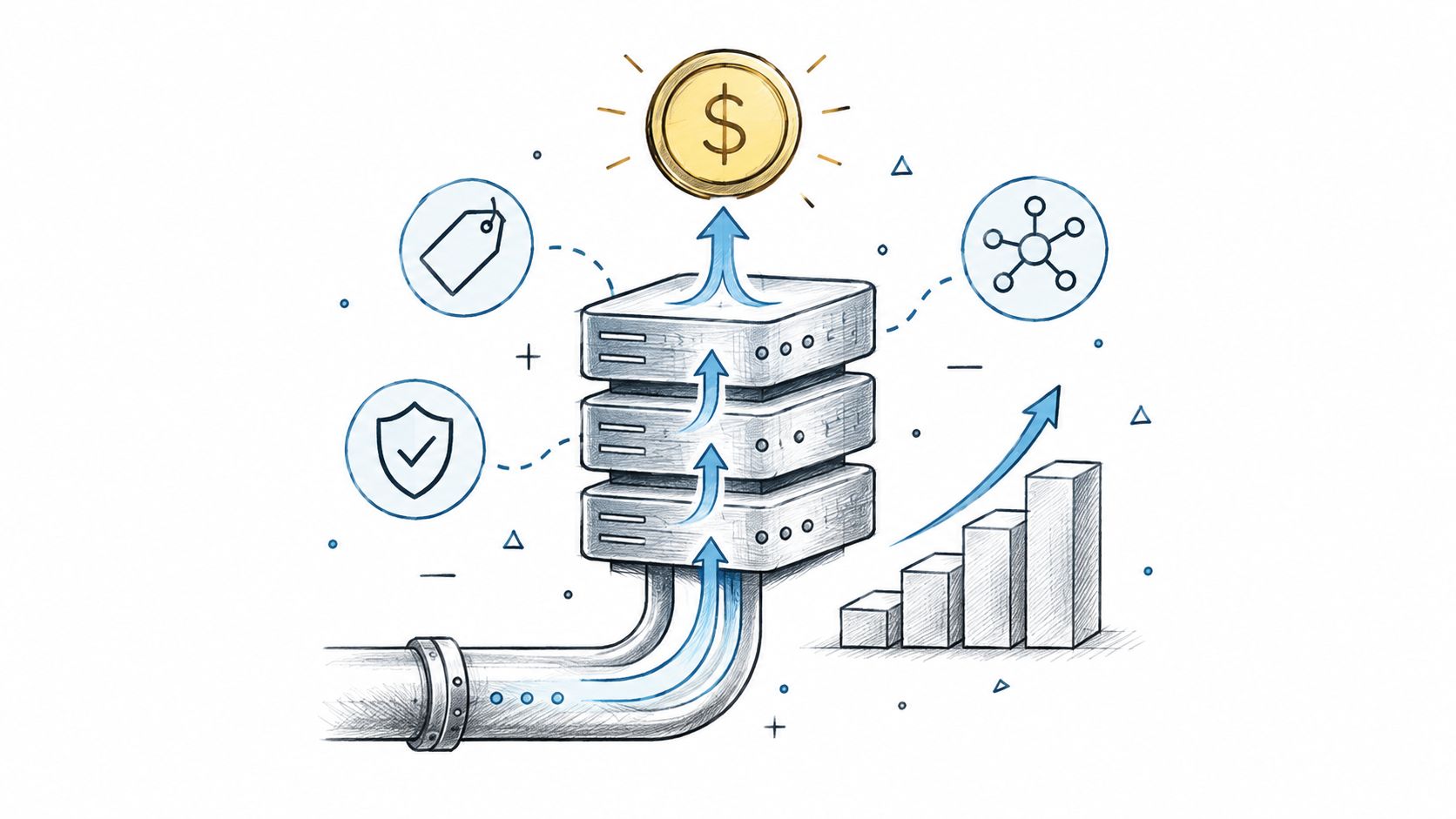
Data Monetization Platform Guide: Build, Price, and Scale
Master the data monetization platform model. Learn architecture, pricing strategies, compliance rules, and real examples to turn data into revenue safely.
10 Different Words for Sad: Ranked by Intensity and Tone
Explore different words for sad, ranked by intensity, register, and context, with example sentences and usage notes for writers and students.

