
人間らしいトーンのAIメールリライターガイド
自然で魅力的なメールを作成するために、人間らしいトーンのAIメールリライターの使い方を学びましょう。AI検出を確認し、本物らしく聞こえるための実践的なヒントと例を入手してください。
人間らしいトーンのためのAIメールリライターを使用することは、冷たく非人間的なメッセージを修正する最も速い方法です。これらのツールは、ロボット的なAIドラフトを、元の意味を保ちながら読者とつながる自然で本物らしいコンテンツに変換することに特化しています。
なぜあなたのAIメールはロボット的に聞こえるのか、そしてそれを修正する方法
正直に言いましょう—一般的なAIツールによって作成されたほとんどのメールには、独特の「ロボット」感があります。多くの場合、少しフォーマルすぎる響きで、同じ文構造に頼り、コミュニケーションを本物に感じさせる微妙な個性が欠けています。
これは、あなたがアウトリーチで本物らしく聞こえようとしている学生でも、本当のエンゲージメントを促進しようとしているマーケターでも、クライアントとの関係を築いているプロフェッショナルでも、大きな問題になる可能性があります。
核心的な問題は、標準的なAIが会話のニュアンスよりも事実の正確さと正式な言語を優先する膨大で多様なデータセットでトレーニングされていることです。彼らは文法的には完璧ですが、感情的には平坦なテキストを生成します。この課題はよく知られており、ロボット的に聞こえずに営業プロセスを自動化する方法を学ぶことは、現代のコミュニケーションにとって重要なスキルです。
事実中心のAIから親しみやすいAIへのシフト
ありがたいことに、技術は急速に進歩しています。今日のAIライターは、わずか数年前とは別世界にいます。2023年には、AIコンテンツは硬く非人間的に感じられ、ほとんどが個性のかけらもなく事実を提供するだけでした。
2026年に早送りすると、高度なAIヒューマナイザーは、テキストに自然なトーンと親しみやすい暖かさを注入し、人間の書き物とほぼ区別がつかないものにすることができます。もはやロボット的な初稿で妥協する必要はありません。鍵となるのは、一般的なAIアシスタントから人間化のために特別に作られた専門ツールに移行することです。
重要な洞察: 人間らしいトーンを得る最良の方法は、そのために設計されたツールを使用することです。AIメールリライターの唯一の目的は、自然な人間の書き物のパターンを分析して再現することです—一般的なAIが作るようには作られていないことです。
ロボット的特徴と人間的特徴の特定
問題を修正するには、まず何を探しているのかを知る必要があります。ロボット的なテキストにはいくつかの明らかな兆候があり、それらを認識することは、実際につながるメールを作成するための最初のステップです。
ChatGPTがロボット的に聞こえると感じたことがあるなら、ロボット的なChatGPTトーンを修正する方法に関する私たちのガイドは、さらに詳細な解決策を提供します。
しかし、始めるには、機械の出力と人間のタッチの違いを見分けられるようになる必要があります。一般的なロボット的な書き込みパターンと、より自然で人間的な響きの代替案の簡単な比較を示します。
ロボット的vs人間的メールの特徴
| ロボット的特徴 | 人間的代替案 | 例 |
|---|---|---|
| 過度にフォーマルな語彙 | カジュアルで一般的な言語 | 「利用する」は「使う」になり、「さらに」は「また」になります。 |
| 完璧で均一な文法 | 自然な不完全さ | 形式的な構文の代わりに、口語的な短縮形を使います。 |
| 予測可能な文構造 | 多様な文の長さ | 短くパンチの効いた文と、やや長く説明的な文を混ぜます。 |
| 個人的なタッチの欠如 | 個性と感情を加える | 短く親しみやすいコメントを含めるか、やや表現力豊かな言葉を使います。 |
これらの特定の領域に焦点を当てることで、AI生成のドラフトを変換し始めることができます。目標は単に言葉を入れ替えることではありません。メッセージのリズム、個性、全体的な感覚を調整することです。
人間らしい響きのメールのためのプロンプト作成
AIから人間らしい響きのメールを得る秘訣は、ツール自体ではありません—それに与える指示です。一般的なプロンプトは一般的でロボット的な結果をもたらします。その自然で人間的なタッチを得るには、AIに必要な正確な声に導く具体的で多層的なコマンドを与える必要があります。
これを道順を教えるようなものだと考えてください。「ダウンタウンに向かう」は曖昧で役に立ちません。しかし「I-5北に乗って、7番街で降りて、左側の青いコーヒーショップを探して」は、友人を正確に必要な場所に連れて行きます。AIにプロンプトを与えることも同じです。
ペルソナとトーンの定義
プロンプトを書くことを考える前に、「送信者」が誰であるかを決定する必要があります。忙しい幹部ですか?フレンドリーな同僚ですか?共感的なサポートエージェントですか?このペルソナを定義することがあなたの出発点です。
次に、感情的なトーンを指定する必要があります。「フレンドリー」と言うだけでは不十分です。より細かくする必要があります。
- 慎重に楽観的: 「これを慎重に楽観的なトーンで書き直してください。私たちは希望を持っていますが、過剰な約束はしたくありません。」
- 熱心だがプロフェッショナル: 「これを熱心に聞こえるようにしてくださいが、プロフェッショナルに保ってください。感嘆符や絵文字はなしで。」
- 共感的で安心させる: 「共感的で安心させる声を採用してください。目標は、顧客に聞いてもらい、サポートされていると感じてもらうことです。」
このレベルの詳細さは、AIを基本的な形容詞を超えて、本当に人間的に感じられるニュアンスのある表現へと押し進めます。
制約とシード文の使用
本の中で最も効果的なトリックの1つは、AIに何をしてはいけないかを伝えることです。これらは否定的制約と呼ばれ、それらの一般的なロボット的習慣を排除するのに素晴らしいです。
プロのヒント: 否定的制約は、不快な企業のジャーゴンに対するあなたの最良の防御です。AIに「シナジー」や「お話を伺う」などの言葉を避けるよう明示的に伝えると、より自然で会話的な代替案を見つけることを強制します。
私が常に使う制約をいくつか紹介します:
- 「『活用する』、『利用する』、『連絡を取る』などの企業のジャーゴンを使わないでください。」
- 「受動態を避けてください。すべての文を能動的で直接的にしてください。」
- 「文を20語以下に保ち、長さを変えてください。」
もう一つの素晴らしいテクニックは、「シード文」を提供することです。これは、あなたが目指しているスタイルを完璧に捉えた、あなた自身が書いた短い文です。それをプロンプトに含めることで、AIに具体的なサンプルを与えてコピーさせています。例えば:「これを書き直してください、この文のスタイルに合わせて:『チームの皆さん、Q3の数字について簡単な注意点です。』」
AIコミュニケーションの全体的なトレンドは急速に変化しており、純粋に機能的な出力からはるかに個人的なものへと移行しています。このインフォグラフィックは、わずか数年でのAIトーンへの望ましい変化を完璧に捉えています。

需要は、暖かさと個性でコミュニケーションできるAIに対するものであり、過去に見た硬くフォーマルな出力とは別世界です。
実世界のプロンプトテンプレート
これらすべてを実用的でコピー&ペースト可能な例にまとめましょう。これらを自分の用途に合わせて自由にアレンジしてください。より深い掘り下げのために、自然な文章のためのChatGPTプロンプトの作成に関する私たちのガイドもチェックできます。
1. 営業フォローアップ
- 元のゴミ: 「最近の会話のフォローアップとして、お送りした提案書をご覧になる機会がありましたかお伺いしたいと思いました。ご質問がありましたらお知らせください。」
- 機能するプロンプト: 「このフォローアップメールを書き直してください。ペルソナ: 押し付けがましいセールスマンではなく、親切でフレンドリーなアカウントマネージャー。トーン: 自信を持ってリラックス。制約: 「ちょっとチェック」や「フォローアップ」を使わないでください。短く要点を押さえてください。シード文: 「素晴らしい週の始まりだったことを願っています。」」
- 実行可能な結果: 「こんにちは [名前]、素晴らしい週の始まりだったことを願っています。あの提案書を見る機会はありましたか?ご質問があれば喜んでお答えします。」
2. 内部チーム更新
- 元のゴミ: 「このメールは、プロジェクトの締め切りが正式に10月25日まで延長されたことをすべてのチームメンバーに通知するためのものです。すべての未完了タスクがこの新しい日付までに完了することが必須です。」
- 機能するプロンプト: 「この内部発表を書き直してください。ペルソナ: サポート的なチームリーダー。トーン: 直接的だが励ましの。制約: 「通知するためのもの」や「必須です」などのフォーマルな言語を避けてください。より協力的で前向きな方法で組み立ててください。」
- 実行可能な結果: 「簡単な更新です、チーム。プロジェクトの締め切りを10月25日まで延長できました。この追加時間を使ってすべてを磨いて仕上げましょう。これまで素晴らしい仕事です!」
3. カスタマーサービスの返答
- 元のゴミ: 「アカウントログインの問題に関するサポートチケットを受け取りました。技術チームが調査中で、適切な時期に更新をご提供いたします。」
- 機能するプロンプト: 「このカスタマーサービスの返答を書き直してください。ペルソナ: 共感的で有能なサポートスペシャリスト。トーン: 安心させる、謝罪する。コンテキスト: 顧客はイライラしているので、まず彼らのイライラを認めてください。制約: 「適切な時期に」や「ご不便をおかけして申し訳ございません」を使わないでください。次のステップについて具体的にしてください。」
- 実行可能な結果: 「こんにちは [名前]、ログインに問題が発生していると聞いて大変申し訳ありません—イライラさせるものですね。これを技術チームに最優先としてフラグを立て、現在調査中です。更新があり次第、個人的にフォローアップします。次の1時間以内になるはずです。」
完璧な人間らしいトーンのための2ステップワークフロー
AI生成のドラフトは素晴らしいスタートですが、決して完成品ではありません。本当の魔法は、ヒューマナイズワークフロー—そのロボット的なテキストをあなたのように聞こえるものに変える、迅速で繰り返し可能なプロセスで起こります。
これはAIの仕事を捨ててやり直すことではありません。あなたの個性と暖かさを注入する、スマートで的を絞った編集についてです。私はこれを2段階のプロセスとして考えます:迅速なAIリライト、続いて重要な人間の編集パス。AIは基本的な形を彫る彫刻家です。あなたはそれに命を吹き込む細かいディテールを加えるアーティストです。機械の速度と人間の直感のこの組み合わせが、その完璧な人間らしいトーンのAIメールリライターを達成する方法です。
フェーズ1:即時AIリライト
まず最初に、最初のAIドラフトを専用のヒューマナイザーツールに通します。ここで、あの不格好でロボット的なメールを貼り付け、専門的なアルゴリズムに重い仕事をさせます。堅実なヒューマナイザーは、実際の人間の書き物の数百万の例でトレーニングされているため、本能的に不自然なフレーズを滑らかにし、文構造を混ぜ合わせます。

結果は?すでに**80%**到達しているドラフトです。元の意味を保ちながら、より会話的に感じるように言語を再構成し、作業するためのはるかに良い基盤を提供します。
フェーズ2:重要な人間の編集パス
ヒューマナイズされたドラフトが手元にあれば、最後の個人的なタッチを加えるのはあなたの番です。この部分は数分しかかからないはずですが、すべての違いを生み出します。ここでのあなたの目標はシンプル:個性を加え、読みやすくすることです。
これは私が手動レビュー中に焦点を当てるものです:
- オープナーとクローザーを交換する: 「拝啓 [名前]」のような一般的な挨拶を捨ててください。よく知っている場合は、「こんにちは [名前]、」や「[名前]さん、」のような暖かいものに行きます。サインオフも同じです。「敬具」は硬く感じます。「よろしく、」「またね、」または「近いうちに話しましょう」を試してください。
- 素早く個人的なタッチを加える: 短く関連性のあるコメントを注入します。「素晴らしい週末を過ごされたことを願っています」や「LinkedInの最新投稿を本当に楽しみました」のように簡単なものでも構いません。この一動きで、ロボット的な雰囲気が一瞬で打ち砕かれます。
- 手動で文を変える: AIパスの後でも、もっとリズムを加えることができます。長い文が2つ続いているのを見ますか?一つを分けます。文を質問に変えるかもしれません。読者がぼんやりしないようにします。
- 段落を分割する: 3行を超える段落をスキャンして半分に切ります。空白はあなたの最良の友です、特にほとんどの人がスマートフォンでメールを読むので。メッセージが読むのが面倒に感じにくくなります。
重要なポイント: 人間の編集パスは文法を修正するためのものではありません—AIがすでにそれを処理しました。あなたの声を注入するためのものです。AIは人間のトーンを模倣できますが、本当のつながりを構築する具体的な詳細を加えることができるのはあなただけです。
ビフォーアフターの例
このワークフローを実際に見てみましょう。これは触れる前の標準的なAI生成フォローアップメールです。
ビフォー:AIヒューマナイザー + 人間の編集
件名:私たちの議論のフォローアップ
拝啓 Alex、
プロジェクト提案に関する先週の会話のフォローアップとして書いています。お送りした文書をご覧になる機会があったと信じています。ご質問について議論し、次のステップを決定することを熱望しています。今後数日間の短い電話のためのご都合をお知らせください。
今、ヒューマナイザーに通して素早い編集を適用した後の同じメールです。
アフター:AIヒューマナイザー + 人間の編集
件名:提案についての簡単な質問
こんにちは Alex、
生産的な週を過ごしていることを願っています!
先週のチャットのフォローアップをすぐにしたかっただけです。プロジェクト提案を見る機会はありましたか?
あなたの考えを聞き、ご質問にお答えしたいと思います。今週のどこかで数分つながる時間があるか教えてください。
よろしく、
違いは昼と夜です。「アフター」バージョンは、より暖かく、より直接的で、アルゴリズムからではなく同僚から来たように感じます。このシンプルな2ステップのプロセスは、私が見つけた、実際につながるメールを一貫して書くための最も信頼できる方法です。
これを本当に科学に落とし込むには、すべての文章でAIテキストをヒューマナイズする方法について深く掘り下げる価値があります。
AI検出を回避するための高度なテクニック
良いAIメールリライターはあなたのテキストをより自然に聞こえるようにすることができますが、いくつかの状況では完全に異なるレベルのヒューマナイゼーションが必要です。学術論文、高賭けのビジネス提案、AI検出器によってフラグが立てられることが単に選択肢ではないSEOコンテンツを考えてみてください。
これを行うには、基本的な編集を超える必要があります。単に数語を交換することではありません。人間の思考のユニークで時には混乱したリズムを模倣することを学ぶことです。目標は、人間に読まれるだけでなく、最も洗練された検出ツールも通過するテキストを作成することです。
パープレキシティとバースティネスを知る
検出器を打ち負かすには、彼らが何を探しているかを知る必要があります。ここで2つの概念が絶対に重要です:パープレキシティとバースティネス。
パープレキシティは基本的にテキストの「サプライズ要因」です。AIモデルは予測可能な単語パターンを愛し、その結果、低いパープレキシティになります。より豊かな語彙と予期しない単語の選択を持つ人間の書き物は、はるかに予測不可能で、高いパープレキシティを持ちます。
- 実行可能な洞察: 「結果はとても良かった」の代わりに、「結果は本当に注目に値した」のような高パープレキシティの代替案を試してください。
バースティネスは文の多様性についてです。人間はバーストで書きます—短くパンチの効いた文の後に長くて説明的な文が続きます。一方、AIは似たような長さと構造の文を生成する傾向があります。この低いバースティネスは検出器にとって大きな赤旗です。
- 実行可能な洞察: 「データを分析します。次にレポートを作成します。レポートが共有されます。」のようなロボット的な一節を取り、より多くのバースティネスで書き直します:「今データを掘り下げています。それが終わったら、皆のために包括的なレポートをまとめます。」
専用のAIヒューマナイザーを使用することは素晴らしい最初のステップです。これらのツールは、パープレキシティとバースティネスを上げるように特別に構築されており、テキストを人間が実際に書く方法と構造的に類似させます。
意図的な不完全さを受け入れる
ここに直感に反するヒントがあります:AIレーダーの下を飛ぶ最良の方法の1つは、人間の書き物の特徴である「欠陥」を加えることです。AIは完璧な文法と正式な構造でトレーニングされているため、その標準からのいかなる逸脱もテキストを瞬時により本物に感じさせます。
短縮形と口語形から始めましょう。簡単です。それらを使用することは、会話的な人間的タッチの即座の信号です。
次に、よく配置されたイディオムや口語表現を振りかけます。「結局のところ」、「長い見込み」、「連絡を取る」のようなフレーズは、本物の層を加えることができます。文脈に合っていて、強引に押し込まれていないことを確認してください。
重要な洞察: 完璧は予測可能で、予測可能は検出可能です。前置詞で文を終わらせたり、カジュアルな言い回しを使ったりするような小さな不完全さは、しばしばあなたの文章を人間として通すまさにそのものです。
あなたのユニークなライターの指紋を作成する
すべての人がユニークな書き込み声を持っています—お気に入りの言葉、文のリズム、句読点の習慣で構成された「指紋」。AI支援の書き込みのために一貫した指紋を開発できれば、どんなアルゴリズムでもそれを見つけることが非常に困難になります。
ここに構築する方法があります:
句読点を変える: カンマとピリオドだけに頼らないでください。エムダッシュ(—)は関連する考えを美しく区切ることができます。セミコロン(;)は2つの独立しているが密接に関連したアイデアをつなぐことができます。AIはこの句読点の多様性を独自に使うことはほとんどありません。
- 例: 「プロジェクトは順調です。スケジュールより進んでいます。」の代わりに、「プロジェクトは順調なだけではありません—実際にはスケジュールより進んでいます。」を試してください。
個人的な語彙を育てる: 私たちは皆、頼りになる言葉やフレーズを持っています。あなたのリストを作成し、書き直されたメールに意図的に取り入れてください。これは、一般的なモデルが単に偽造できないスタイル的な署名を作成します。
- 例: あなたがよく「結論として」と言うなら、AIのドラフトがそれを含むように編集されていることを確認してください:「結論として、金曜日までに決定を下す必要があります。」
文の始まりを混ぜる: AIはしばしば「さらに」、「加えて」、「結論として」のようなロボット的なオープナーをデフォルトにします。文を異なる方法で始めるために意識的な努力をしてください。質問、前置詞句、または単純な主語-動詞の構造で始めてみてください。
これにもっと深く飛び込みたい場合は、AI検出を回避する方法に関する私たちのガイドが、さらに高度な戦略を提供します。
これらのテクニックを実践することで、読者とつながるだけでなく、最も厳格なAI検出器も自信を持って通過するコンテンツを生み出すことができます。AIの速度と本物の人間のタッチの紛れもないマークを組み合わせます。
あなたに合った適切なAIメールリライターを選ぶ

新しいAIツールが2週間ごとに発売される中、適切なものを選ぶことはフルタイムの仕事のように感じることがあります。厳しい真実は次のとおりです:すべてのリライターが同じように作られているわけではありません。間違ったものを選ぶと、一般的なテキスト、大きなプライバシーの頭痛、またはまだブロックのすべての検出器によってフラグが立てられるコンテンツが残る可能性があります。最高の人間らしいトーンのAIメールリライターは、ワンサイズフィットオールのソリューションではありません。それは完全にあなたが何をする必要があるかに依存します。
この決定はこれまで以上に重要です。AIライティング市場は爆発しており、2026年の27億4000万ドルから2035年までに驚異的な182億7000万ドルに成長すると予測されています。ビジネス採用率が現在**78%**であるため、ロボット的なAIテキストを人間的なものに変えることはもはや巧妙なトリックではありません—それは中核的なビジネススキルです。必須のAIライティング統計50に関するこの完全なレポートで自分で数字を掘り下げることができます。
では、ノイズをどのように切り抜けるのでしょうか?本当に素晴らしいツールを単に平凡なものから分類するためのシンプルなフレームワークが必要です。重要な要因を見ていきましょう。
AI検出回避率の評価
成績、提案、またはSEO駆動の記事のために提出するためにテキストを書き直している場合、これはあなたの最優先事項です。あなたのツールは主要なAIチェッカーを通過する実績がなければなりません、ピリオド。
彼らの言葉を鵜呑みにしないでください。特定の検出器に対するパフォーマンスについて率直なツールを探してください。あなたのお金に値するサービスは、次のようなプラットフォームに対してどのように対処するかを伝えることができるはずです:
- Turnitin: 学生と学者のためのゴールドスタンダード。
- GPTZero: 最も人気があり広く使われている公開検出器の1つ。
- Grammarly: その内蔵検出器は、プロフェッショナルなワークフローの定番になりつつあります。
高い回避率を持つツールは、人間の書き物の複雑なパターン—以前話したパープレキシティとバースティネスを模倣するように細心の注意を払って設計されています。仕事が顕微鏡下にある人にとって、これは交渉不可能な機能です。
出力の品質と自然さ
ツールはAI検出器にとって幽霊である可能性がありますが、出力が不格好、ぎこちない、または単に間違っている場合、それは失敗です。書き直されたテキストは人間に聞こえるだけでなく、元のメッセージを完全に明確に保持する必要があります。
重要な洞察: 最高のヒューマナイザーは、シノニムのために検索置換を実行するだけではありません。彼らは文脈を理解しています。彼らは文を完全に再構築し、リズムを変え、フローを調整して、テキストを自然で本物に感じさせます。
ツールをテストするときは、技術的またはニュアンスのある言語を投げてみてください。意味を保てるか見てください。質の高いリライターは、複雑な文を単純化することなく、あなたのポイントをより直接的でより強力にします。
データプライバシーとセキュリティの優先順位付け
無料のオンラインツールに貼り付けるテキストに何が起こるか考えたことがありますか?これは重要な質問です、特に機密メール、機密ビジネスレポート、または独自情報を書き直している場合。
汚い秘密は次のとおりです:多くの無料または怪しいツールは、モデルをトレーニングするためにあなたのデータを使用します。つまり、機密テキストがAIのトレーニングデータの一部になり、後で他のユーザーに公開される可能性があります。それは大きなプライバシーリスクです。
これがなぜあなたが常に厳格なノーログポリシーを持つツールを選ぶべきかです。彼らのプライバシーポリシーを通じて、あなたのコンテンツが決して保存、共有、またはトレーニングに使用されないことを確認する明示的な声明を探してください。あなたの情報は正確にそのままであるべきです—あなたのものです。
使いやすさとワークフローの統合
世界で最も強力なツールでも、使うのが苦痛であれば役に立ちません。不格好なインターフェースや入り組んだプロセスは、あなたの一日に摩擦を加えるだけです。直感的で邪魔にならないリライターが必要です。
プロセス全体は死ぬほどシンプルである必要があります:
- 元のAI生成テキストを貼り付けます。
- 人間化するために1つのボタンをクリックします。
- 磨かれた人間のような声のバージョンをコピーします。
清潔でユーザーフレンドリーなインターフェースは、書き直されたメールを数秒で取得できることを意味します。それはあなたが何が重要かに焦点を当てることを可能にします:あなたのユニークな声を加える迅速な最終調整。ツールがこれほどシームレスである場合、人間らしいトーンを達成することは、日々のルーチンの迅速で楽な部分になります。
AIメールリライティングに関するよくある質問
メールを書き直すためにAIを使い始めると、いくつかの質問がほぼ即座に浮かびます。それは新しい働き方で、詳細について好奇心を持つのは賢明です。私がいつも聞く大きなものに取り組みましょう。
AIで書き直されたメールは本当に検出不可能になりますか?
はい、しかしそれは2ステップのプロセスです:適切なツールと迅速な人間の直感チェックが必要です。専用のAIヒューマナイザーを使用することが重要な最初の動きです。これらのツールは、ロボット的なテキストを分解し、人間の書き物の多様で時には予測不可能なパターンを使用して再構築するために特別に構築されています。
それらは、言語学者が「パープレキシティ」と「バースティネス」と呼ぶものを加えるように設計されています。これは、テキストをより均一でなく、より自然にする技術的な方法に過ぎません。
ツールがその役割を果たすと、あなたは最終的な人間のタッチのために介入します。ここで本当の魔法が起こり、わずか1分しかかかりません。
- 個人的な詳細を投げ込む: 最近のチャットや共通の興味について簡単に言及します。
- 短縮形を使う: 即座にあなたの書き物を暖かくします。
- 文を混ぜる: 長いものをいくつか見るなら、一つを分けてください。短いものをいくつか?おそらく組み合わせてください。
この組み合わせ—強力なリライトに続いてあなたの迅速な磨き—は、メールをあなたが自分で苦労したであろうものとほとんど区別できないようにします。
AIを使用すると、メールの意味が変わりますか?
良いAIヒューマナイザーは、その仕事が著者ではなくスタイリストであることを知っています。その目標は、あなたのコアメッセージ、事実、意図を保持することです。それは、あなたが何を言っているかではなく、あなたが何かをどのように言うかを変えるためにあります。
それを優れた編集者として考えてください。彼らはあなたの四半期報告書のデータをいじることはありませんが、不格好な文を確実に言い換えて、あなたの発見をより大きな影響で着地させるでしょう。
迅速なスキャンは常に良い習慣です。送信を押す前に、最終バージョンに目を通して、トーンが正しく、すべての詳細が意図したとおりであることを確認してください。これは、正確さと信頼性の両方を保証するシンプルな習慣です。
私の書き物を人間化するためにAIを使用することは倫理的ですか?
この質問は意図に帰着します。あなた自身のオリジナルのアイデアを洗練したり、フレーズを清掃したり、より良いトーンを見つけたりするためにAIツールを使用しているなら、あなたは大丈夫です。それは、あなたの仕事を磨くためにシソーラスや文法チェッカーを使用するのと変わりません。
倫理的な線は、それが学術不正のために使用されるときに越えられます—エッセイ全体を生成して自分のものとして渡そうとするようなものです。それはこれらのツールが目的とするものではありません。
プロフェッショナルにとって、AIアシスタントを使用することは、生産性を高め、より効果的にコミュニケーションするための標準的な習慣に急速になっています。鍵となるのは透明性と正直さです。あなたが著者です;AIはあなたの非常に有能なアシスタントです。
このプロセス全体にはどれくらいの時間がかかりますか?
これが最良の部分です:信じられないほど速いです。だからこそ多くの人がこのワークフローを採用しています。
人間らしいトーンのAIメールリライターでの最初のリライトはほぼ瞬時です。テキストを貼り付け、ボタンをクリックすると、数秒で新しいバージョンが手に入ります。
最後の人間のタッチアップ—あなたの素早い読み通しと小さな調整—は通常1分、おそらく2分かかります。それを最初から書くこと、またはロボット的なAIドラフトを手動で編集しようとすることと比較すると、時間の節約は莫大です。ほとんどの人は、メール作成時間を**75%**以上削減することを発見します。
ロボットのように聞こえるのをやめて、つながるメールを書き始める準備はできましたか?Humantext.proを今すぐ試して、どれほど簡単かを見てください。https://humantext.proで無料で始めましょう。
AI生成コンテンツを自然で人間らしい文章に変換する準備はできていますか? Humantext.pro はテキストを瞬時に改善し、自然で本物らしく読めるようにします。 今日、無料のAIヒューマナイザーをお試しください →
関連記事
AI Detector Score: What It Means and How to Use It
Understand AI detector scores, learn how they are calculated, and discover practical ways to interpret and use them for quality assurance and compliance.
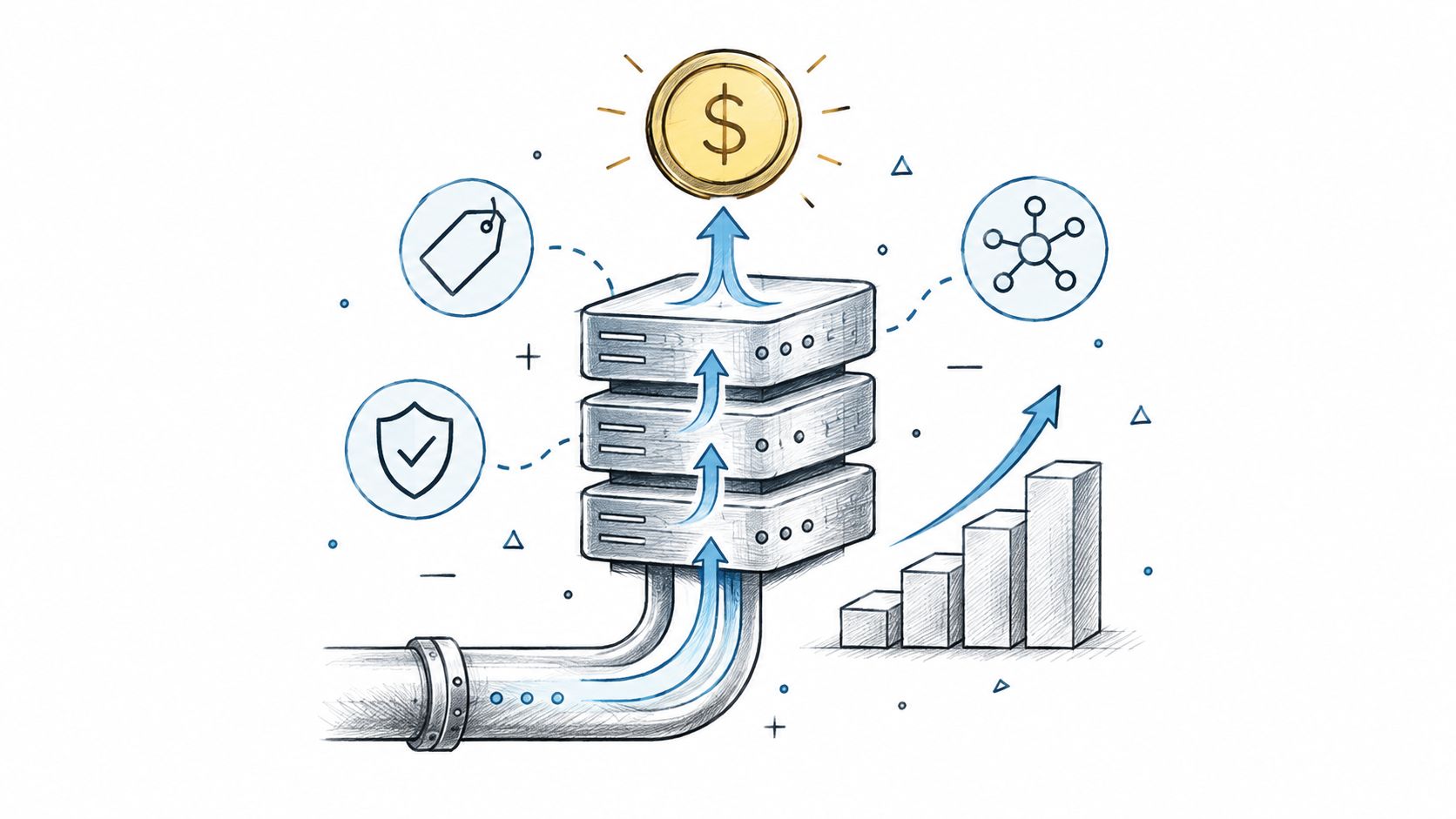
Data Monetization Platform Guide: Build, Price, and Scale
Master the data monetization platform model. Learn architecture, pricing strategies, compliance rules, and real examples to turn data into revenue safely.
10 Different Words for Sad: Ranked by Intensity and Tone
Explore different words for sad, ranked by intensity, register, and context, with example sentences and usage notes for writers and students.

