Kompletny Przewodnik po Sprawdzarce Plagiatu Grammarly
Odkryj, jak działa sprawdzarka plagiatu Grammarly, aby zapewnić oryginalność. Dowiedz się, jak z niej korzystać, interpretować raporty i zobacz, jak wypada w porównaniu z najlepszymi alternatywami.
Pomyśl o sprawdzarce plagiatu Grammarly jak o swoim osobistym cyfrowym detektywie. Jej głównym zadaniem jest skanowanie Twojego tekstu w poszukiwaniu wszelkich nieoryginalnych treści, porównując go z ogromną biblioteką miliardów stron internetowych i artykułów naukowych. Daje Ci wynik oryginalności i oznacza konkretne fragmenty, które mogą wymagać odpowiedniego cytowania, pomagając upewnić się, że Twoja praca jest naprawdę Twoja.\n\n## Jak Działa Cyfrowy Detektyw?\n\nJak więc faktycznie wykrywa skopiowany tekst? To nie jest tylko szukanie prostego dopasowania słowo w słowo; technologia jest znacznie mądrzejsza niż to. Skrupulatnie porównuje każde zdanie w Twoim dokumencie z masywną, stale rosnącą bazą danych istniejących treści.\n\n \n\nTen proces przypomina cyfrowe śledztwo, w którym Twój tekst jest szczegółowo sprawdzany zarówno pod kątem źródeł internetowych, jak i artykułów naukowych, aby potwierdzić jego oryginalność.\n\n### Coś Więcej Niż Tylko Kopiuj i Wklej\n\nPrawdziwa moc sprawdzarki Grammarly tkwi w jej zdolności do wykrywania czegoś więcej niż tylko bezpośrednich kopii. Algorytmy są wystarczająco sprytne, aby identyfikować subtelne przypadki parafrazowania—gdy ktoś zmodyfikował strukturę zdania lub zamienił kilka słów, ale główna idea nadal pochodzi z innego źródła. To zmienia zasady gry w utrzymaniu integralności akademickiej i tworzeniu naprawdę unikalnych treści.\n\nPraktyczna Wskazówka: Na przykład, wyobraź sobie, że źródło mówi: „Szybki rozwój technologii cyfrowej fundamentalnie zmienił współczesną komunikację." Jeśli napiszesz: „Szybkie rozprzestrzenianie się narzędzi cyfrowych zasadniczo zmieniło sposób, w jaki komunikujemy się dzisiaj," sprawdzarka Grammarly jest na tyle inteligentna, aby oznaczyć podobieństwo, zachęcając Cię do zacytowania źródła lub przeformułowania bardziej oryginalnie.\n\nOto szybki przegląd jej podstawowych funkcji.\n\nSprawdzarka Plagiatu Grammarly w Skrócie\n\n| Funkcja | Opis |\n| :--- | :--- |\n| Rozmiar Bazy Danych | Porównuje tekst z miliardami stron internetowych i ekskluzywnymi bazami danych akademickimi. |\n| Wynik Oryginalności | Podaje wynik procentowy wskazujący, ile Twojego tekstu jest oryginalne. |\n| Podświetlanie Źródeł | Oznacza konkretne fragmenty pasujące do istniejących treści i podaje linki do źródeł. |\n| Pomoc w Cytowaniu | Oferuje wskazówki, jak prawidłowo cytować źródła, które zostały oznaczone. |\n| Wykrywanie Parafrazowania | Zaawansowane algorytmy identyfikują tekst, który został przeformułowany, ale nie został odpowiednio przypisany. |\n\nTa tabela podsumowuje, jak Grammarly zapewnia kompleksową siatkę bezpieczeństwa dla pisarzy.\n\n### Dla Kogo To Narzędzie Jest Naprawdę?\n\nChociaż każdy może z niego korzystać, narzędzie jest niezbędne dla szerokiej grupy osób, które polegają na oryginalności. Czy to w utrzymaniu standardów akademickich, czy ochronie reputacji zawodowej, jego zastosowania są niezwykle różnorodne.\n\n* Studenci: Ratunek dla upewnienia się, że eseje, prace badawcze i dysertacje są wolne od przypadkowego plagiatu i spełniają surowe wytyczne uniwersyteckie.\n* Pisarze i Marketerzy: Niezbędne do weryfikacji, czy posty blogowe, artykuły i treści na stronie internetowej są unikalne. Oryginalna treść jest kluczowa dla budowania autorytetu i ochrony tych kluczowych pozycji SEO.\n* Naukowcy i Badacze: Ostateczna kontrola potwierdzająca, że artykuły naukowe i publikacje są oryginalne przed przesłaniem ich do prestiżowych czasopism.\n\n> Nie musisz wierzyć tylko na słowo—skala jest ogromna. Tylko w 2023 roku Grammarly przetworzył ponad 4 miliardy dokumentów z raportowaną 98% dokładnością wykrywania. Dominacja narzędzia jest szczególnie silna w Ameryce Północnej, która stanowi 47% rynku sprawdzarek plagiatu, w dużej mierze napędzanego surowymi zasadami akademickimi.\n\nOstatecznie to narzędzie jest dla każdego, kto potrzebuje pewności, że jego pisanie jest autentycznie jego. Czy jesteś studentem martwiącym się o przypadkowe skopiowanie, czy profesjonalistą chroniącym integralność swojej marki, sprawdzarka plagiatu Grammarly działa jako niezawodna siatka bezpieczeństwa. A dla tych ciekawych innych typów narzędzi do analizy tekstu, możesz znaleźć użyteczny nasz przewodnik po zrozumieniu ZeroGPT.\n\n## Praktyczny Przewodnik Krok po Kroku Korzystania ze Sprawdzarki Plagiatu\n\nDobra, teoria jest świetna, ale zabierzmy się do pracy. Zrozumienie jak działa sprawdzarka Grammarly to jedno; faktyczne użycie jej do ochrony Twojej pracy to miejsce, gdzie dzieje się magia. Przeprowadzę Cię przez dokładne kroki, aby przeprowadzić sprawdzenie i, co ważniejsze, zrozumieć wyniki.\n\nProces jest zaprojektowany tak, aby był dość bezproblemowy, niezależnie od tego, czy jesteś osobą kopiującą i wklejającą, przesyłającą dokumenty, czy kimś, kto lubi opinie w czasie rzeczywistym z rozszerzenia przeglądarki.\n\n
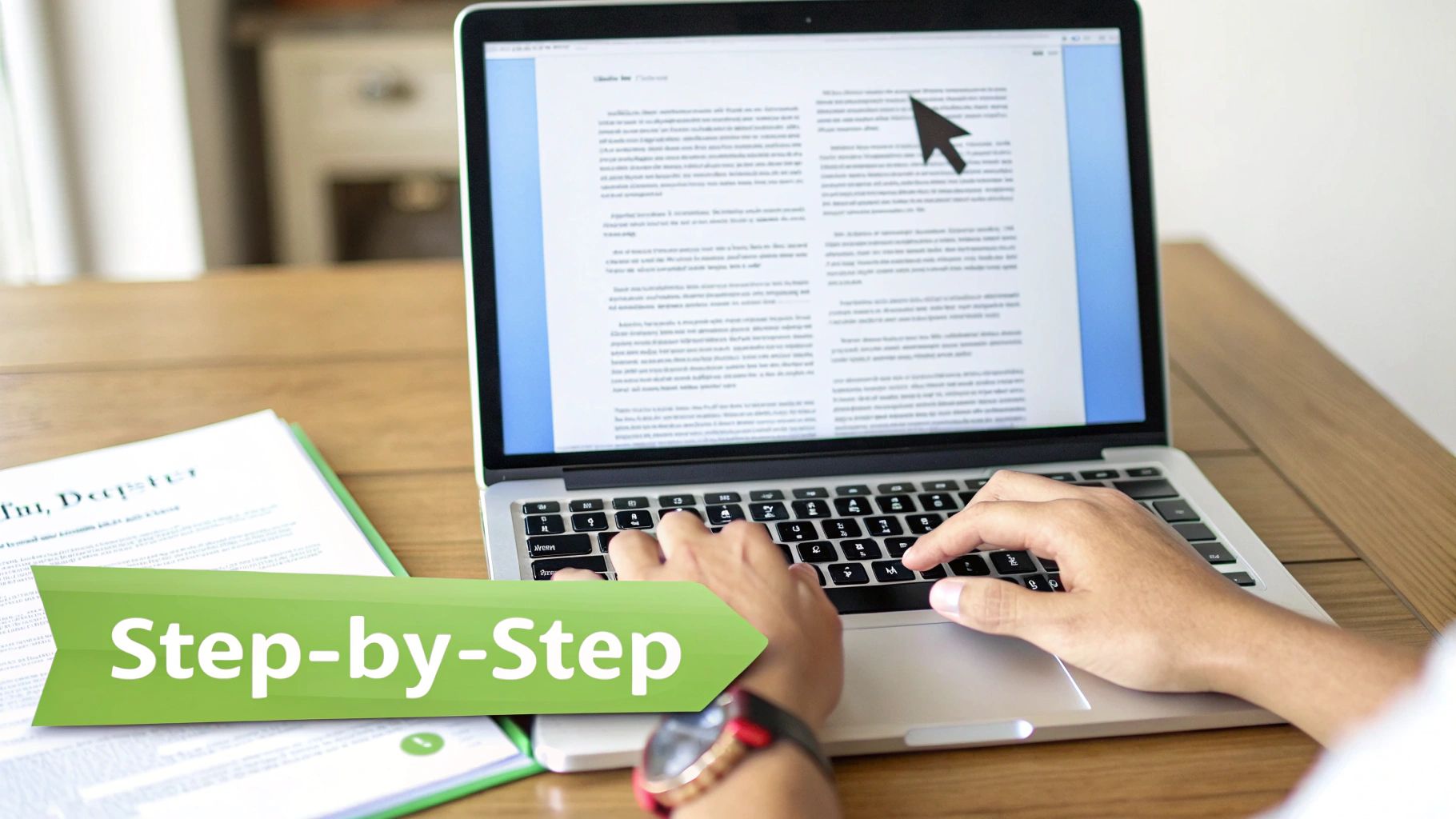 \n\n### Uruchamianie Pierwszego Skanowania Plagiatu\n\nWprowadzenie tekstu do edytora Grammarly to Twój pierwszy krok. Gdy już tam jest, uruchomienie skanowania to tylko jedno kliknięcie.\n\n1. Otwórz Edytor: Uruchom Edytor Grammarly online lub przez aplikację desktopową.\n2. Dodaj Swój Tekst: Możesz wkleić swój tekst bezpośrednio lub przesłać plik (np. .docx).\n3. Rozpocznij Skanowanie: Poszukaj przycisku "Plagiarism" na prawym pasku bocznym, gdzie znajdują się wszystkie inne sugestie. Zwykle znajduje się blisko dołu. Kliknij go.\n\nPo kliknięciu tego przycisku Grammarly zabiera się do pracy, porównując Twój tekst z masywną bazą danych stron internetowych i artykułów naukowych. Cały proces jest zaskakująco szybki—zwykle poniżej minuty, chociaż dłuższe dokumenty mogą wymagać nieco więcej czasu.\n\n> Praktyczna Wskazówka: W przypadku długich dokumentów, takich jak rozprawa, podziel je na rozdziały i sprawdzaj indywidualnie. To może przyspieszyć skanowanie i sprawić, że wyniki będą mniej przytłaczające do przeglądu, pozwalając skupić się na jednej sekcji na raz.\n\n### Zrozumienie Wyniku Oryginalności\n\nPierwszą rzeczą, którą zobaczysz, jest duża liczba procentowa—Twój wynik oryginalności. Ta liczba mówi, ile Twojego tekstu Grammarly uważa za unikalne. Więc jeśli otrzymasz 97%, oznacza to, że 3% Twojej treści pasowało do czegoś w jego bazie danych.\n\nTen zrzut ekranu daje dobre pojęcie, jak wygląda raport, z wynikiem wyświetlanym w widocznym miejscu.\n\n\n\nRaport nie tylko oznacza tekst; daje narzędzia do jego naprawienia. Podświetla każdy fragment, który może wymagać cytatu i zapewnia bezpośredni link do źródła, gdzie znajduje się pasujący tekst. To ogromna sprawa, ponieważ pozwala samodzielnie zbadać każde oznaczenie.\n\nPraktyczna Wskazówka: Gdy przejrzysz oznaczone zdanie, kliknij podany link źródłowy. Zobacz, jak użyto oryginalnego tekstu. Czy to było odkrycie badawcze? Bezpośredni cytat? Ten kontekst pomaga Ci zdecydować, czy przeformułować ideę własnymi słowami, czy dodać formalne cytowanie, jak: „Według Smith (2022)..."\n\n## Jak Zrozumieć Raport Plagiatu Grammarly\n\nOtrzymanie raportu plagiatu to tylko linia startu. Prawdziwa magia dzieje się, gdy wiesz, jak czytać go krytycznym okiem, ponieważ nie każde oznaczenie to alarm pożarowy. Ten duży wynik oryginalności to Twój nagłówek, ale podświetlone fragmenty to miejsce, gdzie rozwija się prawdziwa historia.\n\nRaport rozbija każde potencjalne dopasowanie, które znajduje, kolorując tekst i linkując Cię bezpośrednio do źródła online. To Twoja szansa, aby zostać detektywem we własnej pracy. Pomyśl o raporcie jak o zestawie wskazówek, nie ostatecznym werdykcie.\n\n
 \n\nTa praktyczna recenzja to miejsce, gdzie oddzielasz kilka przypadkowych nakładek od rzeczywistego plagiatu. To niezbywalny krok w procesie pisania.\n\n### Rozszyfrowywanie Kodu: Różne Typy Oznaczeń\n\nNie wszystkie podświetlenia są sobie równe. Twój raport prawdopodobnie pokaże mieszankę różnych typów dopasowań, a każdy wymaga innego planu gry. Konieczne jest wiedzieć, na co patrzysz, zanim zaczniesz gorączkowo usuwać zdania.\n\nOto zwykli podejrzani, których napotkasz:\n\n* Bezpośrednie Dopasowania: To jest kopia słowo w słowo tekstu z innego źródła. Jeśli ta fraza nie jest w cudzysłowach i odpowiednio zacytowana, to ogromna czerwona flaga wymagająca Twojej natychmiastowej uwagi. Przykład: Twój tekst mówi
 szybki brązowy lis przeskakuje leniwego psa, a źródło mówi dokładnie to samo.\n* Dopasowania Parafrazowane: Sprawdzarka plagiatu Grammarly jest całkiem bystra—może wykryć zdania, w których zamieniłeś kilka słów, ale zachowałeś oryginalną strukturę. Te oznaczenia to sygnał, że Twoje sformułowanie wciąż płynie zbyt blisko nurtu i wymaga przepisania własnym głosem.\n* Powszechne Frazy: Co jakiś czas narzędzie oznaczy ogólne powiedzenia jak „pod koniec dnia" lub standardowe terminy branżowe. Prawie zawsze możesz je zignorować. To po prostu część języka.\n\n> Celem nie jest tylko obniżenie procentu; to utrzymanie Twojej integralności. Wynik 5% składający się z niecytowanych bezpośrednich cytatów jest znacznie poważniejszy niż wynik 10%, który to tylko powszechne frazy i odpowiednio sformatowana bibliografia.\n\n### Radzenie Sobie z Fałszywymi Pozytywami Jak Profesjonalista\n\nFałszywe pozytywy pojawiają się cały czas i mogą sprawić, że Twój wynik podobieństwa wygląda bardziej strasznie, niż jest. Kluczem jest wiedzieć, jak je rozpoznać i pewnie iść dalej.\n\nNajczęstsze fałszywe alarmy obejmują:\n\n* Prawidłowo Zacytowane Cytaty: Jeśli użyłeś cudzysłowów i podałeś cytowanie, jesteś w porządku. Narzędzie po prostu wykonuje swoją pracę, potwierdzając, że znalazło źródło, które zacytowałeś.\n* Bibliografia lub Cytowane Dzieła: Twoja lista referencji na końcu zostanie oznaczona—oczywiście zostanie! Ma pasować do opublikowanych prac. To jest całkowicie oczekiwane i nie ma powodu do obaw.\n* Żargon Specyficzny dla Branży: Terminy techniczne, frazy prawne lub nazwy naukowe powszechne w Twojej dziedzinie mogą zostać podświetlone. To nie jest plagiat; to po prostu Ty mówiący w języku swojej dyscypliny.\n\nPraktyczna Wskazówka: Gdy znajdziesz fałszywy pozytyw, jak prawidłowo zacytowany cytat, po prostu przejrzyj go i idź dalej. Nie ma potrzeby go „naprawiać". Użyj tych oznaczeń jako ostatniej szansy, aby potwierdzić, że Twój format cytowania jest idealny (np. APA, MLA). To zamienia potencjalne utrapienie w produktywny krok korekty. Potrzebujesz przypomnienia? Nasz przewodnik po opanowaniu formatu przypisów APA może pomóc.\n\n## Czy Sprawdzarka Plagiatu Premium Grammarly Jest Warta? Darmowa vs. Płatna\n\nWięc patrzysz na przycisk aktualizacji. Wielkie pytanie w Twojej głowie to prawdopodobnie: czy naprawdę potrzebuję sprawdzarki plagiatu premium? Odpowiedź zależy od jednej rzeczy: jak bardzo zależy Ci na oryginalności. Podczas gdy darmowa wersja daje Ci małe pchnięcie, płatna subskrypcja daje Ci kompletny zestaw narzędzi do poważnej pracy akademickiej i zawodowej.\n\nPomyśl o darmowej kontroli plagiatu jak o świetle ostrzegawczym deski rozdzielczej. Miga, aby powiedzieć, że myśli, że może być problem. Otrzymujesz prosty alert, że nieoryginalna treść może istnieć w Twoim dokumencie, ale na tym się kończy. Bez szczegółów, bez specyfikacji.\n\nTen podstawowy sygnał jest dobry do szybkiej kontroli, ale pozostawia całą pracę detektywistyczną na Twojej głowie. Zostałeś z odgadywaniem, które zdania wywołały ostrzeżenie i zmuszony jesteś ręcznie szukać potencjalnych źródeł samodzielnie.\n\n### Co Premium Odblokowuje dla Wykrywania Plagiatu\n\nAktualizacja do Grammarly Premium jest jak przejście od tego niejasnego światła ostrzegawczego do pełnego raportu diagnostycznego od mistrza mechanika. Różnica nie jest tylko zauważalna; to zmiana zasad gry. Zamiast prostego oznaczenia otrzymujesz szczegółową, linię po linii analizę pokazującą dokładnie, co naprawić.\n\nOto, co otrzymujesz z doświadczeniem premium:\n\n* Podświetlone Fragmenty: Każda fraza lub zdanie pasujące do czegoś w sieci lub w bazie danych jest wyraźnie podświetlona, bezpośrednio w Twoim tekście.\n* Linki do Źródeł: Obok każdej oznaczonej sekcji Grammarly daje bezpośredni link do strony internetowej lub artykułu naukowego, gdzie znajduje się oryginalna treść. Koniec z polowaniem.\n* Wbudowane Narzędzia Cytowania: Gdy fragment wymaga tylko odpowiedniego uznania, Premium oferuje narzędzia pomagające zbudować prawidłowe cytowanie na miejscu, zapewniając, że Twoja praca jest na poziomie akademickim.\n\n> Praktyczny Przykład: Napisałeś akapit o zmianach klimatycznych, a Premium oznacza zdanie. Podaje link do artykułu NASA. Zdajesz sobie sprawę, że podsumowałeś kluczową statystykę bez przypisania. Zamiast zgadywać, klikasz link, potwierdzasz źródło i używasz narzędzia cytowania, aby dodać „(NASA, 2023)" od razu. To zamienia potencjalny problem plagiatu w dobrze udokumentowany fakt w sekundach.\n\n### Porównanie Funkcji Sprawdzania Plagiatu Darmowa vs Premium\n\nTa tabela dokładnie rozpisuje, co otrzymujesz—i czego nie otrzymujesz—z każdą wersją, jeśli chodzi o sprawdzanie nieoryginalnych treści.\n\n| Funkcja | Grammarly Darmowa | Grammarly Premium |\n| :--- | :--- | :--- |\n| Alert Plagiatu | Tak, podstawowe powiadomienie | Tak, kompleksowy alert |\n| Podświetlanie Fragmentów | Nie | Tak, podświetla konkretny tekst |\n| Linki do Źródeł | Nie | Tak, linki do oryginalnych źródeł |\n| Wynik Oryginalności | Nie | Tak, podaje wynik procentowy |\n| Pomoc w Cytowaniu | Nie | Tak, pomaga generować cytowania |\n\nJak widzisz, darmowa wersja potwierdza, że problem może istnieć, ale tylko wersja premium daje narzędzia, aby go faktycznie rozwiązać.\n\n### Dokonywanie Właściwego Wyboru dla Twoich Potrzeb\n\nWięc kto naprawdę musi przeskoczyć na premium?\n\nJeśli jesteś studentem, Twoja reputacja akademicka jest na szali z każdą pracą, którą składasz. Sprawdzenie premium to ostatnia siatka bezpieczeństwa, która łapie przypadkowy plagiat w pracy semestralnej lub rozprawie. Szczerze mówiąc, inwestycja jest maleńka w porównaniu z potencjalnymi skutkami naruszenia integralności akademickiej.\n\nDla twórców treści, blogerów i profesjonalistów SEO oryginalna treść to wszystko. To waluta wiarygodności i klucz do pozycjonowania w Google. Nic dziwnego, że solidne narzędzia Grammarly są teraz używane w ponad 11 000 instytucjach i przez niezliczone firmy, duże i małe. Jego powszechne przyjęcie, szczególnie w świecie zalanym treściami AI, mówi wiele. Możesz przeczytać pełne badanie o rynku sprawdzarek plagiatu, aby zobaczyć, jak niezbędne stały się te narzędzia.\n\nOstatecznie, jeśli potrzebujesz tylko pomocy z gramatyką i ortografią do nieformalnego pisania, darmowa wersja jest fantastyczna. Ale dla każdego, kogo praca, oceny lub reputacja zależą od weryfikowalnej oryginalności, szczegółowe raporty ze sprawdzarki plagiatu Grammarly są niezbędne. Aby zobaczyć pełen podział wszystkich funkcji, możesz sprawdzić oficjalną stronę produktu Grammarly.\n\n## Jak Grammarly Wypada w Porównaniu z Innymi Sprawdzarkami Plagiatu\n\n<iframe width="100%" style="aspect-ratio: 16 / 9;" src="https://www.youtube.com/embed/dkwY8J4zucA\" frameborder="0" allow="autoplay; encrypted-media" allowfullscreen>\n\nGdy wybierasz narzędzie tak krytyczne jak sprawdzarka plagiatu, rozsądnie jest zobaczyć, jak wypada w porównaniu z konkurencją. Grammarly nie działa w próżni; konkuruje bezpośrednio z uznanymi nazwami jak Turnitin, Copyscape i Quetext, z których każdy ma własnych lojalnych zwolenników i konkretne mocne strony.\n\nPrawdziwe różnice sprowadzają się do trzech rzeczy: bazy danych, z którą sprawdzają, kto jest ich głównym użytkownikiem i jaki rodzaj treści są zbudowane do skanowania. Na przykład Turnitin to niekwestionowany ciężkowaga w akademii, głęboko wpleciony w systemy uniwersyteckie i polegający na masywnej, prywatnej bazie danych prac studenckich. Copyscape, z drugiej strony, to wybór dla profesjonalistów internetowych, zaprojektowany specjalnie do wykrywania zduplikowanych treści w internecie, aby chronić SEO witryny.\n\n### Porównanie Bezpośrednie\n\nGdzie więc pasuje Grammarly? Wycina słodki punkt, łącząc dostęp do solidnej bazy danych akademickiej z kompleksowym przeszukiwaniem sieci, czyniąc go niezwykle wszechstronnym wyborem. To platforma wszystko-w-jednym dla gramatyki, stylu i oryginalności, którą wiele osób uważa za bardziej intuicyjną niż przeskakiwanie między wyspecjalizowanymi narzędziami.\n\nRozpiszmy, kto wygrywa w kilku typowych scenariuszach:\n\n* Dla Studentów: Turnitin jest często wymaganym narzędziem, ale sprawdzarka plagiatu Grammarly to idealna osobista pre-kontrola. Umożliwia studentom wychwycenie i naprawienie potencjalnych problemów zanim ich praca trafi do bardziej bezlitosnego systemu ich uniwersytetu. Pomyśl o tym jak o finalnej próbie przed wielkimshow.\n* Dla Twórców Treści: Podczas gdy Copyscape jest skoncentrowany laserowo na treściach internetowych, Grammarly oferuje szerszą sieć, która obejmuje źródła akademickie. To ogromny plus dla pisarzy, którzy muszą upewnić się, że ich praca jest oryginalna nie tylko w stosunku do innych blogów, ale także artykułów naukowych i prac badawczych.\n* Do Ogólnego Użytku: Quetext oferuje solidną, przyjazną dla użytkownika alternatywę. Ale zabójczą funkcją Grammarly jest jego integracja. Możliwość sprawdzania plagiatu wewnątrz dokładnie tego samego narzędzia, którego używasz do edycji, tworzy bezproblemowy przepływ pracy, który jest trudny do pobicia.\n\nTen diagram pokazuje dokładnie, co odblokowujesz z planem Grammarly Premium—klucz do uzyskania pełnego raportu plagiatu.\n\n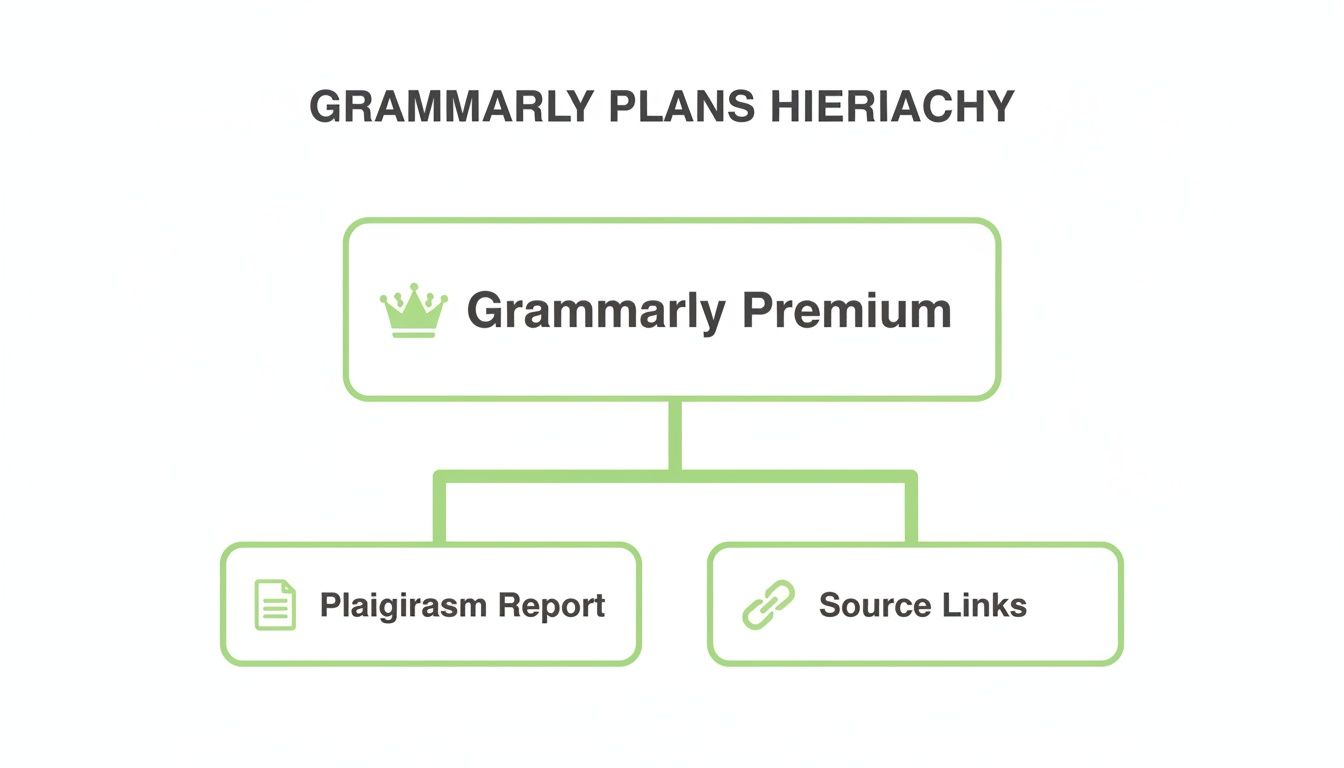 \n\nJak widzisz, subskrypcja premium to to, co daje szczegółowy raport i, co najważniejsze, linki do źródeł potrzebne do przeglądu każdego oznaczonego tekstu.\n\n### Nowa Zmarszczka: Treści Generowane przez AI\n\nNowy gracz wszedł do gry: tekst napisany przez AI. Oto problem—większość tradycyjnych sprawdzarek plagiatu została zbudowana, aby znaleźć bezpośrednie dopasowania do istniejących, napisanych przez ludzi treści. Po prostu nie są zaprojektowane, aby identyfikować unikalne, algorytmiczne odciski palców pisania AI.\n\nTo jest miejsce, gdzie uzupełniające narzędzie staje się niezbędne. Podczas gdy Grammarly jest świetny w wychwytywaniu skopiowanego i wklejonego tekstu, narzędzie jak HumanText.pro jest zbudowane dla innego wyzwania: udoskonalania szkiców generowanych przez AI. Bierze tekst brzmiący robotycznie i poleruje go w naturalną, przypominającą ludzką prozę, która czyta się jako oryginalna, ponieważ jest oryginalna, i jest specjalnie zaprojektowana, aby przepłynąć obok detektorów AI.\n\nPrzepływ Pracy do Działania:\n1. Wygeneruj pierwszy szkic z asystentem AI.\n2. Użyj HumanText.pro, aby udoskonalić prozę, sprawiając, że brzmi naturalnie i unikalnie.\n3. Przeprowadź ostateczny szkic przez sprawdzarkę plagiatu Grammarly jako ostatnią siatkę bezpieczeństwa, aby wychwycić jakiekolwiek przypadkowe nakładki z istniejącymi treściami.\n\n> Kluczowy Wniosek: Żadne pojedyncze narzędzie nie jest idealne do każdego zadania. Grammarly to fantastyczny, przyjazny dla użytkownika koń roboczy dla szerokiej publiczności. Ale dla specjalistycznych potrzeb—jak finalne składanie prac akademickich lub profesjonalne SEO—zrozumienie alternatyw to to, co oddziela amatorów od profesjonalistów.\n\nRozważając swoje opcje, warto również wiedzieć o innych technikach, jak sprawdzanie plagiatu za pomocą Google, aby zbudować kompletny zestaw narzędzi oryginalności.\n\n## Twoje Pytania o Sprawdzarkę Plagiatu, z Odpowiedziami\n\nWskakiwanie w każde nowe narzędzie może przynieść kilka pytań. Aby zakończyć, złożyłem szybkie zestawienie najczęstszych pytań o sprawdzarkę plagiatu Grammarly. Pomyśl o tym jako o swojej ściągawce do korzystania z niej z pełnym zaufaniem.\n\n### Czy Sprawdzarka Plagiatu Grammarly Jest Dokładna?\n\nTak, w większości przypadków. Sprawdzarka plagiatu Grammarly jest szeroko uważana za jedno z najdokładniejszych narzędzi. Jest niezwykle dokładna, porównując Twój tekst z masywną bazą danych miliardów stron internetowych plus ekskluzywnymi bibliotekami akademickimi ProQuest. To pozwala jej wychwycić wszystko, od bezpośrednich prac kopiuj-wklej do bardziej sprytnie parafrazowanych treści.\n\nAle żaden algorytm nie jest idealny. To potężny asystent, nie zamiennik Twojego własnego osądu.\n\n> Praktyczna Wskazówka: Traktuj raport jako przewodnik, nie werdykt. Jeśli oznaczy termin techniczny w Twojej dziedzinie, możesz pewnie go zignorować. Ale jeśli oznaczy zdanie podsumowujące kluczową koncepcję, weź to jako sygnał, aby przejrzeć swoje notatki i upewnić się, że naprawdę wyraziłeś ideę na swój unikalny sposób.\n\n### Czy Grammarly Może Wykryć Treści Generowane przez AI?\n\nTo jest częsty punkt zamieszania, więc wyjaśnijmy. Sprawdzarka plagiatu Grammarly jest zaprojektowana do znajdowania dopasowań do istniejących napisanych przez ludzi treści online i w bazach danych. Nie jest detektorem AI.\n\nGrammarly oferuje oddzielną funkcję wykrywania pisania AI, ale to inne narzędzie, które działa inaczej. Analizuje styl pisania, wybór słów i wzorce zdań, aby przewidzieć, czy maszyna napisała tekst.\n\nOto prosty podział:\n* Sprawdzarka Plagiatu: Skanuje podobieństwo do opublikowanej pracy. Przykład: Sprawdza, czy Twoje zdanie istnieje na innej stronie internetowej.\n* Detektor AI: Skanuje styl pisania AI. Przykład: Sprawdza, czy Twoje zdania są zbyt jednolite w długości i strukturze, częsta cecha AI.\n\nWięc całkowicie unikalna treść wygenerowana przez AI przejdzie kontrolę plagiatu bez problemu, ale nadal może zostać oznaczona przez detektor AI.\n\n### Czy Używanie Grammarly Liczy Się jako Wykroczenie Akademickie?\n\nAbsolutnie nie. W rzeczywistości to przeciwieństwo. Większość uniwersytetów i nauczycieli aktywnie zachęca studentów do używania narzędzi jak sprawdzarka plagiatu Grammarly jako część odpowiedzialnego procesu pisania. To narzędzie do samodzielnej edycji i nauki, nie oszukiwania.\n\nWykroczenie akademickie obejmuje celowe oszustwo, jak podawanie czyjejś pracy za swoją. Używanie Grammarly to proaktywny krok, aby upewnić się, że Twoje pisanie jest oryginalne i że prawidłowo zacytowałeś wszystkie swoje źródła.\n\nPraktyczna Wskazówka dla Studentów: Jeśli kiedykolwiek nie jesteś pewien polityki swojej instytucji, sprawdź podręcznik studenta lub zapytaj swojego profesora. Proste pytanie jak: „Używam Grammarly do sprawdzania moich cytatów i oryginalności przed składaniem, czy to w porządku?" pokazuje integralność i rozwiewa wszelkie wątpliwości.\n\n### Jaki Jest Dobry Wynik Plagiatu w Grammarly?\n\nChociaż osiągnięcie 0% podobieństwa jest idealne, nie zawsze jest realistyczne—lub nawet pożądane. Wynik do 5% jest ogólnie uważany za całkowicie akceptowalny w większości ustawień akademickich i zawodowych.\n\nDlaczego nie jest zero? Ten mały procent zwykle odpowiada za rzeczy, których trudno uniknąć, jak:\n* Powszechnie używane frazy lub żargon branżowy („zwrot z inwestycji").\n* Prawidłowo sformatowane cytaty, które są poprawnie zacytowane.\n* Nazwy organizacji, książek lub artykułów.\n* Wpisy na Twojej liście bibliografii lub stronie cytowanych prac.\n\nPraktyczna Wskazówka: Jeśli Twój wynik wynosi 8%, nie tylko staraj się obniżyć liczbę. Zbadaj dlaczego to 8%. Jeśli to z powodu Twojej listy referencji i kilku powszechnych terminów, prawdopodobnie jesteś w porządku. Jeśli to z pojedynczego, dużego bloku niecytowanego tekstu, masz krytyczny problem do naprawienia, nawet jeśli ogólny procent jest niski. Kontekst to wszystko.\n\n---\n\nPo upewnieniu się, że Twój tekst jest oryginalny, następnym wyzwaniem jest upewnienie się, że brzmi naprawdę ludzko, szczególnie jeśli użyłeś AI do pomocy w szkicu. Narzędzie jak HumanText.pro jest zbudowane dokładnie do tego—pomaga przekształcić tekst generowany przez AI w niewykrywalną, naturalnie brzmiącą treść, która naprawdę łączy się z Twoimi czytelnikami.\n\nGotowy, aby przenieść swoje pisanie na wyższy poziom? Wypróbuj humanizator AI na https://humantext.pro i zobacz różnicę sam.
Gotowy, aby przekształcić treści generowane przez AI w naturalny, ludzki tekst? Humantext.pro natychmiast udoskonala Twój tekst, zapewniając naturalne i autentyczne brzmienie. Wypróbuj nasz darmowy humanizator AI już dziś →
Powiązane artykuły
AI Face Search Explained: Verify Identity and Stay Safe
Understand how AI face search works, including embeddings, accuracy, and legal issues. Learn to use these tools for personal safety and verify identity online.
Reverse Face Search: A Verification Safety Guide
Learn how reverse face search works, when to use it for safety, and how to pair it with AI image checks to verify online contacts and reused photos.
Face ID Search Explained: How It Works and How to Verify
Learn how face ID search works, why it differs from reverse image search, and how to verify identities and photos safely with practical checks and tools.

