Fake Profile Picture Detector: How to Verify Photos Online
Learn how a fake profile picture detector works and verify online photos manually. Step-by-step guide for detecting AI images, catfish, and scams.
You're chatting with someone new on a dating app when the conversation suddenly becomes personal. The profile looks polished, the photo feels convincing, and the person wants to move quickly to another platform. Or perhaps you're buying something from an online marketplace and the seller's profile picture seems designed to create trust. In both situations, a few careful checks can tell you whether the image belongs to the person, was copied from somewhere else, or was generated from scratch.
A fake profile picture detector can support that process, but it shouldn't replace judgment. The safest approach combines a quick visual review, reverse image search, face search used for legitimate safety purposes, and an AI image detector that treats its result as a signal rather than a final verdict.
Why Fake Profile Pictures Matter for Online Safety
A buyer messages you with an unusually good offer and a friendly profile photo. A new dating contact appears attractive and attentive, but avoids a video call. A supposed business contact uses a professional portrait that feels slightly out of place. None of these details proves deception, yet each gives you a reason to verify before sharing money, private information, or access.
Profile pictures matter because people often use them as a shortcut for trust. A real-looking face can make an account seem established, approachable, or familiar even when the image has no connection to the person operating the account. Scammers may copy a photograph from another social profile, reuse a stock image, or create a synthetic face that has never belonged to a real person.
Verification isn't about treating everyone as suspicious. It's a quality and safety habit, similar to checking a seller's history before a large purchase or confirming a contact through a separate channel. The check becomes especially valuable when someone pressures you, makes claims that you can't independently confirm, or asks you to leave a platform's protections.
Practical rule: A profile photo can support an identity claim, but it can't establish identity on its own.
The scale of synthetic imagery shows why this isn't merely a theoretical concern. A study of nearly 15 million Twitter profile pictures identified 7,723 artificially generated images, or 0.052% of the dataset. The same study reported a 2.75% false-negative rate, meaning 39 of 1,420 fake profile images were labeled as real. Those figures show both that the problem can be measured at scale and that even specialized systems can miss some images. (The large-scale profile-image study provides the underlying methodology and results.)
What Fake Profile Pictures Actually Are
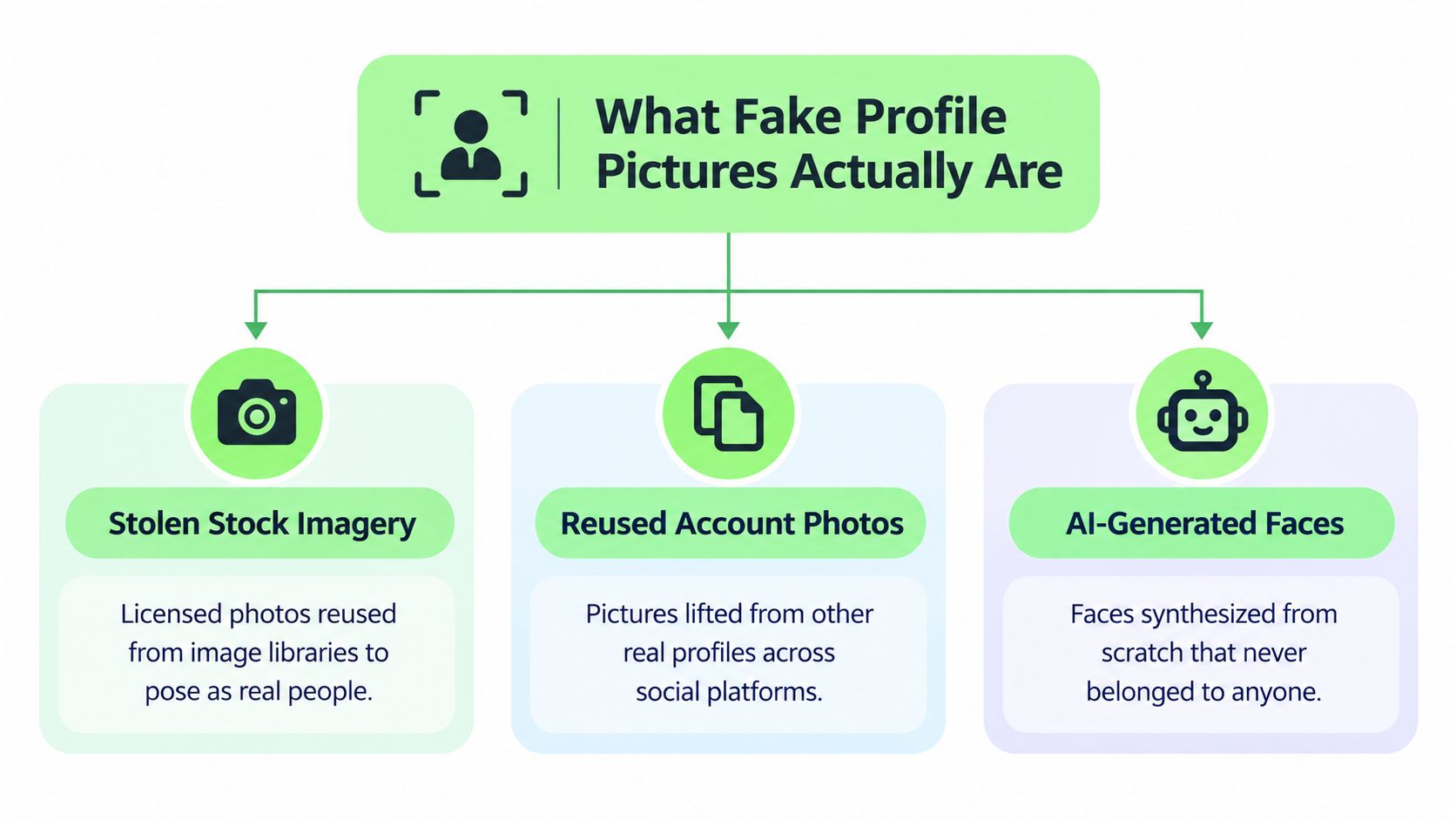
“Fake” describes several different image problems. The distinction matters because each type calls for a different check.
Stolen stock imagery is a licensed or publicly available photograph taken from an image library and presented as a personal portrait. The person in the photo may be a model who has no connection to the account. A reverse image search often works well here because the same image may appear on a stock site, a blog, or unrelated profiles.
Reused account photos come from real people but are copied from social platforms. A scammer might lift a travel photograph, professional headshot, or casual selfie and combine it with a different name and biography. The image itself may be completely authentic, so an AI detector can correctly identify it as a real photograph while still missing the identity deception.
AI-generated faces are synthesized rather than photographed. They may look convincing at first glance, but the image can contain repeated inconsistencies in facial detail, lighting, accessories, or background structure. A detector designed to identify synthetic patterns may help, although it can't confirm who operates the account.
Why detector results vary
LinkedIn described a detector trained on six datasets containing 100,000 real profile photos and 41,500 synthetic faces from five synthesis engines. It reported detection of 99.6% of common StyleGAN-based AI profile photos while classifying 1% of real profile photos as synthetic. In a later expansion, the reported recall reached 98% at a 0.5% false-positive target for newer generators, but fell to 84.5% for generators outside the training set. (LinkedIn's account of AI-generated face detection shows why strong results on familiar image families don't guarantee broad coverage.)
An AI image detector generally looks for statistical or visual patterns associated with synthetic generation. It doesn't inspect a person's intentions, verify a government identity document, or prove that the account owner resembles the face shown. That's why the image category should guide your next step: search for copied images, inspect visual artifacts, and use detection output as supporting evidence.
Manual Checks to Spot a Fake Profile Photo
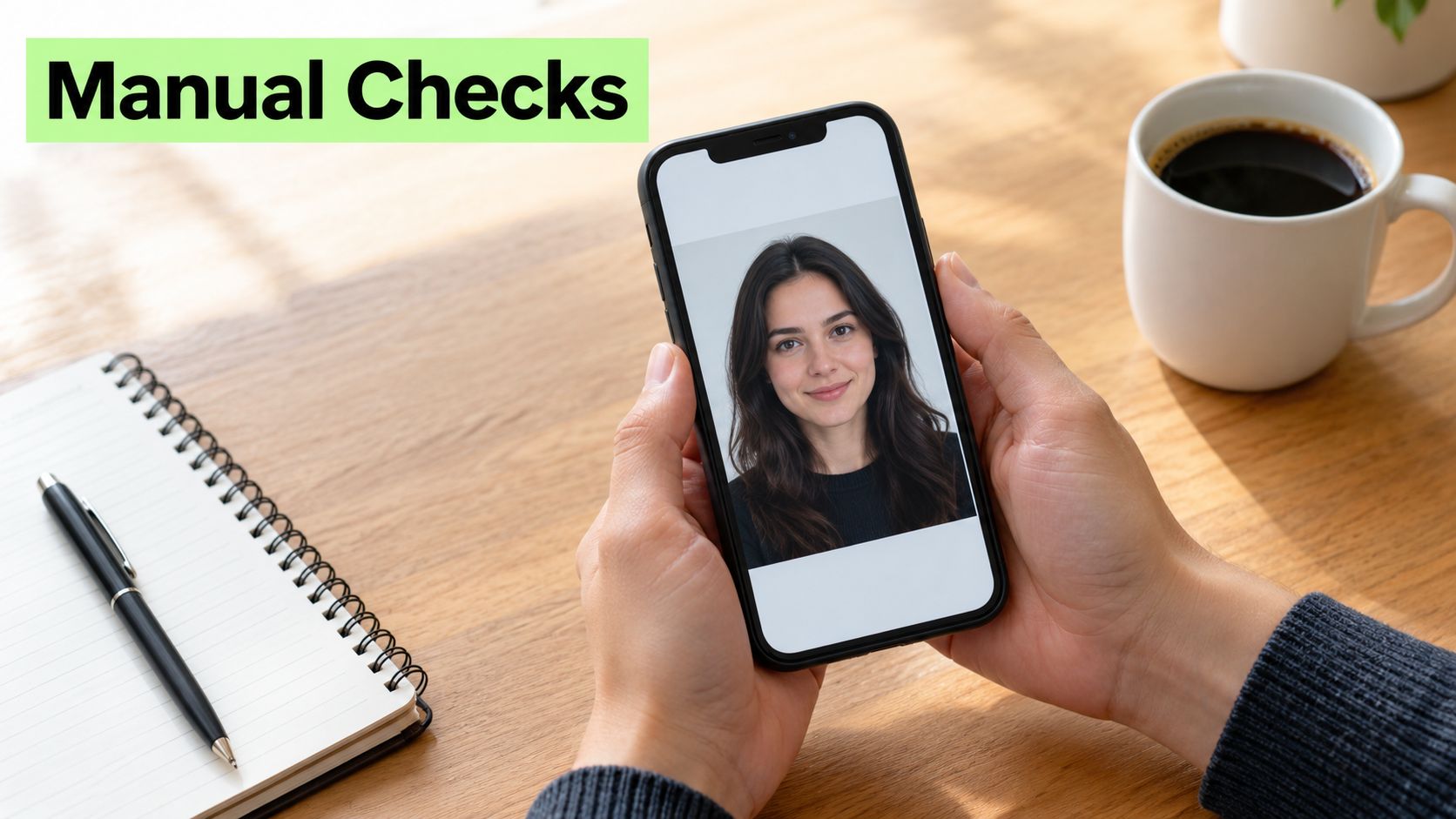
Start with the fastest check, your own eyes. Don't search for one magical giveaway. Look for a cluster of details that seems inconsistent with an ordinary photograph.
A quick visual sequence
Scan the face at normal size. Look for skin that appears unnaturally smooth, eyes that don't match in shape or direction, unusual hairlines, or facial proportions that feel subtly unstable.
Zoom into the mouth and ears. Check whether teeth have strange spacing or alignment, whether the ears have a believable structure, and whether hair appears to merge into the background. These areas often reveal problems more quickly than the overall composition.
Inspect accessories and reflections. Glasses, earrings, necklaces, buttons, and printed patterns should behave consistently. Reflections in glasses, windows, or shiny surfaces should match the light source and the person's position.
Review the surroundings. Background objects may bend, repeat, or lose their structure near the subject. A sharp face against an oddly blurred environment deserves a closer look, especially if the profile offers no other evidence of a real person.
Research and practitioner guidance identify unnatural skin smoothness, asymmetric eyes, odd teeth counts or alignment, malformed ears, unusual hairlines, and mismatched accessories or reflections as recurring cues. These signs are useful prompts for further checking, not proof by themselves. (This visual guide to AI face artifacts illustrates the kinds of patterns worth examining.)
If the image raises concern, save the original version before inspecting it further. Then compare the face, clothing, background, and apparent setting with other images on the same profile. A real person can have edited, filtered, or professionally photographed images, so focus on repeated inconsistencies rather than rejecting someone because one portrait looks polished.
For broader fraud checks involving applications and identity claims, a landlord's guide to application fraud detection offers useful context on why image review should sit alongside other verification signals. You can also use photo lookup to explore whether the image appears in other public contexts.
How to Use a Fake Profile Picture Detector Tool
Use an AI detector after the quick visual review, not before it. Upload the clearest available copy and read the result as an estimate of synthetic-image likelihood. A high AI probability may indicate generation artifacts, while an inconclusive result may mean the image is compressed, edited, unfamiliar to the system, or too small to analyze confidently.
A practical workflow looks like this:
- Preserve the original: Avoid testing only a screenshot if you can obtain the profile's original upload, because extra compression can change the evidence.
- Check the image source: Run a reverse image search to look for stock libraries, older accounts, or unrelated identities.
- Review AI probability: Treat the detector output as a quality and verification signal, not an identity decision.
- Compare versions: If the same person has several profile photos, test more than one and look for a consistent pattern.
- Choose a safe response: If several signals conflict, slow down, avoid sending money, and ask for an independent form of verification.
A study of synthetic face detection found that a classifier trained for a specific generator could reach near-perfect accuracy on that generator, and that reduced resolution and compression could still preserve performance. The same research found weak generalization to unseen generators, including poor detection of images from Realistic Vision, a fine-tuned Stable Diffusion model. (The experimental study on generator generalization explains why one detector's confidence shouldn't be treated as universal.)
The right question isn't “Did the tool prove this person is fake?” Ask instead, “What does this result add to the other evidence?” That wording keeps the tool in its proper role, verifying content and improving confidence without turning an automated score into an accusation.
Reverse Image Search and Face Search for Verification
Reverse image search is usually the fastest digital check because it asks a simple question: Where else does this image appear? Upload the full profile picture first. Then test a crop of the face, a crop of the background, or a version that excludes text and borders. Different crops can produce different matches.
A result on a stock-photo website suggests that the image may be presented as a personal portrait when it isn't. A match on another account using a different name raises a stronger identity question. A match on the person's own older public profile may be perfectly innocent, especially if the same person uses several platforms.
Search results need context. A copied image doesn't automatically prove that the current account is malicious, and no result doesn't prove that the photo is original. Unique AI-generated faces may never appear elsewhere, so reverse search can miss precisely the type of synthetic image that an AI detector is designed to assess.
A safe decision path
Combine the outcomes rather than counting them mechanically:
- A stock-library match means you should ask why a commercial image appears as a personal identity.
- Several unrelated accounts using the same portrait justify pausing the conversation and requesting independent confirmation.
- No match plus visible synthetic artifacts supports caution, but it still doesn't identify the account owner.
- A clean search and a natural-looking image reduce uncertainty without removing it.
For a more detailed workflow, see this guide to face reverse image search. Use face-search tools only for personal safety or rights protection, such as checking someone you met online, investigating possible catfishing or romance scams, or finding where your own images were reused without permission.
If a person refuses every reasonable safety check while asking for money, intimate images, account access, or urgent secrecy, you don't need a technical verdict to step away. Protecting yourself can be the correct decision even when the image remains unresolved.
What Verification Results Can and Cannot Prove
Reverse search and AI detection answer different questions. Reverse search looks for image reuse and source matches. An AI detector looks for patterns associated with synthetic generation. Neither tool independently verifies the person behind an account.
| Check | What it can indicate | What it can't establish |
|---|---|---|
| Reverse image search | The photo appears elsewhere under another name or context | That the current account is definitely fraudulent |
| AI image detection | The image contains patterns associated with synthetic generation | That no real person operates the account |
| Manual inspection | Visual inconsistencies that deserve further review | That editing or unusual photography proves deception |
| Conversation and identity checks | Whether the person responds consistently and safely | Legal-grade certainty about identity or intent |
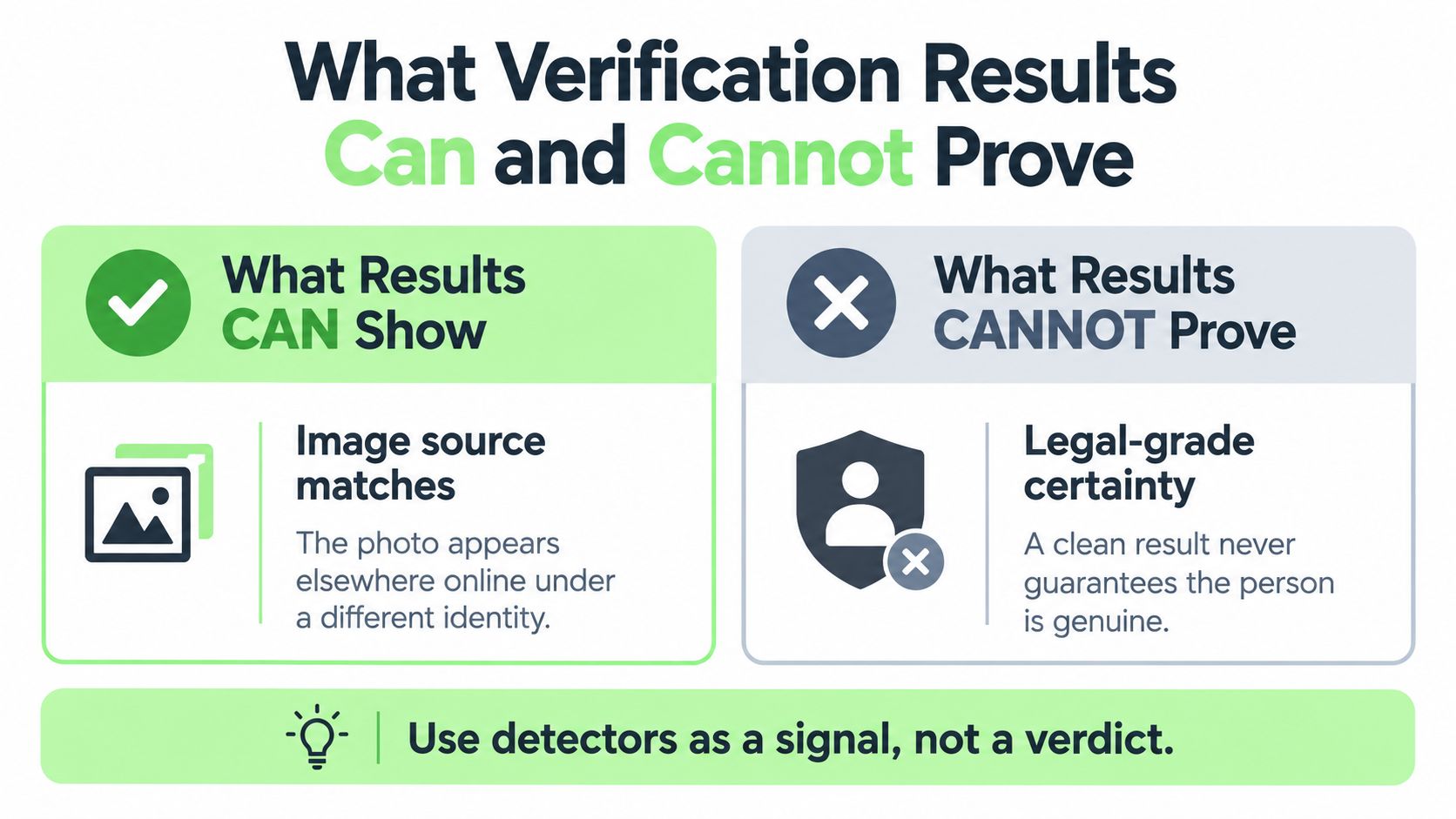
Independent research emphasizes that reverse image search can fail on unique GAN-generated faces. Detectors may identify synthetic patterns, but they can't confirm that a real person stands behind the account or reliably distinguish an AI-generated image from a heavily edited real photograph in every case. One study also found that people could judge AI-generated profile pictures as more trustworthy than real photographs, which shows why visual confidence can mislead. (The research on perceived trust and verification limits discusses these boundaries, including the effect of cropping on detection.)
Use detectors as a signal, not a verdict.
A flagged image may be a synthetic portrait, but it may also be an edited or transformed photograph. A clean result may reflect a genuine image, a familiar generation method, or a detector's limited coverage. For organizations handling volunteers, events, or applicants, broader Identity verification processes can provide context beyond a single image. For image-focused checks, fake image detection is one component of a wider review.
Responsible and Legal Use of Verification Tools
Use photo verification to protect yourself, not to investigate people out of curiosity. Appropriate uses include checking whether someone you met online appears to be using another person's photo, reviewing a suspected catfishing or romance-scam approach, and locating places where your own images were reused without permission.
Face search involves more than an ordinary keyword query. Some services create or process biometric face templates, and privacy rules in some jurisdictions treat biometric information as sensitive data. The legal position can depend on where you are, where the service operates, what consent exists, and how the data is stored or used.
That creates a clear boundary. You must not use a face-search tool to stalk, surveil, or identify strangers against their wishes. Such use is inappropriate and may be unlawful. Don't upload someone's private photograph merely to satisfy curiosity, settle a personal argument, or build a profile of a person who hasn't agreed to the search.
A safer practice is to minimize exposure. Use public images only when you have a legitimate safety or rights-protection reason, understand the service's privacy terms, and avoid retaining results longer than necessary. If the situation involves threats, extortion, or suspected fraud, preserve relevant evidence and report the account through the platform or appropriate authorities instead of confronting the person aggressively.
Building a Simple Daily Verification Routine
You don't need a forensic background to make better decisions online. A short routine works because it separates quick observations from stronger evidence and gives you a clear point at which to stop engaging.
The five-part check
Look first. Scan the face, eyes, teeth, ears, hairline, accessories, reflections, and background for repeated inconsistencies.
Search second. Run the full image through reverse image search, then try useful crops. Check whether it appears on stock sites, unrelated profiles, or older accounts.
Assess the account. Compare the image with the biography, location, posting history, language, and behavior. A photo can be real while the account remains deceptive.
Use an AI detector when needed. If the image appears synthetic or the search is inconclusive, review an AI-probability result as supporting evidence. Don't convert it into a claim about identity or intent.
Choose a safety action. Continue cautiously when the evidence is consistent. Ask for an independent confirmation when the stakes are meaningful. Step away when the person pressures you, requests money, or refuses reasonable boundaries.
Remember: Verification supports an informed decision. It doesn't require you to deliver a permanent judgment about a stranger.
For a dating contact, that might mean keeping the conversation on-platform, declining financial requests, and arranging a public meeting only after you're comfortable. For a marketplace contact, it may mean using protected payment methods and refusing to share sensitive documents. For your own photos, it means documenting unauthorized reuse and requesting removal through the relevant platform.
Humantext.pro offers an AI image detector for checking whether a photo contains signals associated with synthetic generation, alongside face-search functionality for responsible image-source verification. Visit Humantext.pro to examine a suspicious profile image with a safety-first workflow rather than relying on a single automated result.
Siap mengubah konten yang dihasilkan AI menjadi tulisan yang alami dan manusiawi? Humantext.pro menyempurnakan teks Anda secara instan, memastikan terbaca alami dan autentik. Coba humanizer AI gratis kami hari ini →
Artikel Terkait
Who Is This Person Photo: A Practical Verification Guide
Wondering who is this person photo? Use reverse image search, face search, and AI checks to verify online identities safely and protect yourself from scams.
Face Reverse Image Search: Safety and Verification Guide
Learn how to use face reverse image search for safety, catfish detection, and privacy verification. Compare tools, follow step-by-step workflows, and protect
Face Search Person by Photo: A Verification Guide
Learn how to face search person by photo safely. Step-by-step guide for reverse image search, scam detection, and identity verification.

