Reverse Face Search: A Verification Safety Guide
Learn how reverse face search works, when to use it for safety, and how to pair it with AI image checks to verify online contacts and reused photos.
You receive a polished profile photo from someone you met online. Their story sounds convincing, but they avoid a video call, or the same portrait feels strangely familiar from another account. A quick image check can help you slow down before sharing money, personal details, or trust. Used carefully, reverse face search is a verification aid for catfish warnings, stolen-photo reuse, and personal safety, not a shortcut for exposing strangers.
What Reverse Face Search Actually Does
Reverse face search starts with a face in a photograph and looks for visually similar faces in publicly indexed images. The system detects facial features, converts them into a mathematical faceprint or biometric embedding, and compares that representation with faces in its search collection. It isn't looking for the same filename, page address, or unchanged pixels.
That distinction matters in a common catfish situation. Someone may send a profile picture that has been cropped, recolored, or placed in a different background. A traditional image lookup might miss it because the complete picture has changed. Face search can instead focus on facial structure and return possible appearances of that person across separate photographs.
A useful explanation of related photo-research methods appears in this guide to photo lookup. The central idea is simple: upload a clear face photo, receive ranked possible matches, then inspect the pages behind those matches.
What you can upload
A clear, frontal portrait usually gives the system more useful visual information than a distant group picture. A social profile photo can work, provided the face isn't hidden by sunglasses, a mask, heavy filters, or extreme shadows. The tool may return thumbnail matches, similarity indicators, and source pages where related images appear.
Those results are leads, not conclusions. A similar face doesn't prove that two accounts belong to the same person. People can resemble one another, photographs can be mislabeled, and search databases may contain incomplete or outdated pages.
What the tool cannot tell you
Reverse face search isn't a guaranteed name finder. It isn't a government database query, and it doesn't automatically reveal a person's legal identity, address, or private accounts. It searches the material available to that particular service, so a blank result may mean only that the relevant image isn't indexed.
Use the result to ask a narrower safety question: Does this photo appear elsewhere under a different name or in a conflicting context? If it does, pause the conversation, preserve the relevant source pages, and seek independent confirmation rather than confronting or exposing the person.
Reverse Face Search vs Reverse Image Search
The two tools accept the same upload but answer different safety questions. Reverse image search evaluates the entire picture, looking for exact copies, crops, or visually related scenes. Reverse face search focuses on facial features, allowing it to compare portraits taken in different settings, with changes to the background, clothing, or lighting.
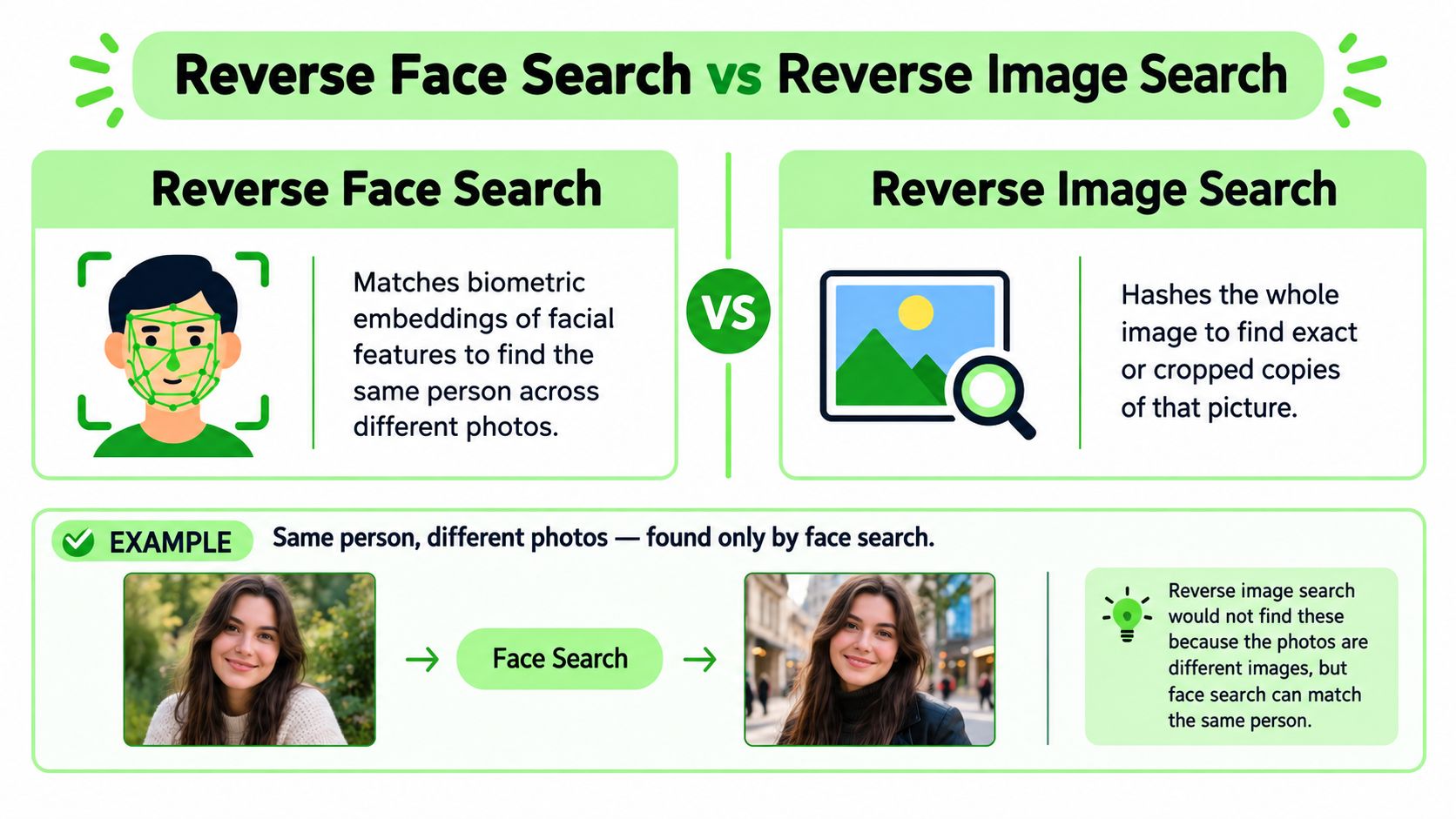
A vacation photograph shows someone beside a recognizable beach landmark. A whole-image search may locate copies of that beach scene, pages using the same file, or similar holiday images. Crop the person's face from a wedding photograph, and the landmark no longer guides the search. A face-focused search may still return portraits with comparable facial features.
Choose the search for the question
| Your question | More suitable first check | What to inspect |
|---|---|---|
| Where did this exact photo originate? | Reverse image search | Oldest-looking source, publication context, and higher-resolution copies |
| Has this portrait been copied? | Reverse image search | Duplicate pages, stock-photo listings, and reused profile images |
| Does the same face appear in unrelated photos? | Reverse face search | Ranked matches, names, usernames, and source-page context |
| Is the image itself manipulated or synthetic? | AI image check | Signs that the visual may have been generated or substantially altered |
The right choice depends on the claim you need to verify. A face search can help assess whether a profile image appears in conflicting contexts, while an AI-image check addresses whether the picture may be generated or substantially edited. These checks answer related questions, but neither result proves a person's identity.
For source discovery, a free reverse image search workflow offers a sensible first pass. It may locate the original page even when facial matching returns no useful candidate.
Use both methods when personal safety is involved. Search the face for appearances across unrelated photographs, then search the complete image to learn where that specific file came from. Several names attached to one face can warrant caution, especially if the original photograph belongs to a stock library. Treat the combination as a reason to pause, verify through another channel, and avoid exposing or confronting anyone based only on a match.
How Face Matching Works Under the Hood
A face-search system behaves less like a visual filing cabinet and more like a large archive of mathematical fingerprints. It first locates a face, aligns important points such as the eyes and mouth, and normalizes the image so differences in lighting and position have less influence.
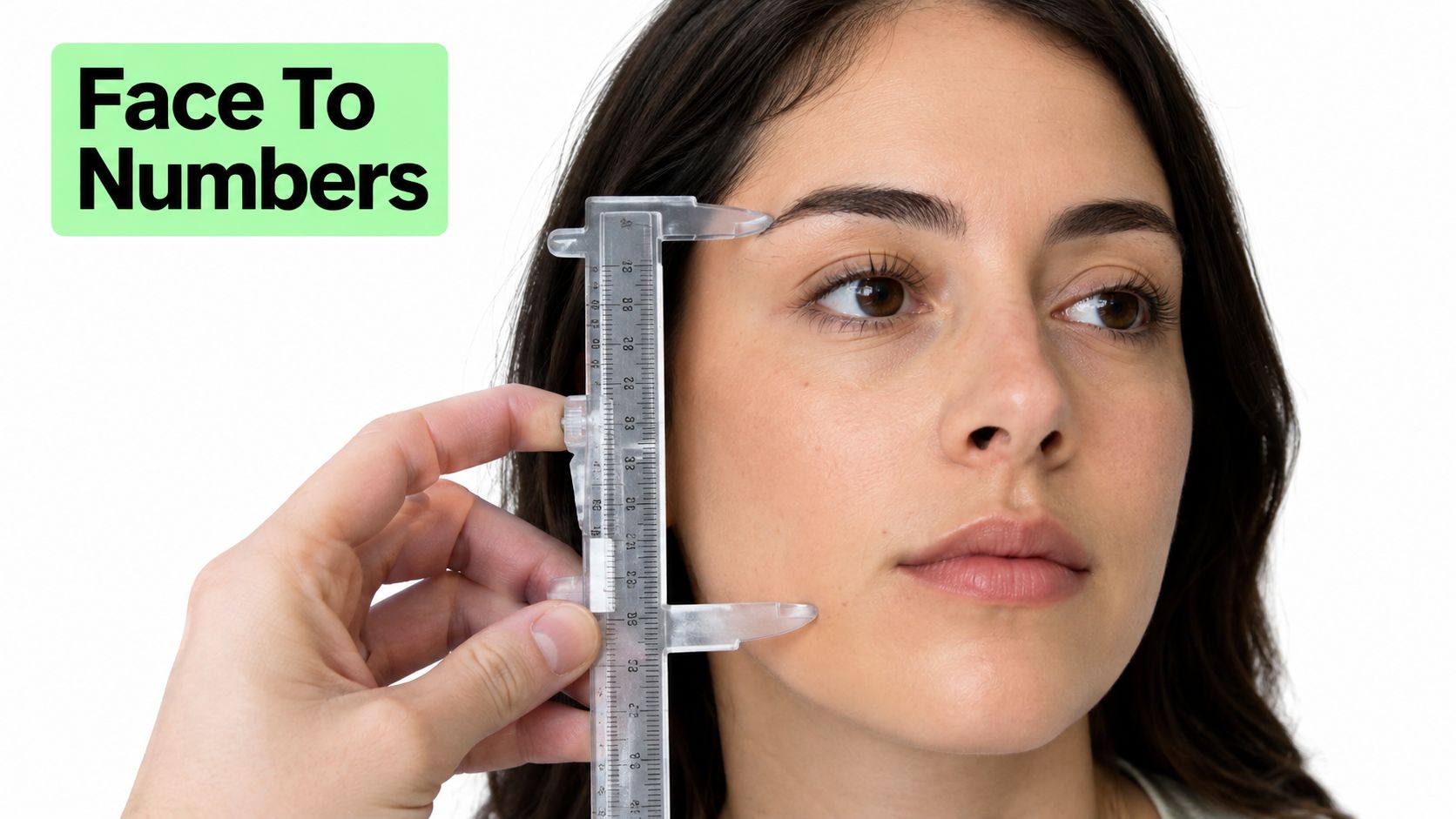
An embedding is a numeric vector created from the aligned face. You can think of it as a compact facial fingerprint. It doesn't preserve the photograph as a simple picture; it represents patterns the model considers relevant to facial similarity.
The system then performs a similarity search. It compares the uploaded vector with stored vectors in its index, often using mathematical distance measures such as cosine or Euclidean distance, and returns the nearest candidates. A close result means two mathematical representations are unusually similar. It doesn't mean the photographs are identical or that the person's identity has been proven.
Why the same photo can produce different results
Search quality depends on the model, alignment, threshold, and database composition. A service with a broad public-web collection may return different candidates from a service using a smaller, more curated index. Makeup, masks, unusual poses, aggressive filters, and AI-edited facial features can push a genuine match below the system's reporting threshold.
Reverse face search has moved from niche databases toward internet-scale collections. One directory-style service reports processing 1,109,563,766 faces across four partially or fully collected databases, with collection spanning November 2019 to November 2020, and reports a 68.79% successful-search rate for its improved algorithm on Search4Faces. The same page lists an earlier collection of 280,781,743 faces from VK and Odnoklassniki, gathered from December 2018 through March 2020, with reported successful-search rates of 46.90% and 45.19%.
Scale expands the possible search space, but it also makes responsible interpretation more important. The returned image is a candidate for checking, not a verdict.
A Safe Step by Step Verification Workflow
Treat a suspicious profile photo as one piece of evidence. A repeatable process helps you avoid both careless trust and unjustified accusations.
Start with the best available file
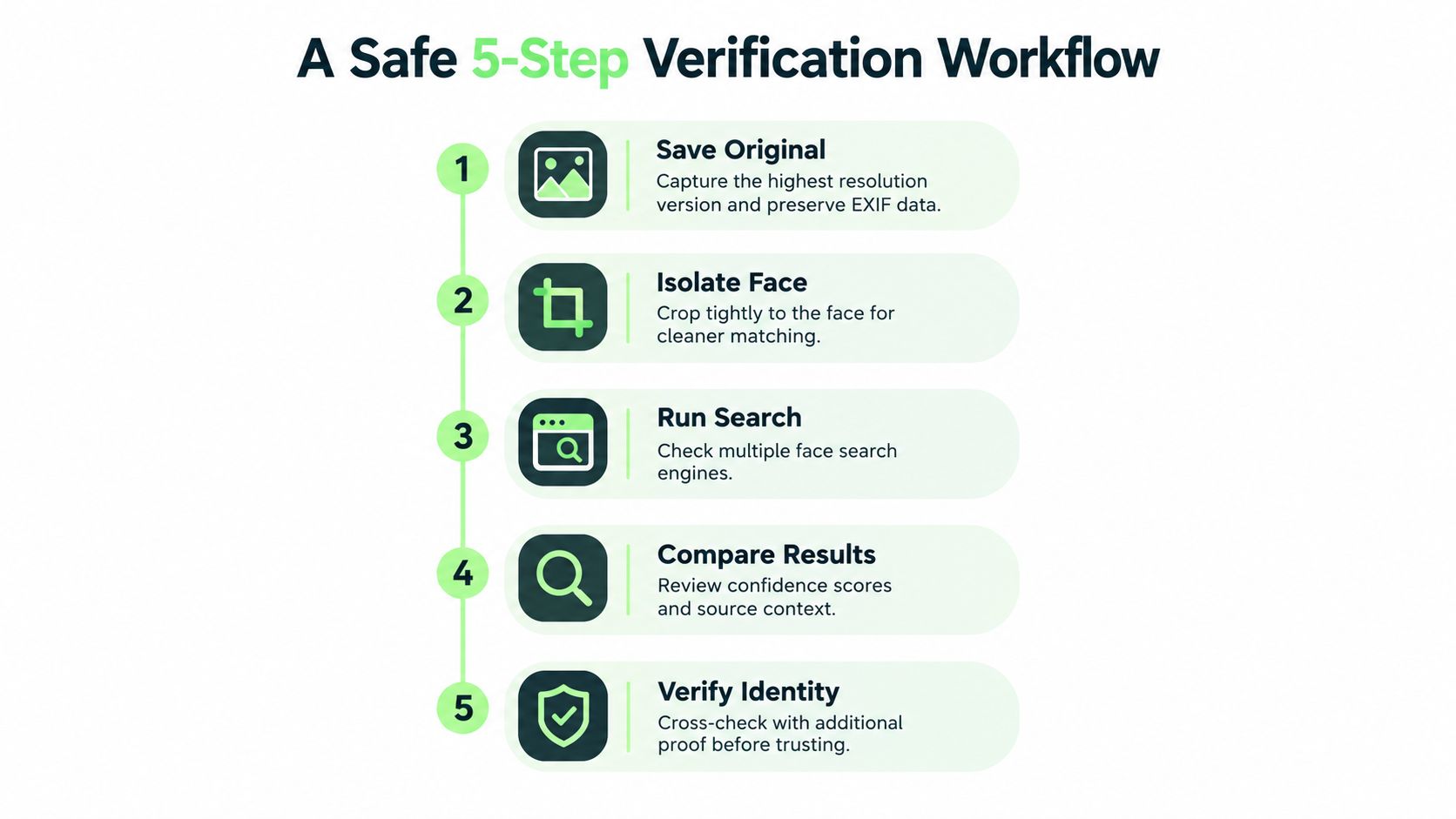
1. Save the original image. Download the profile photo or attachment at its highest available resolution instead of photographing your screen. Keep the original in a temporary folder, and don't share it with unrelated people.
2. Protect embedded information before uploading. Check whether the file contains EXIF metadata, such as location or device details. Preserve the original privately if you may need it for evidence, then create a redacted copy with metadata removed before sending it to an online service.
3. Isolate the face and search more than one index. Make a tight crop around the face, while keeping the uncropped copy for whole-image searching. Run the crop through at least two face-search engines, record which ones return candidates, and note which produce no result. Different collections can produce different coverage.
4. Read every match in context. Open the source page rather than relying on a thumbnail. Compare names, usernames, dates, locations, captions, and the type of site hosting the image. A face appearing on a professional portfolio under a different name may signal stolen photography, while several unrelated names attached to the same polished portrait deserve caution.
5. Add an AI image check. If the face looks unusually smooth, inconsistent, or synthetic, submit the same image to an AI image detector. Humantext.pro's AI image detector is designed to help verify whether visual content may be AI-generated, which adds a quality and authenticity check rather than an identity claim.
Practical rule: A match should change your next verification step, not decide your accusation.
For a broader identity-checking routine, the LineVerifier guide can help you organize profile details and supporting evidence. Do compare the image evidence with what the person says, but don't collect more personal information than the safety question requires.
Never search someone without a genuine safety reason. Don't upload images of minors or sensitive identity documents, don't contact people identified through a result, and delete downloaded match files when the check is complete. If the evidence points to fraud, report the account through the platform and, where appropriate, contact the relevant authorities.
Everyday Safety Use Cases Worth Knowing
The safest applications are narrow and practical. They help you verify a claim, protect your own images, or decide when to stop engaging.
A single parent joins a children's sports group chat and sees a new account posting as a coach. The profile photo looks professional, but the account has little history. A face search finds the portrait on an unrelated public page, attached to a different name. That doesn't identify the person behind the account, but it shows that the claimed coach may be using a borrowed image. The parent should confirm the coach through the sports organization, avoid sharing children's details, and report the suspicious profile.
For broader online-safety planning, families and support workers may also find this safety guide for disabled adults useful when setting boundaries around messaging, identity checks, and personal information.
A freelancer receives a headshot from a prospective client who wants to commission urgent work. The image search finds the same portrait on a stock-photo page and on several unrelated professional profiles. The useful signal isn't proof that the client is fraudulent, but it is a reason to pause, request a live call, verify the company through an independent website, and avoid unpaid work or sensitive account access.
A romance-scam warning can develop in the same way. An online connection refuses video calls, sends only highly polished portraits, and claims to work abroad. Face search finds those portraits under several names. The appropriate response is to stop sending money or documents, save the conversation, report the account, and tell a trusted person what happened.
What each result can and cannot establish
- A duplicate photo: Someone reused the same file. Check the earliest credible source and its context.
- A face match in another portrait: The images may show a similar person. Seek independent confirmation.
- Several names for one portrait: Treat the inconsistency as a serious warning, not as proof of a criminal identity.
- No result: The image may be private, new, altered, or outside the service's index.
Ethics, Privacy, and the Legal Boundaries
A safety purpose doesn't automatically make every face search appropriate. The narrowest responsible uses involve checking a photo someone voluntarily sent you, investigating possible impersonation involving your own image, or responding to an active safety concern through proper channels.
Unacceptable uses include identifying strangers in public spaces out of curiosity, building a private face database, targeting an ex-partner, publishing someone's personal details, or pressuring a person after finding their accounts. Do not use reverse face search to stalk, surveil, or identify strangers against their wishes.
A practical boundary test
Ask three questions before uploading:
- Purpose: Am I protecting myself, checking my own image, or responding to a concrete risk?
- Necessity: Do I need facial matching, or would a normal image-origin search answer the question?
- Control: Can I delete the upload and results, and do I understand the service's retention terms?
Under the EU GDPR, biometric data used to uniquely identify a person is special-category data under Article 9, as explained in this legal overview of face search. The broader legal picture varies sharply. The EU treats biometric identification data as special-category data, Illinois and Texas have biometric privacy laws, and the United States has no single federal rule covering every use, according to the legal and regulatory discussion in this academic review of reverse image and face search.
| Scenario | Ethical status | Why |
|---|---|---|
| Checking whether your own portrait was reused | Generally appropriate, subject to local law | You're protecting your image and accounts |
| Verifying a suspicious profile photo sent to you | Potentially appropriate | The search supports a specific personal-safety concern |
| Searching a stranger in a public place | Unacceptable | Curiosity doesn't justify biometric identification |
| Building a searchable archive of acquaintances | Unacceptable | It creates unnecessary biometric surveillance |
| Publishing a suspected person's name and address | Unacceptable | A candidate match isn't proof and disclosure can cause harm |
Consumer services may process a face template during the search. One service's biometric notice says facial embeddings are transmitted over TLS for matching and deleted within 24 hours, illustrating why retention policies matter. Read the terms, avoid minors' images, remove unnecessary metadata, and prefer on-device processing where it exists. If the situation involves employment, housing, education, or law enforcement, obtain qualified local legal advice before proceeding.
Accuracy, Limits, and What Results Really Mean
Marketing language can make face search sound certain. Real systems operate under conditions, thresholds, and error tradeoffs. In the NIST FRVT benchmark, the most accurate algorithm was reported at about a 0.25% false negative identification rate at a 0.001 false positive identification rate on high-quality visa images, as summarized by this face-search accuracy analysis. Those controlled conditions aren't equivalent to a blurry dating-app screenshot or an open-web search.
Large galleries create another challenge. MegaFace testing found that adding up to one million distractor faces makes identification harder, even for strong algorithms, according to the same analysis. A service searching billions of public images faces a different retrieval problem from a system comparing a person against a carefully enrolled, controlled gallery.
What weakens a result
| Condition | Typical effect on match quality |
|---|---|
| Clear, frontal portrait | Gives the model more stable facial structure to compare |
| Blur or heavy compression | Removes detail and can lower useful similarity |
| Side profile or partial face | Hides features needed for alignment and comparison |
| Sunglasses, mask, or heavy makeup | Obscures or changes important facial patterns |
| Group photograph | Makes face selection and attribution less certain |
| Cropped or filtered image | May still produce a match, but results can become less consistent |
| AI-edited face | Can create features that don't correspond cleanly to a real person |
| Broad, mixed database | Increases coverage while also increasing the need for context checks |
Independent research has reported 94% facial-search accuracy and an average search time of 2.3 seconds in a controlled FaceNet-based setup, but that result shouldn't be treated as a guarantee for open-web searches, as explained in this 2025 guide to face searching. Database scope, demographic representation, image quality, and the chosen threshold all affect performance.
A top-ranked candidate is not automatically the correct person. A low score isn't confirmation, and a high score still requires corroboration. Check whether multiple matches share the same source context, run a whole-image search on the surrounding photograph, compare the person's stated details, and use an AI image check when the portrait may be synthetic. The safest conclusion is usually about the image and its reuse, not about an unknown person's legal identity.
Best Practices Checklist and Common Questions
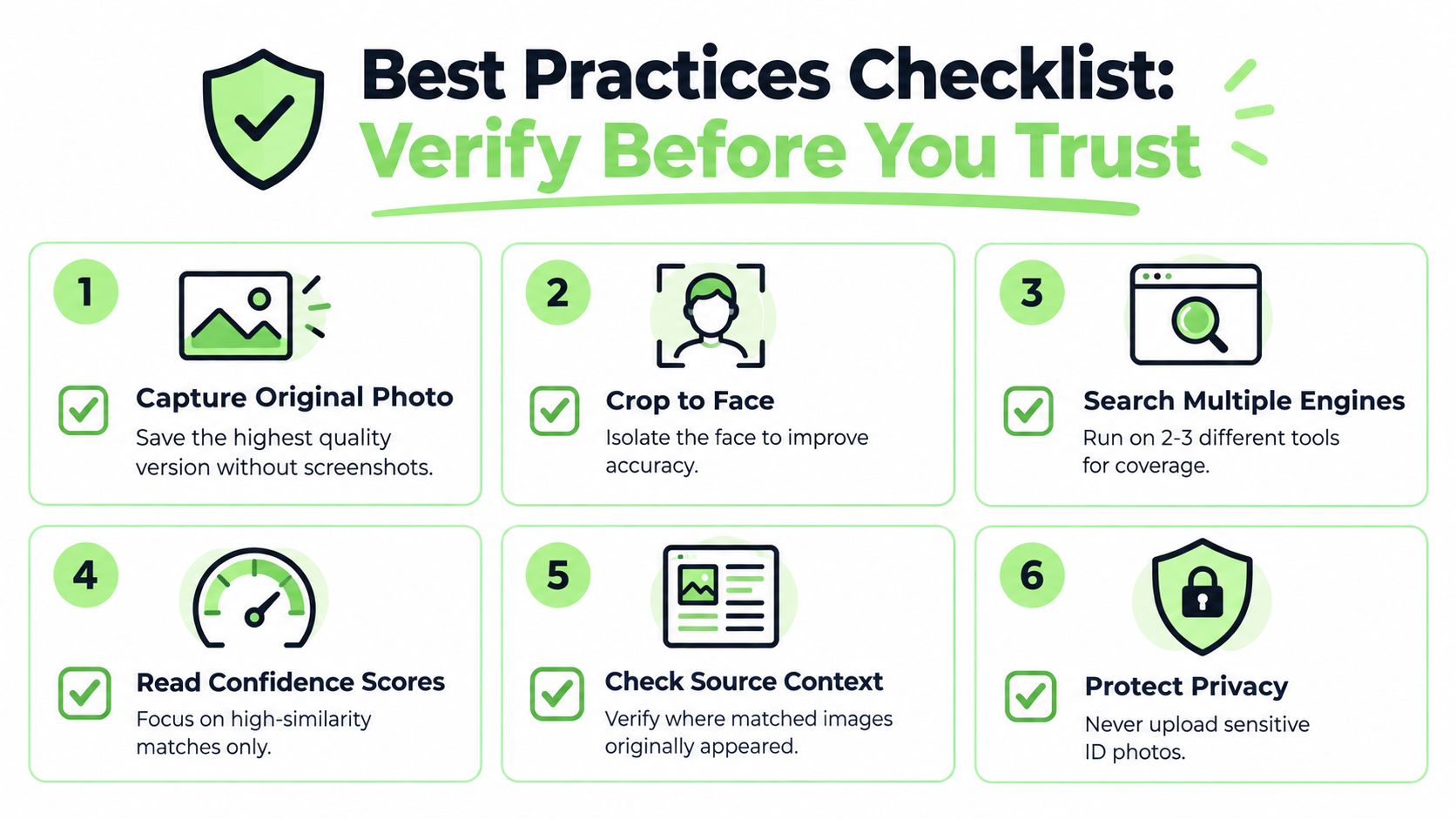
Keep this checklist open while you verify an online contact:
- Capture the original: Save the highest-quality file available, not a screenshot of a screenshot.
- Crop the face: Create a focused copy for facial matching and retain the original privately.
- Search multiple engines: Compare results across more than one service rather than trusting a single index.
- Read scores skeptically: Treat similarity rankings as leads, not identity proof.
- Check source context: Review names, dates, captions, domains, and the original image's apparent purpose.
- Pair with an AI image check: Use an AI image detector to assess whether the photo may be generated or manipulated.
- Document before acting: Save relevant URLs and notes, then report suspicious accounts through official channels.
- Protect privacy: Never upload sensitive ID photos, and don't search minors or strangers without a legitimate safety reason.
Common questions
Is reverse face search legal? It depends on your jurisdiction, purpose, and the service's processing practices. Some jurisdictions restrict biometric face search, so check local rules before uploading.
Do I need consent? Consent requirements vary. Don't assume that a publicly visible photograph gives unlimited permission to create or search a biometric template.
How is this different from doxxing? Verification checks an image or account for a specific safety purpose. Doxxing exposes personal information to punish, intimidate, or direct others toward a person. Never publish identifying details from a search.
Can it work on AI-generated faces? It may return weak or misleading candidates because a synthetic face may not correspond to a real individual. Pair the search with an AI image check and treat both outputs cautiously.
Why use an AI image check at all? Face search asks where similar faces appear. An AI image check asks whether the image itself may be synthetic or manipulated. Together, they support content verification and quality control, not automatic identity decisions.
Humantext.pro offers a face-search tool for checking where a submitted photo or image URL appears on public web pages, alongside tools for verifying whether an image may be AI-generated. Visit Humantext.pro to run a privacy-conscious image check, review authenticity signals, and make a better-informed safety decision before you trust an online profile.
Klaar om je AI-gegenereerde content om te zetten in natuurlijk, menselijk geschreven tekst? Humantext.pro verfijnt je tekst direct en zorgt ervoor dat deze natuurlijk en authentiek leest. Probeer onze gratis AI-humanizer vandaag →
Gerelateerde Artikelen
Face ID Search Explained: How It Works and How to Verify
Learn how face ID search works, why it differs from reverse image search, and how to verify identities and photos safely with practical checks and tools.

Photo Lookup Guide: Verify Images Step by Step
Master photo lookup with this practical guide. Learn reverse image search, EXIF checks, AI detection, and how to verify people safely online.
10 Reverse Image Search Free Tools for Verification
Compare 10 reverse image search free tools and methods for desktop and mobile, with practical steps, privacy guidance, and safer verification use cases.

