AI Humanizer Free Trial: Your Step-by-Step Playbook
Try an AI humanizer free trial the smart way. Learn what to expect, how to test quality, and how to choose the right paid plan for your workflow.
You're staring at a finished draft with one uncomfortable question left: should you paste it into an AI humanizer before sending it to a client, submitting it to a professor, or publishing it under your name? The tool promises natural wording, a built-in detector, and a free trial. You have minutes to decide, limited words to spend, and no interest in discovering afterward that the rewrite changed your argument.
The right approach isn't to chase the lowest possible detector score. It's to run a controlled quality test. You need to know which tool deserves your time, how to use an AI humanizer free trial without burning through its allowance, and whether the result preserves your facts, citations, tone, and professional judgment.
The Moment You Realize You Need to Try an AI Humanizer
A freelance writer may reach this point after an editor says a draft feels stiff. A student may notice that an essay sounds unlike their usual work. A marketer may have a thought-leadership article that contains the right ideas but reads like a sequence of polished, predictable paragraphs. In each case, the temptation is the same: paste the text into a humanizer, click a strong rewrite setting, and hope the detector score drops.
That shortcut misses the underlying risk. A low score won't help if the rewrite removes a qualification, changes a source's meaning, or makes your brand sound like someone else. Students also need to follow institutional rules about undisclosed AI assistance, while writers and agencies need to protect client trust. The cost of a careless rewrite can be a lost assignment, a damaged relationship, or an embarrassing correction.
Practical rule: Treat a free trial as a quality-control lab, not a promise that your text will become “undetectable.”
AI writing software is now part of ordinary content work. Industry adoption data on AI writing reports that AI writing tool adoption among content marketers reached 97% in 2026, up from 90% in 2025. The same source reports that 74% use AI for ideation, 61% for outlining, and 44% for drafting, while separate market data places business adoption at 82%. Those figures explain why humanizer trials matter, but they don't prove that every rewrite is safe.
The useful question is narrower: does this tool improve a specific passage while keeping the original meaning and making the output sound like you? A repeatable test answers that question far better than a single detector badge.
What to Look for Before You Sign Up for Any Trial
Start with the trial mechanics, not the feature page. In comparisons of AI humanizer plans, free access commonly comes with 125 to 500 words per request, and only 3 of 15 tools were found to offer unlimited free use without a word cap, time limit, or mandatory signup. The 2026 comparison of AI humanizer free plans also describes larger trial allowances, including 5,000 words per month or 2,000 credits over 14 days. A generous allowance is useful, but it still doesn't compensate for poor output.
Check the rules behind the free button
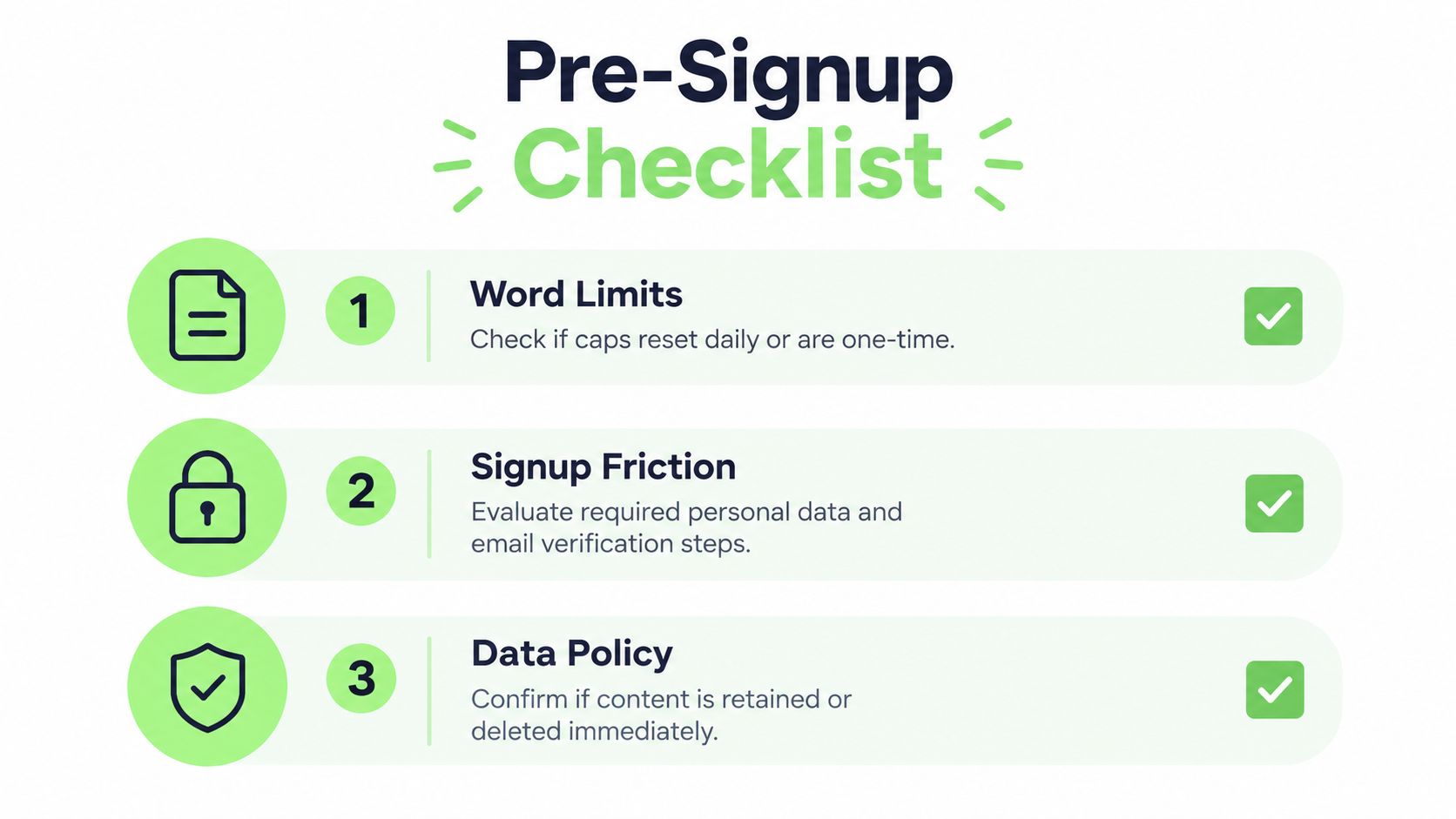
Before creating an account, answer these questions:
- Word limits: Is the allowance one-time, or does it reset daily or weekly? Does a failed run consume words? Does the platform count input words, output words, or both?
- Signup friction: Is email verification required? Does the platform ask for a phone number or payment card? Can you cancel from the account page without contacting support?
- Language and tone: Does the tool support the language you write in? Can you select academic, professional, casual, or SEO-focused output? A generic “human” setting isn't enough.
- Verification: Does the platform include a detector, or will you need to test the result externally? Built-in scores are convenient, but they aren't independent validation.
- Data policy: Does the service retain pasted drafts, use them for training, or delete them after processing? Never upload confidential client material until you understand the policy.
- Export: Can you copy clean text, download a document, preserve citations, or compare revisions?
Use independent reviews, YouTube demonstrations, comparison pages, and Reddit discussions to check whether the advertised restrictions match the actual workflow. Pay close attention to screenshots showing popups, locked modes, shortened limits, and checkout screens. A trial that hides its meaningful limits until after you paste a draft is already wasting your time.
For a practical overview of how these tools differ, compare the AI humanizer tool guide before you commit. You're evaluating a SaaS workflow, even when the price tag says zero.
Signing Up and Running Your First Test Pass
Don't begin with your most important article. Create the account with a dedicated testing inbox, so promotional email doesn't crowd your work account and you can track the trial separately. If a service asks for a card, save the cancellation date immediately instead of trusting yourself to remember it.
Prepare a small test corpus before you paste anything. Use three different samples:
- An original passage of about 200 words that you wrote yourself.
- A paragraph from a previous project whose tone and factual details you know well.
- A clearly AI-generated sample that gives you a baseline for how aggressively the tool rewrites.
The first two samples test voice preservation. The third tests whether the platform can address predictable phrasing without turning every sentence into marketing copy. Include an idiom, a technical term, a citation, and a sentence with a precise claim if those elements appear in your normal work.
Run one controlled pass
Paste only one sample, then choose the least aggressive tone or readability setting that fits the assignment. Record the setting before you click Humanize. Don't run several modes at once, because you won't know which choice caused a change in meaning or voice.
Save the original and the rewrite in a side-by-side document. Mark:
- changed facts, names, dates, figures, and citations;
- added claims or examples;
- removed qualifications;
- word count changes;
- phrases that sound unlike you;
- sentences that became clearer or more awkward.
The first output is a calibration sample, not a finished deliverable. You're learning how the system handles your writing. This guide to free AI humanizer access is useful for understanding a no-signup workflow, but you should still preserve your own before-and-after record.

If the output changes a source's claim or invents a transition that alters your argument, stop testing that mode. A humanizer that requires sentence-by-sentence repair may take longer than editing the original manually.
Getting Real Value From a Limited Word Allowance
Now that you know which restrictions to expect, spend each available word on a test that can change your decision. Treat the trial as a quality-testing workflow, not a marketing freebie. Start with short samples, compare controlled outputs, and reserve enough allowance for the passage you may publish.
Choose text that puts pressure on the system. Generic prose hides weaknesses. Use a sample with an idiom, a statistic, a quoted source, a field-specific term, and a necessary disclaimer. These elements show whether the humanizer handles context or merely swaps familiar words.
Allocate the allowance deliberately
| Test Type | Sample Length | Words Used | Purpose |
|---|---|---|---|
| Voice baseline | About 200 words | About 200 | Check whether your natural style survives |
| Fact and citation test | About 200 words | About 200 | Detect altered claims, names, and references |
| Tone comparison | About 200 words | About 200 | Compare the available tone or strength settings |
| Publishable draft | As much as the remaining allowance permits | Remaining balance | Test the passage you might actually use |
Run similar tests together, then record the input, selected mode, words consumed, visible changes, and detector results in a spreadsheet. Use one sample to establish your voice baseline, another to test factual control, and the remaining allowance for the draft that matters most. The table should determine how much text you paste, rather than whatever sample happens to be open.
Do not rerun the same paragraph with random slider changes. If the platform provides tone or rewrite-strength controls, use one input per setting and compare the results side by side. This produces a ranked view of the tool's behavior, including which settings preserve meaning and which ones create repair work.
Reserve part of the allowance for verification across multiple detectors. A rewrite that improves one score but changes a qualification, citation, or conclusion has failed the test. Record those changes before deciding whether the tool deserves a larger sample or a paid plan.
Recursive rewriting can change detector performance dramatically. One adversarial-paraphrasing study reports detector performance falling below 20% after five rounds of recursive paraphrasing, while related research found that paraphrasing can disrupt watermarking, neural detectors, and zero-shot classifiers. The research on recursive paraphrasing and detection supports a cautious conclusion: repeated rewrites may alter a score, but they also increase the risk of meaning drift. Stop after a controlled pass unless you can verify every change.
Scoring the Output Like a Pro Reviewer
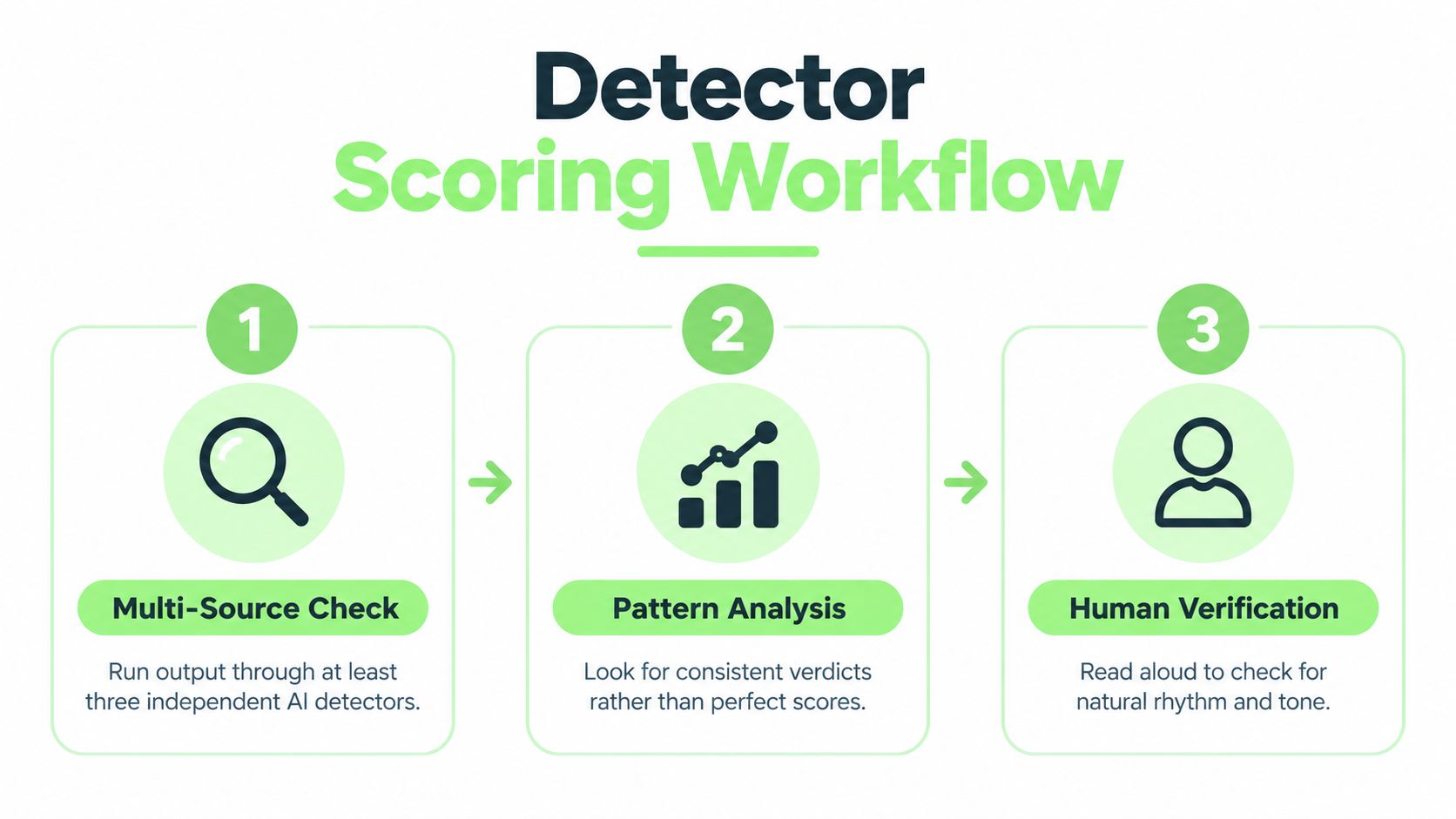
A detector score is one signal, not a verdict. Run the humanized passage through at least three independent detectors, record each result, and look for agreement. A 2025 study in the ACL Anthology research on humanizer and paraphrasing tools evaluated 19 AI humanizer and paraphrasing tools and found that many detectors fail on humanized text. Cross-checking prevents one unreliable score from driving your decision.
Use this five-part review rubric:
- Detector pattern: Does the passage receive a favorable classification consistently across independent tools?
- Meaning preservation: Does every sentence express the same point as the source?
- Factual accuracy: Did names, numbers, citations, and qualifications remain intact?
- Voice consistency: Could a client, professor, editor, or regular reader recognize the passage as yours?
- Readability: Does the rewrite improve clarity when checked with a tool such as Flesch or Hemingway?
Give detector results no more than 40% of your internal score. Give meaning preservation equal weight. A rewrite that earns favorable scores while changing your conclusion is a failed output.
Look for agreement, not perfection
The guide to evaluating a good AI score helps interpret detector signals, but no platform score proves authorship. Detection research reports false-positive rates ranging from 1% to 50%, with particular reliability problems for non-native English writing. Treat scores as probability indicators, then confirm the result through editorial review.
Read the passage aloud. If a sentence sounds smoother than your normal voice, edit it back. Flag any rewrite that changes a number, name, quoted claim, or technical definition, regardless of its detector result. Test the passage you would use, not a generic sample, because only relevant text reveals whether the tool fits your work.
Language affects detector reliability too. A multilingual evaluation found that performance drops across languages, with English among the strongest cases and lower-resource languages producing weaker results. If you work in Spanish, German, or another language, compare passages written in that language rather than applying an English threshold without testing it.
Beyond Detectors, Compliance, Voice, and Trust
A detector score cannot decide whether an AI humanizer belongs in your workflow. The trial must also show that you can use the tool without breaching a university, employer, publisher, or client policy. Review those rules before publishing anything. A natural-sounding result still creates risk if your organization restricts undisclosed AI-assisted writing.
Test sourced material aggressively. Paste a paragraph containing citations, references, defined terms, and a disclaimer. Compare the output with the original character by character wherever accuracy matters. A careless change to a citation, qualification, or definition can damage credibility faster than an awkward sentence.
Run the same passage through more than one detector, then inspect the text yourself. Treat agreement across tools as a signal, not proof. A humanizer that improves one score by changing your conclusion, certainty, or supporting details has failed the trial. Meaning preservation comes before detector performance.
Evaluate the voice you need to protect
Place the rewrite beside two pieces you wrote without assistance. Check sentence length, certainty, humor, vocabulary, and transitions. If the humanized version sounds polished but generic, it is not preserving your voice. If it makes a cautious claim sound confident, it is changing your judgment.
A useful tool should reduce mechanical stiffness while leaving editorial responsibility with you. Reject any output that invents support, softens a necessary warning, or adds filler absent from the original.
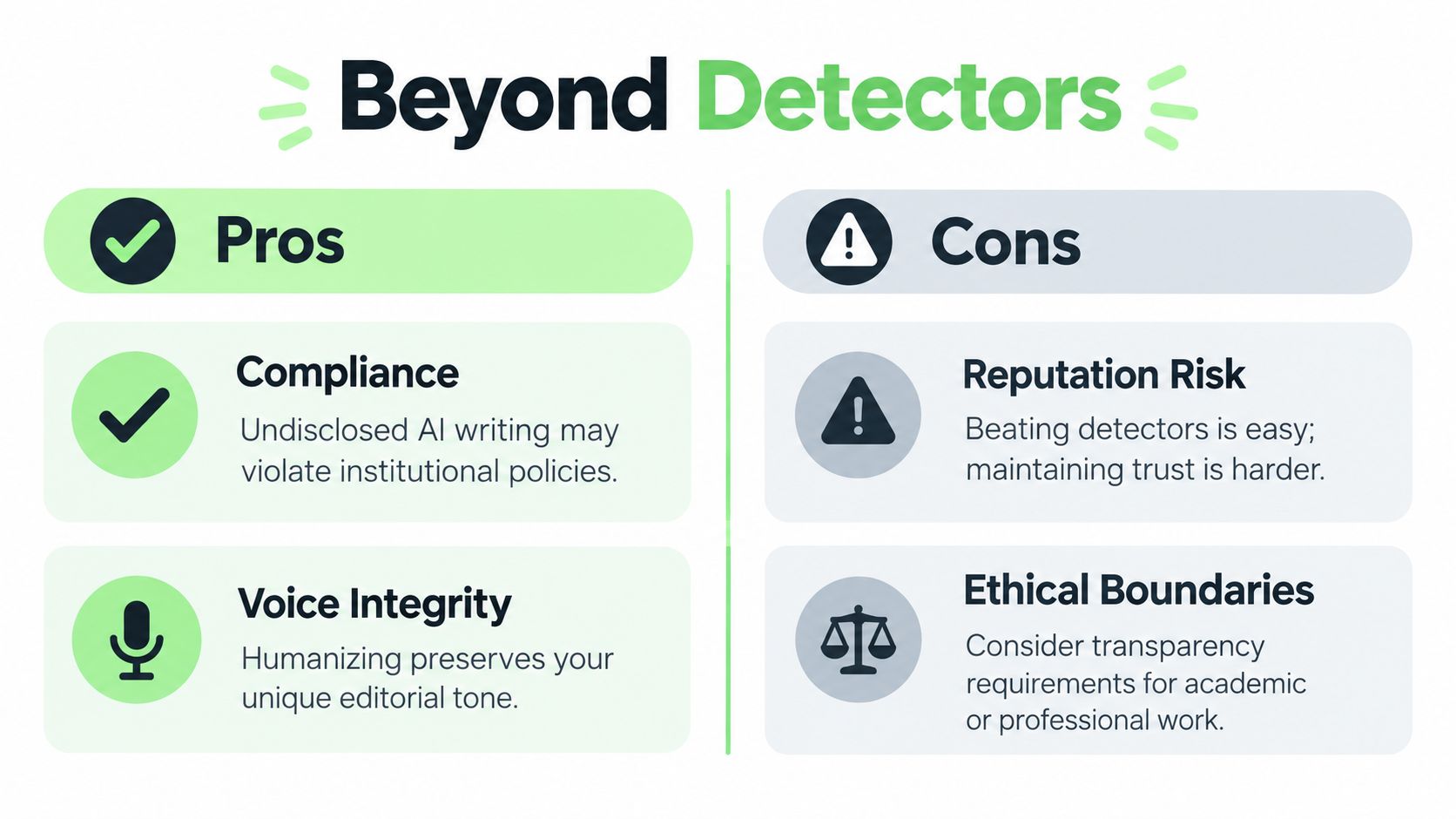
Compliance is an explicit product requirement in the European Union. The Commission's Article 50 transparency guidance says providers of generative systems must mark synthetic text, images, audio, and video in machine-readable ways. The guidance describes Article 50 as scheduled to apply from 2 August 2026. It distinguishes assistive editing from substantially altered content, so “humanized” does not automatically mean transparent or compliant.
The Commission's Article 50 FAQ says generative AI outputs should be effective, reliable, solid, and interoperable enough to be detected as generated or manipulated by AI. The guidance describes a grace period for existing systems until 2 December 2026 and a further interoperability deadline of 2 February 2027. Treat those dates as implementation milestones to verify for your use case. For high-stakes publishing, document your process alongside detector results.
Deciding Whether to Upgrade or Walk Away
The free trial should end with a decision, not an emotional checkout. Upgrade only when the tool repeatedly handles your real work, not when it produces one impressive paragraph.
Paid access may be justified when:
- The results are consistent: Two of three test drafts produce a favorable pattern across independent detectors, without aggressive rewriting.
- The meaning survives: Names, facts, citations, technical terms, and qualifications remain accurate in long-form passages.
- The time savings are real: Reviewing the output takes less time than rewriting the source manually.
- The cost makes business sense: The plan costs less than the value of the editing time it replaces, based on your own hourly rate.
- The workflow is transparent: You understand the renewal terms, data handling, export options, and cancellation process.
Don't upgrade when the tool inflates word counts, changes the source's meaning, hides key modes behind surprise paywalls, or pressures you with a rushed checkout. A detector score that improves only after repeated aggressive rewrites is not a product advantage if every paragraph needs reconstruction afterward.
Use a simple decision tree
If two of three test drafts pass your meaning, voice, accuracy, and cross-detector checks, trial a monthly plan and test it on a genuine project. If none pass, abandon the tool and test another provider. If one passes, identify what made that sample different before paying. You may have found a narrow use case, not a dependable writing workflow.
Pricing comparisons can also prevent a bad upgrade decision. For example, a guide to social commerce pricing tiers offers a useful reminder to compare plan structure, limits, and intended use instead of focusing only on the entry-level price. Apply the same discipline to humanizers.
Before checkout, export your best outputs, save the original samples and review notes, record the cancellation terms, and set a calendar reminder before auto-billing begins. If a tool can't earn a place in your documented workflow, walk away.
Humantext.pro lets you run a no-signup text humanizer trial, check AI probability, and compare the rewritten result against tools such as GPTZero, Turnitin, and ZeroGPT while preserving the meaning of your draft. Test a representative passage at Humantext.pro, record the before-and-after differences, and decide from evidence rather than a single score.
Pronto para transformar seu conteúdo gerado por IA em uma escrita natural e humana? Humantext.pro refina instantaneamente seu texto, garantindo que ele seja lido de forma natural e autêntica. Experimente nosso humanizador de IA grátis hoje →
Artigos Relacionados
Sightengine API Review for Media Moderation
Explore how the Sightengine API handles image and video moderation. Learn about its accuracy, pricing, and when a browser-based checker is a better fit.

10 PimEyes Alternatives for Safer Image Verification
Compare 10 PimEyes alternatives for face search, image reuse, privacy, pricing, and safer verification of online identities and media.

Fake Profile Picture Detector: How to Verify Photos Online
Learn how a fake profile picture detector works and verify online photos manually. Step-by-step guide for detecting AI images, catfish, and scams.

