
The 12 Best Grammarly Alternative Tools in 2026 (Tested)
I tested 12 grammarly alternative tools for students, teams, and long-form writers. Compare free vs premium features, pricing, and AI capabilities to pick the right one.
Quick Decision Guide: Which Grammarly Alternative Fits Your Situation?
- Best free alternative to Grammarly Premium: LanguageTool, solid grammar checks across 30+ languages with an open-source privacy option.
- Best for long-form creative or academic writing: ProWritingAid, deep stylistic reports that act like a writing coach, not just a spell-checker.
- Best for students and researchers: Trinka, built for technical and academic norms, with strong confidentiality options.
- Best for sales/support teams: Sapling, shared snippets and autocomplete that cut response times in helpdesk workflows.
- Best for paraphrasing and revision workflows: QuillBot, multiple rewriting modes plus a citation generator in one interface.
As you weigh the options in grammarly vs alternatives 2026, it becomes clear that no single tool wins every category. After reviewing a dozen tools this year, the biggest tradeoff I kept seeing wasn't feature count. It was whether the tool improves your writing or just hides its weaknesses with auto-replacements. Recommendations should separate tools by use case instead of ranking them generically.
One of the most common starting points is searching for a free alternatives to grammarly premium option, and LanguageTool consistently stands out because it combines comprehensive multilingual grammar checking with genuine privacy options that most consumer tools lack.
As the AI writing assistant software market expands quickly — one recent industry estimate puts it at USD 1.77 billion in 2025 and projects it to reach USD 4.88 billion by 2030 — the difference between a basic proofreader and an AI-powered editor has become much larger AI writing assistant market report.
How I Picked These Grammarly Alternatives
This list isn't assembled from press releases. Each tool was evaluated against the same six criteria, because grammar checkers often look similar on paper but behave very differently in practice.
What I weighted most
- Grammar and usage accuracy: false positives kill trust. Suggestions should improve sentences, not just change words for the sake of changing them.
- Rewrite and paraphrase quality: many alternatives now sell themselves on AI rewriting. The question is not whether they can rewrite, but whether the output preserves the original meaning and tone.
- Multilingual support: for international teams and non-native writers, language coverage matters more than extra reports.
- Integrations and workflow fit: a tool that only works in its own app creates friction. Native extensions for Word, Google Docs, and major browsers are baseline expectations.
- Privacy and data handling: especially for academic, legal, and enterprise users. On-premises deployment, offline modes, and clear data policies are differentiators, not optional extras.
- Free-plan reality: not every "free" plan is usable. A meaningful free tier allows repeated real-world writing sessions without immediate paywall interruption.
What disqualifies a tool
- Hidden limits that make the free plan unusable for normal academic or professional work
- No clear pricing transparency when a tool targets business users
- Rewrites that flatten voice so aggressively the text reads generic
- Privacy terms that imply training on user content without clear opt-out controls
For a broader look at how clarity and rewrite quality compare across modern writing tools, you can also see Prompt Builder's overview of writing clarity strategies.
Top 12 Grammarly Alternatives — Feature Comparison
| Tool | Core features | Quality / UX | Value / Pricing | Best if you want... | Free plan reality |
|---|---|---|---|---|---|
| ProWritingAid | 25+ analysis reports, style guides, rephrasing | ★★★★☆ | Annual/lifetime options; good ROI | Deep structural editing and custom style enforcement | Usable free tier with limits; strongest value in premium |
| LanguageTool | 30+ languages, paraphraser, on-prem option | ★★★★☆ | Flexible; business tiers vary by region | Multilingual coverage and strong privacy controls | Functional free version for basic checks |
| Ginger Software | Grammar, rephraser, 40+ language translations | ★★★☆☆ | Low-cost plans; steep discounts for longer terms | Quick fixes and ESL support at low cost | Free plan has strict weekly correction limits |
| Hemingway Editor | Readability highlights, desktop one-time app | ★★★☆☆ | One-time desktop fee; optional Editor Plus | Immediate clarity improvements and concision | Free web version is fully functional for readability |
| QuillBot | Paraphrase modes, summarizer, citations, plagiarism | ★★★★☆ | Student-friendly; good feature set | A complete research-to-draft workflow | Limited modes and character caps on free plan |
| Sapling | Autocomplete, snippets, team analytics, API | ★★★★☆ | Usage/seat pricing; API metered | Fast, consistent team responses in CRMs/helpdesks | Basic free version; real value is team-focused |
| Writer (formerly Writer.com) | Brand voice, playbooks, governance, compliance | ★★★★☆ | Enterprise pricing; custom quotes | Centralized brand control and auditability | Typically requires sales contact; not self-serve |
| Microsoft Editor | Grammar/style across M365, 20+ languages | ★★★☆☆ | Included with Microsoft 365 bundle | Seamless editing inside Word, Outlook, and Edge | Basic free version; premium features need subscription |
| Google Workspace (Docs/Gmail) | Real-time grammar, Gemini AI assistance | ★★★☆☆ | Per-user Workspace pricing | Zero-friction collaboration in Google apps | Limited unless you already pay for Workspace |
| Wordtune | Paraphrasing, rewrite variants, summaries | ★★★★☆ | Mid-tier; daily limits on lower plans | Sentence-level tone control and quick rewrites | Daily rewrite limits restrict heavy use |
| Trinka | Academic/technical checks, offline/confidential options | ★★★★☆ | Tiered/credit pricing; specialized | Domain-specific accuracy and data privacy | Free checks are basic; paid credits add depth |
| Antidote (Druide) | Corrector + integrated dictionaries (EN/FR) | ★★★★☆ | Paid apps; family plans available | Deep bilingual reference and precise correction | Usually paid; some features may be limited in free trial |
Quick picks by use case
- Best free grammarly alternative for everyday use: LanguageTool
- Best free grammarly alternative for readability coaching: Hemingway Editor
- Best premium replacement for long-form writers: ProWritingAid
- Best academic tool for researchers: Trinka
- Best team tool for support and sales: Sapling
These distinctions matter because Grammarly itself still has use cases — especially for casual proofreading — but it is no longer the default answer for specialized workflows.
| Tool | Core features (✨) | Quality / UX (★) | Value / Pricing (💰) | Target audience (👥) | Standout USP (🏆) |
|---|---|---|---|---|---|
| ProWritingAid | ✨ 25+ analysis reports, rephrasing, integrations | ★★★★☆ — granular long‑form feedback | 💰 Annual/lifetime options; good ROI | 👥 Authors, academics, editors | 🏆 Very detailed style & custom guides |
| LanguageTool | ✨ 30+ languages, paraphraser, on‑prem option | ★★★★☆ — best multilingual coverage | 💰 Flexible; business tiers vary by region | 👥 Multilingual teams, translators | 🏆 Language breadth + open‑source/on‑prem |
| Ginger Software | ✨ Grammar, rephraser, 40+ language translations | ★★★☆☆ — quick, simple fixes | 💰 Low‑cost plans; steep discounts | 👥 ESL writers, everyday users | 🏆 Strong ESL/translation support |
| Hemingway Editor | ✨ Readability highlights, desktop one‑time app | ★★★☆☆ — excellent clarity, limited grammar | 💰 One‑time desktop fee; optional Editor Plus | 👥 Bloggers, UX/content writers | 🏆 Tightens prose; offline desktop tool |
| QuillBot | ✨ Paraphrase modes, summarizer, citations, plagiarism | ★★★★☆ — powerful paraphrasing for students | 💰 💰 Student‑friendly; good feature set | 👥 Students, researchers, content creators | 🏆 Versatile paraphrasing + citation tools |
| Sapling | ✨ Autocomplete, snippets, team analytics, API | ★★★★☆ — strong team UX; pricier for individuals | 💰 Usage/seat pricing; API metered | 👥 Support & sales teams, ops | 🏆 Autocomplete Everywhere & team governance |
| Writer (formerly Writer.com) | ✨ Brand voice, playbooks, governance, compliance | ★★★★☆ — enterprise workflows & auditability | 💰 Enterprise pricing; custom quotes | 👥 Agencies, enterprises, brand teams | 🏆 Centralized brand voice + compliance |
| Microsoft Editor | ✨ Grammar/style across M365, 20+ languages | ★★★☆☆ — broad, integrated UX | 💰 Included with Microsoft 365 bundle | 👥 Microsoft 365 users & organizations | 🏆 Deep Office integration & bundled value |
| Google Workspace (Docs/Gmail) | ✨ Real‑time grammar, Gemini AI assistance | ★★★☆☆ — zero‑friction collaboration | 💰 Per‑user Workspace pricing | 👥 Google ecosystem teams | 🏆 Seamless real‑time collaboration |
| Wordtune | ✨ Paraphrasing, rewrite variants, summaries | ★★★★☆ — fast sentence‑level rewrites | 💰 Mid‑tier; daily limits on lower plans | 👥 Content writers, students | 🏆 Clear rewrite options & simple UI |
| Trinka | ✨ Academic/technical checks, offline/confidential options | ★★★★☆ — strong for formal writing | 💰 Tiered/credit pricing; specialized | 👥 Researchers, academics, journals | 🏆 Domain‑specific academic accuracy & privacy |
| Antidote (Druide) | ✨ Corrector + integrated dictionaries (EN/FR) | ★★★★☆ — deep linguistic resources | 💰 Paid apps; family plans available | 👥 Bilingual (EN/FR) authors & teams | 🏆 Rich dictionaries & language guides |
1. ProWritingAid
Why it works for long-form drafts
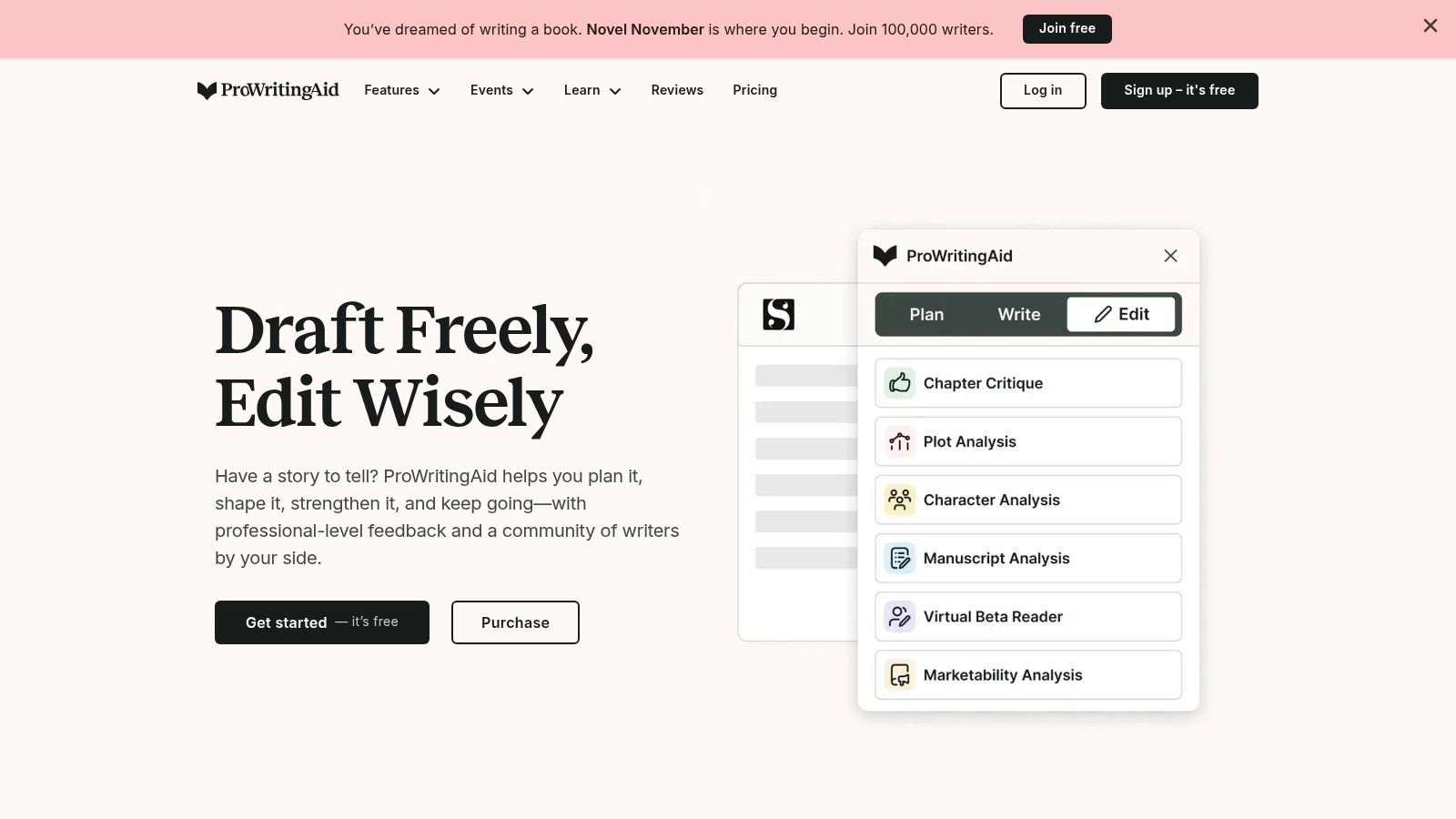
ProWritingAid is one of the few tools that treats editing as a process instead of a final pass. Rather than only catching spelling and punctuation mistakes, it generates over 25 distinct reports covering pacing, sentence structure, clichés, repetitive words, and even sensory detail balance. That is why it appeals to novelists, academic writers, and professionals editing complex documents.
What stood out during my review was how actionable the feedback can be. A pacing report doesn't just flag slow sections; it visualizes them. An "All Repeats" report helps eliminate redundant phrasing, which is a common issue in academic writing. If you are working on scholarly work, these structural insights matter more than another synonym suggestion.
For more guidance on refining academic prose, you can read about how to improve academic writing.
Where the learning curve shows up
The depth of feedback is also its main drawback. New users often feel overwhelmed by the number of reports, and the web editor can struggle with very large documents such as full manuscripts. It is not the fastest tool for quick email checks, but it is one of the strongest options if you are willing to invest time in the editing phase.
Pricing is another reason ProWritingAid remains competitive. It offers monthly and annual subscriptions, student discounts, and a lifetime license option that appeals to users who want to avoid recurring costs.
Key Details & Features
| Feature | Details |
|---|---|
| Best For | Long-form writers, academics, and teams requiring style guide enforcement. |
| Key Differentiator | Its 25+ in-depth writing reports provide granular feedback on style, structure, and readability far beyond typical grammar correction. The ability to create custom style guides and terminology lists is also a major benefit for teams and organizations. |
| Integrations | Integrates with Microsoft Word, Google Docs, Scrivener, and common web browsers. |
| Pricing | Offers a free version with limits. Premium plans are available monthly, yearly, or as a one-time lifetime purchase, providing excellent long-term value. Discounts for students are also available. |
| Pros | Very detailed feedback for substantive editing; affordable lifetime and annual plans; strong privacy policy. |
| Cons | The sheer number of reports can feel overwhelming for new users, presenting a steeper learning curve. The web editor can sometimes lag when processing very large documents (e.g., a full manuscript). |
| Website | https://prowritingaid.com |
2. LanguageTool

Best reason to choose it
LanguageTool stands out primarily because it treats multilingual support as a core feature, not an afterthought. It supports more than 30 languages and dialects, including distinctions like British versus American English, which makes it especially useful for international teams, translators, and bilingual writers.
The inclusion of "Picky Mode" is also practical. It enforces stricter feedback on style, redundant wording, and colloquial expressions, which helps transform casual drafts into polished professional text.
Privacy and multilingual tradeoffs
One of the less obvious advantages is its open-source foundation. This matters for privacy-conscious users and organizations that may want to deploy the tool on their own servers. That infrastructure flexibility is rare among consumer-focused grammar tools.
If you work across languages, you will also run into edge cases where certain punctuation rules vary significantly. For example, understanding et al. punctuation correctly depends on both language and style guide conventions, which multilingual tools are better equipped to handle than single-language checkers.
In practice, some users have noted that highly nuanced English-only corrections can occasionally lag behind tools built exclusively for one language. Still, for multilingual workflows, LanguageTool remains a top choice.
Key Details & Features
| Feature | Details |
|---|---|
| Best For | Bilingual writers, international teams, and privacy-focused users. |
| Key Differentiator | Its extensive support for over 30 languages and dialects is unmatched. The open-source foundation and option for an on-premises server provide a level of security and control that most cloud-based competitors cannot offer. |
| Integrations | Offers add-ons for most major browsers (Chrome, Firefox, Edge), Google Docs, Microsoft Word, and OpenOffice. Desktop apps for Windows and macOS are also available. |
| Pricing | A functional free version is available with basic checks. Premium plans are offered for individuals and teams, unlocking advanced style suggestions, the paraphrasing tool, and team dictionaries. Pricing is often localized by region and currency. |
| Pros | Unbeatable multi-language support; strong privacy with an open-source, on-premise option; clean and simple user interface. |
| Cons | While strong, the English grammar corrections may occasionally lag behind dedicated single-language tools in identifying highly nuanced errors. The feature set and pricing can vary slightly depending on the user's country. |
| Website | https://languagetool.org |
3. Ginger Software
Ginger Software positions itself as an accessible, budget-friendly option focused on everyday writing tasks. It handles core grammar, spelling, and punctuation, but its differentiator is the built-in Sentence Rephraser and translation support for more than 40 languages.

This makes Ginger especially useful for English language learners and professionals who need to communicate clearly across languages. The tool prioritizes speed and simplicity over deep stylistic analysis, which is a deliberate design choice rather than a limitation.
During testing, the rephrasing feature felt most valuable for quick email corrections and short-form content. It is not the right tool if you are editing a thesis or a novel, but it is practical for routine professional communication.
Key Details & Features
| Feature | Details |
|---|---|
| Best For | Students, English language learners (ESL), and casual users who need quick proofreading for emails, social media posts, and short-form content. |
| Key Differentiator | The integrated Sentence Rephraser and translation feature (supporting 40+ languages) provides unique value, especially for non-native English speakers looking to improve fluency and writing clarity. |
| Integrations | Offers browser extensions for Chrome, Safari, and Edge, as well as add-ins for Microsoft Office. A desktop and mobile app are also available. |
| Pricing | A free version is available with a strict weekly limit on corrections and features. Premium plans are offered monthly, annually, and every two years, often with very aggressive discounts for longer-term commitments. |
| Pros | Very affordable, especially with multi-year plans; Sentence Rephraser is excellent for finding better phrasing; strong support for ESL users. |
| Cons | The free plan is highly restrictive, pushing users toward a paid subscription quickly. It lacks advanced features like a plagiarism checker or in-depth style reports. |
| Website | https://www.gingersoftware.com |
4. Hemingway Editor

Why readability still matters
Hemingway Editor is not a full grammar suite. It is a readability coach that forces you to write more directly. It highlights adverbs, passive voice, complex sentences, and weak word choices using a simple color-coded system.
From a first-person testing perspective, this tool felt most useful during the final polishing stage. It does not replace grammar checking, but it reliably catches the kind of vague, padded writing that weakens blog posts, marketing copy, and UX text.
The free web version covers the core functionality, while the desktop app is available as a one-time purchase. If you mostly need clarity feedback rather than deep grammar analysis, Hemingway is efficient and fast.
Key Details & Features
| Feature | Details |
|---|---|
| Best For | Bloggers, content marketers, and UX writers who need to produce clear, direct, and scannable copy. It’s a great tool for the final polish to ensure your writing is bold and impactful. |
| Key Differentiator | Its readability-first approach with color-coded highlighting for passive voice, adverbs, and sentence complexity. The affordable one-time purchase for the desktop app provides excellent value for offline use. |
| Integrations | No direct browser or word processor integrations. You must copy and paste text into the web or desktop app. |
| Pricing | A free, fully functional web version is available. The desktop app is a one-time purchase ($19.99). An optional Editor Plus subscription for the desktop app adds AI features like grammar checks and sentence rewrites. |
| Pros | Forces clear and concise writing; affordable one-time fee for the desktop app; simple, distraction-free interface; works offline. |
| Cons | The free and base desktop versions lack deep grammar checking (requires the Editor Plus subscription). It's not suitable for academic writing as it doesn't check for citations or plagiarism. |
| Website | https://hemingwayapp.com |
5. QuillBot

Best for paraphrasing-heavy workflows
QuillBot is structured around rewriting, not just correction. Its paraphrasing engine offers multiple modes such as Standard, Fluency, and Creative, which helps users adjust tone and sentence structure without losing meaning.
What makes QuillBot distinctive is how it bundles supporting tools into one interface. The Summarizer, Citation Generator, and Grammar Checker turn it into a mini research workflow rather than a simple editor. That is why it appeals to students and content creators who manage multiple drafting tasks.
One caution from practical use: heavy reliance on paraphrasing can dilute your original voice if used uncritically. The tool works best when you treat its suggestions as starting points, not final answers.
If you are using AI-assisted drafting regularly, it also helps to understand how originality and detection tools intersect. For context on that topic, you can review this guide on how to bypass AI detection.
Limits to watch on the free plan
The free plan restricts paraphrase modes and character limits, which can frustrate heavy users. Premium unlocks full mode access and higher limits for summarization and plagiarism checking, making it more viable for academic and professional workloads.
Key Details & Features
| Feature | Details |
|---|---|
| Best For | Students, researchers, and content creators who need to rephrase text, generate citations, and perform standard grammar checks within a single platform. |
| Key Differentiator | Its suite of interconnected tools, especially the industry-leading paraphraser with multiple modes and a synonym slider, provides a complete academic and content creation workflow. The Summarizer and Citation Generator add significant value not found in most grammar-focused alternatives. |
| Integrations | Provides extensions for Google Chrome, Google Docs, and Microsoft Word, making it accessible across common writing environments. |
| Pricing | A free plan offers limited access to paraphrase modes and character limits. The Premium plan unlocks all modes, provides unlimited character usage in the paraphraser, and offers higher limits on the summarizer and plagiarism checker. It is available via monthly, semi-annual, or annual subscriptions. |
| Pros | Excellent paraphrasing capabilities with adjustable tone and length; integrated suite of tools (summarizer, citation generator) supports the entire writing process; very affordable for students and individuals. |
| Cons | Heavy reliance on the paraphrasing tool can sometimes weaken the writer's original voice if not used carefully. The plagiarism checker in the free and premium plans has word limits, which may be insufficient for long documents like dissertations. |
| Website | https://quillbot.com |
6. Sapling
Sapling is built for business communication, which makes it a strong Grammarly alternative for customer support, sales, and operations teams. Instead of focusing on creative editing, it optimizes for response speed and consistency.

From a team-management perspective, Sapling's shared snippet library and autocomplete features reduce repetitive typing and help maintain a consistent tone across agents. Managers can also use team analytics to monitor communication quality and identify coaching opportunities.
Where it falls short for individual writers
Sapling is less useful for solo creatives because its strongest features — shared snippets, team governance, and usage analytics — depend on multiple users. If you are an individual writer or academic, those enterprise workflows will not justify the cost.
Key Details & Features
| Feature | Details |
|---|---|
| Best For | Customer-facing teams (support, sales) and organizations that need consistent messaging and response efficiency across helpdesks, CRMs, and email clients. |
| Key Differentiator | Its deep integration into business workflows with features like shared team snippets, autocomplete, and robust analytics. The availability of a usage-based API and optional self-hosting for enterprise clients sets it apart for companies with specific security or integration needs. |
| Integrations | Works with a wide array of business platforms including Zendesk, Salesforce, HubSpot, Intercom, and various web browsers and email clients. |
| Pricing | A free version is available with basic suggestions. Pro and Enterprise plans are offered on a per-seat basis. It also provides a flexible, usage-based API for developers who need to integrate its capabilities into their own applications. |
| Pros | Purpose-built for team efficiency and consistency; powerful autocomplete saves significant time; flexible pricing models include both seat-based plans and API usage options. |
| Cons | The individual Pro plan is pricier than some competing tools. Its most powerful features, like team analytics and shared snippets, are only valuable in a multi-user business environment, making it less ideal for solo users or creative writers. |
| Website | https://sapling.ai |
7. Writer (formerly Writer.com)
Writer targets a completely different segment than most grammar tools: enterprise brands that need centralized control over tone, terminology, and compliance. It is designed for organizations where inconsistent messaging is a risk.

Its standout capabilities are automated Playbooks, centralized style guides, and governance features that flag deviations across Google Docs, Microsoft Word, Figma, Contentful, and Salesforce. For regulated industries, SOC 2 and HIPAA compliance options add credibility.
Pricing is custom and requires a sales conversation, which signals that Writer is aimed at mid-market and enterprise buyers rather than individual users. It is overkill for solo writers but highly relevant for agencies and large teams.
Key Details & Features
| Feature | Details |
|---|---|
| Best For | Large teams, enterprises, and agencies requiring strict brand governance and content consistency. |
| Key Differentiator | Its enterprise-grade compliance and governance tools, including centralized style guides, terminology management, and auditability. Features like SOC 2 and HIPAA compliance options make it suitable for regulated industries. |
| Integrations | Integrates with dozens of platforms where teams write, including Google Docs, Microsoft Word, Figma, Contentful, and Salesforce. |
| Pricing | Pricing is not publicly listed and requires contacting their sales team for a custom quote based on team size and needs. A free trial is typically available upon request. |
| Pros | Unmatched tools for maintaining brand voice consistency at scale; strong security and compliance features; automates content rule enforcement across multiple applications. |
| Cons | Overkill and too expensive for individual users or very small teams. The lack of transparent public pricing makes it difficult for smaller businesses to evaluate without a sales call. |
| Website | https://writer.com |
8. Microsoft Editor (in Microsoft 365)
For users already inside Microsoft 365, Editor is a convenient built-in option. It provides grammar, spelling, style, and clarity suggestions directly in Word, Outlook, and Edge.
Beyond basic checks, Microsoft Editor includes refinements for conciseness, formality, and inclusivity. For example, it might suggest replacing informal or ambiguous phrasing with clearer, more professional alternatives.
The value proposition is simple: if you already pay for Microsoft 365, you effectively get a writing assistant bundled into your existing workflow.
Key Details & Features
| Feature | Details |
|---|---|
| Best For | Students and professionals who primarily work within Microsoft 365 apps (Word, Outlook) and want a built-in, cost-effective writing assistant. |
| Key Differentiator | Its native integration with the Microsoft 365 suite. The value is not just in the editor itself but in the entire bundle of software and services included with the subscription. It also offers robust support for over 20 languages. |
| Integrations | Natively integrated into Microsoft Word, Outlook, and the Edge browser. A standalone browser extension is also available for Chrome. |
| Pricing | A basic version is free with a Microsoft account. The full premium features are unlocked with a Microsoft 365 subscription (Personal or Family plans). |
| Pros | Excellent value if you already subscribe to or need Microsoft 365; seamless user experience within its native apps; strong multilingual support. |
| Cons | Lacks the specialized, deep-dive reports for creative or long-form writing found in tools like ProWritingAid. The best features are locked behind a full Microsoft 365 subscription, which may be costly if you don't need the other apps. |
| Website | https://www.microsoft.com/microsoft-365 |
9. Google Workspace (Docs/Gmail grammar and AI writing)
Google Workspace embeds grammar and style assistance directly into Docs and Gmail, which removes the friction of installing extensions or switching apps.
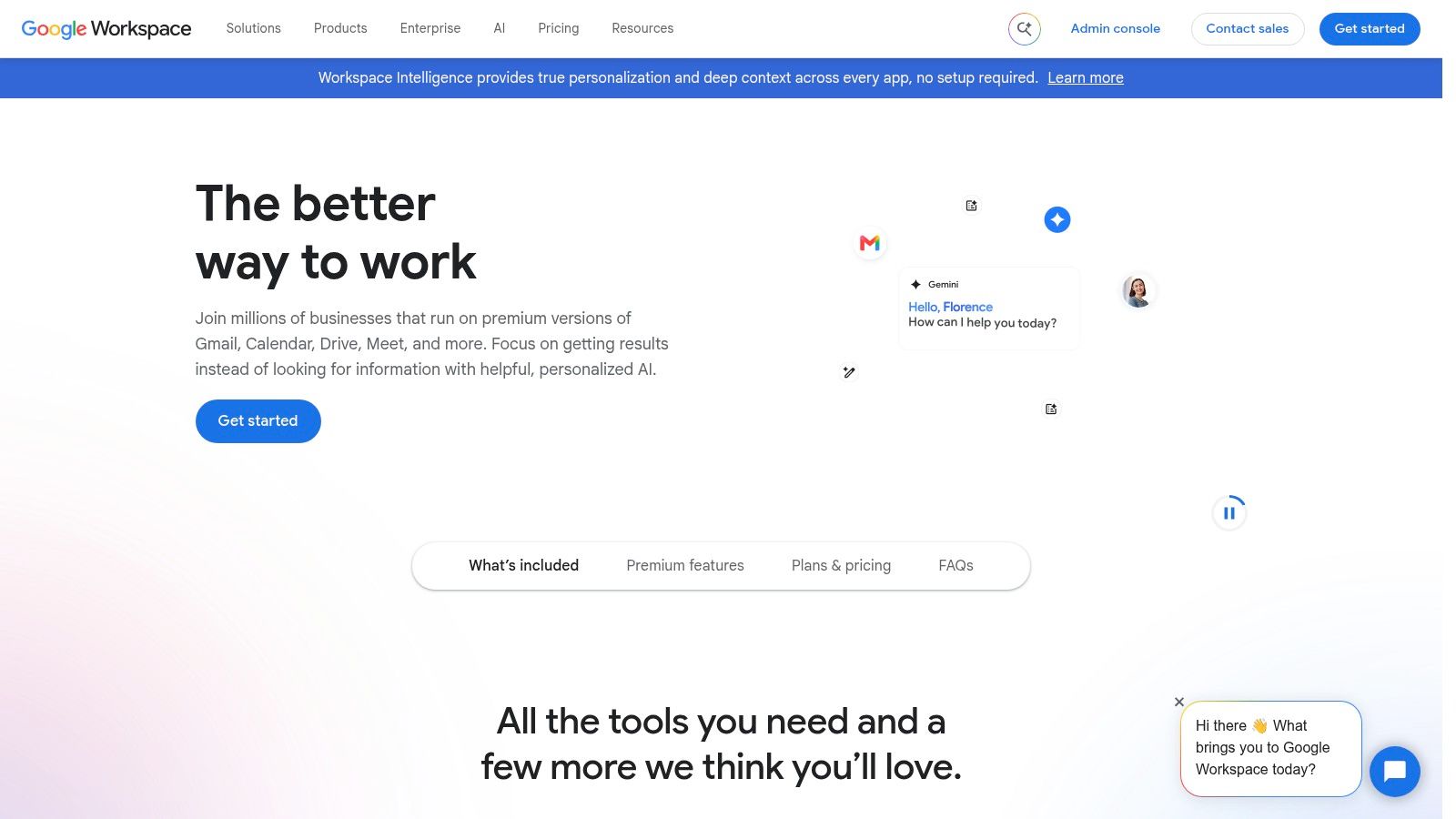
With Gemini AI integrated into higher-tier plans, Google Workspace also adds drafting assistance, summarization, and brainstorming support. The tradeoff is that advanced features require pricier Workspace subscriptions, and the grammar checking itself is less granular than dedicated tools like ProWritingAid or LanguageTool.
For organizations that prioritize security, centralized admin controls, and collaboration, Google Workspace remains a strong baseline option.
Key Details & Features
| Feature | Details |
|---|---|
| Best For | Teams and organizations already using Google’s suite of apps who need integrated, secure, and collaborative writing support without third-party tools. |
| Key Differentiator | Its native integration eliminates the need for browser extensions or separate apps, providing a secure and frictionless experience. Centralized admin controls for security and app management are a key benefit for businesses. |
| Integrations | N/A - The features are built directly into Google Docs, Gmail, and other Workspace applications. |
| Pricing | Included with Google Workspace business plans, which are billed on a per-user, per-month basis. Advanced AI features require higher-tier plans or add-ons. |
| Pros | Completely frictionless for existing users; strong collaboration and security features; no extra software to install or manage; bundled with other essential business tools. |
| Cons | The grammar and style checks are less detailed than specialized writing tools. Advanced features are tied to more expensive Workspace tiers, making it costly if you only need the writing aids. |
| Website | https://workspace.google.com |
10. Wordtune
Wordtune focuses on sentence-level rewriting rather than document-wide editing. When you highlight text, it offers multiple rewrite options that adjust tone, length, and formality.

This makes it especially useful for overcoming writer's block, rephrasing competitor content for originality, or adjusting tone for different audiences. However, the tool is less focused on deep grammar correction, which means it complements rather than replaces other editors.
Daily limits on the free and lower-tier plans can be restrictive for heavy users, so the value increases significantly with a premium subscription.
Key Details & Features
| Feature | Details |
|---|---|
| Best For | Students, content writers, and marketers who need to quickly rephrase sentences, adjust tone, and find new ways to express ideas. |
| Key Differentiator | Its AI-driven "Rewrite" suggestions are the main draw, providing multiple, contextually-aware options to improve phrasing, clarity, and tone with a single click. This focus on sentence-level improvement and flow sets it apart from more grammar-centric tools. |
| Integrations | Offers extensions for Chrome and Microsoft Edge, along with direct integrations for Google Docs, Microsoft Word, LinkedIn, and other popular platforms. |
| Pricing | A free plan is available with a limited number of "Rewrites" per day. Premium plans offer unlimited use of core features, advanced tone adjustments, and a summarizer tool. A "Plus" plan adds AI content generation capabilities. |
| Pros | Excellent at improving phrasing and word choice; simple and intuitive user interface with clear rewrite choices; strong integrations make it accessible across many platforms. |
| Cons | The daily usage limits on the free and lower-tier plans can be restrictive for heavy users. Its core grammar and spelling checks are not as deep or comprehensive as some dedicated proofreaders. Pricing can also vary based on region and available promotions. |
| Website | https://www.wordtune.com |
11. Trinka
Trinka is purpose-built for academic and technical writing. It is trained on scholarly conventions, which allows it to catch issues that general-purpose grammar checkers often miss.

During my review, the Publication Readiness Check was the most practical feature. It flags inconsistencies in terminology, capitalization, and formal phrasing that journal editors commonly review. For PhD candidates and researchers, that workflow relevance is significant.
Trinka also offers Confidential Data plans with an offline editor and strict data-handling commitments, which is rare in an industry where many tools store and analyze user content.
Key Details & Features
| Feature | Details |
|---|---|
| Best For | Academics, researchers, and technical writers who need precise, domain-aware language corrections for formal publications. |
| Key Differentiator | Its focus on academic and technical conventions sets it apart. The tool provides subject-specific suggestions (e.g., for medicine or engineering) and offers robust confidentiality options, including an offline editor, which is rare in this category. |
| Integrations | Integrates with Microsoft Word, web browsers, and Overleaf (via a browser extension). It also offers API/SDK access for custom enterprise solutions. |
| Pricing | A free plan is available with basic checks. Premium plans are subscription-based, with add-on features like plagiarism and AI detection reports sold on a credit system. Confidential Data plans and API access are priced separately. |
| Pros | Strong performance on formal, technical, and scientific language; excellent privacy and security choices for sensitive research data. |
| Cons | The pricing structure can be complex with its mix of subscriptions and credit-based add-ons. Its user experience is less streamlined for casual or creative writing compared to more consumer-focused tools. |
| Website | https://www.trinka.ai |
12. Antidote (by Druide)
Antidote is structured more like a linguistic reference suite than a simple grammar checker. It combines a precision corrector with integrated dictionaries, synonyms, antonyms, etymology, and detailed language guides.

What makes it distinctive is its bilingual focus. Users can switch between English and French modules while retaining access to the same reference tools, which is especially valuable for translators and bilingual professionals.
The tradeoff is that Antidote is limited to those two languages. For users who need broader multilingual coverage, LanguageTool is a stronger choice.
Key Details & Features
| Feature | Details |
|---|---|
| Best For | Bilingual professionals, translators, academics, and writers who require high-quality correction and deep linguistic resources for both English and French. |
| Key Differentiator | Its all-in-one suite combines a corrector, multi-resource dictionaries (synonyms, antonyms, etymology), and comprehensive language guides. The seamless switching between English and French modules is a unique and defining feature. |
| Integrations | Offers desktop applications for Windows and Mac that integrate with major software like MS Office, web browsers, and email clients. A web version and mobile app are also available. |
| Pricing | Available as a subscription (Antidote+) which includes all platforms, or a one-time purchase for the desktop version. A family plan is also offered, covering up to five users. |
| Pros | Exceptionally deep linguistic resources; robust support for both English and French; family plans offer great value for households. |
| Cons | Limited to only English and French, making it unsuitable for multilingual needs beyond that pair. The user interface has its own conventions that may require a short adjustment period for those accustomed to US-based software. |
| Website | https://antidote.info |
Final Thoughts
After comparing these options, the clearer picture is that the best tool depends entirely on what you are trying to do. A frequent question I encounter is whether Grammarly is still worth it in 2026, and the answer is yes for casual proofreading, but it loses relevance quickly once you move into academic editing, brand governance, multilingual workflows, or enterprise compliance.
If you need a free alternative to Grammarly Premium, LanguageTool offers the strongest multilingual coverage and privacy flexibility. For long-form writers and academics, ProWritingAid provides depth that casual checkers cannot match. For researchers handling sensitive data, Trinka's confidentiality options are unusually practical. For teams that need consistent messaging at scale, Sapling and Writer address different parts of the same problem.
Short verdicts by use case
- Best free pick: LanguageTool
- Best premium pick for long-form writers: ProWritingAid
- Best for students and researchers: Trinka or QuillBot
- Best for teams: Sapling or Writer, depending on whether you prioritize response speed or brand governance
One final observation from testing: the tools that improved my writing the most were the ones that explained why a change mattered, not just the ones that changed it fastest. If your goal is better writing over time, prioritize tools with editorial depth over tools with faster rewrites.
If you use AI-assisted drafting regularly, humanizing your final text can also improve authenticity and readability. You can learn more about that workflow at Humantext.pro, which specializes in making AI-generated text sound natural. For a practical next step, you can Try our free AI humanizer today →.
This article also includes references to broader productivity and writing workflows. For related extensions that complement your writing stack, you can explore curated resources such as this overview of productivity Chrome extensions.
As the market for AI writing assistants continues growing — another forecast values the global market at roughly US$2.3 billion in 2024 and projects growth toward US$8.3 billion by 2030 — the gap between generic checkers and specialized editors will likely keep widening AI writing assistant market report. That makes choosing the right tool for your actual workflow more important than chasing the most famous name.
Ready to transform your AI-generated content into natural, human-like writing? Humantext.pro instantly refines your text, ensuring it reads naturally and authentically. Try our free AI humanizer today →
Related Articles
AI Generated Text Detection: How It Actually Works
Explore AI generated text detection methods, accuracy limits, and how to choose the right tool for publishers, educators, and compliance workflows.

AI Humanizer Free Trial: Your Step-by-Step Playbook
Try an AI humanizer free trial the smart way. Learn what to expect, how to test quality, and how to choose the right paid plan for your workflow.
Sightengine API Review for Media Moderation
Explore how the Sightengine API handles image and video moderation. Learn about its accuracy, pricing, and when a browser-based checker is a better fit.

