AI humanizer online: Transform Robotic Text into Natural, Engaging Content
Discover how AI humanizer online converts robotic text to natural, readable content, boosting clarity and engagement. Try it now.
An AI humanizer online is a tool that takes robotic, AI-generated text and rewrites it to sound like it was written by a person. Its main job is to polish machine-written drafts so they can get past AI detectors and actually connect with human readers.
What Is an AI Humanizer and Why Is It Essential
Have you ever read something and just knew an AI wrote it? The facts are probably right, but it feels flat. The words lack the rhythm, personality, and subtle quirks that make writing interesting. It's a common side effect of AI-generated content; while it's fast, it often sounds predictable and gets easily flagged by tools like Turnitin or GPTZero.
This is exactly where an AI humanizer online steps in. It’s way more than a simple paraphrasing tool or a thesaurus.
Think of it like a skilled music producer working with a track made entirely with software. The software can create a technically perfect beat and melody, but it's soulless. The producer adds nuance, adjusts the timing slightly, and mixes in real-world textures, turning a sterile sequence of notes into a song you can feel. An AI humanizer does the same for text.
Bridging the Gap Between AI and Authenticity
This need to sound human cuts across all kinds of fields. For anyone using AI to speed up their writing, keeping an authentic voice isn't just nice to have—it's essential for building trust and getting results. Without it, your content just won’t land.
- For Students: It helps turn an AI-assisted research draft into a polished essay that reflects their own voice, avoiding any red flags for academic integrity.
- For Marketers: It’s a game-changer for scaling blog and web content without sounding generic. This helps maintain a consistent brand voice and sidestep potential search engine dings for low-quality, robotic content.
- For Writers: It's like having a super-fast assistant. It helps you crush deadlines while making sure the final product still has the unique style your clients pay you for.
At its core, an AI humanizer is a digital editor that breathes life into machine-written text. It bridges the critical gap between AI's powerful efficiency and the genuine human connection that earns trust, engages readers, and delivers results.
Let’s look at a side-by-side comparison to see exactly what changes when robotic text gets a proper human touch.
AI-Generated Text vs Humanized Text at a Glance
This table breaks down the key differences you'll notice between raw AI output and content that has been carefully humanized.
| Characteristic | Raw AI-Generated Text | Humanized Text |
|---|---|---|
| Sentence Flow | Often uniform and predictable. Can feel choppy or overly complex. | Varied sentence lengths and structures create a natural, engaging reading rhythm. |
| Word Choice | Tends to use common, safe, and sometimes repetitive vocabulary. | Uses a richer, more nuanced vocabulary with idiomatic expressions and colloquialisms. |
| Tone & Voice | Typically neutral, formal, and lacking a distinct personality. | Adopts a specific, consistent tone (e.g., conversational, witty, authoritative). |
| Complexity | Often exhibits consistent, machine-like patterns in perplexity and burstiness. | Mixes simple and complex sentences, mirroring natural human thought patterns. |
| Authenticity | Can feel sterile, distant, or "hollow," lacking genuine emotion or perspective. | Reads with personality and conviction, building a stronger connection with the reader. |
| AI Detection | Frequently flagged by AI detection tools due to predictable linguistic patterns. | Designed to bypass AI detectors by incorporating human writing idiosyncrasies. |
As you can see, the process is about more than just changing words. It's about restructuring, rephrasing, and injecting the subtle imperfections that make writing feel real.
How AI Humanizers Make Content Undetectable
Think of an AI detector as a digital bloodhound, trained to sniff out the specific, repetitive scent of machine-generated text. It’s incredibly good at spotting the classic giveaways: predictable sentence structures, a vanilla vocabulary, and a flat, monotonous rhythm. Raw AI text is littered with these digital fingerprints.
An AI humanizer online is the cleanup crew. Its entire job is to wipe away those fingerprints, making the trail go cold. It doesn't just swap a few words around; it performs a deep-level rewrite, analyzing the text for the exact patterns detectors are built to find and systematically breaking them.
This process is a transformation from robotic and predictable to something with a natural, human-like flow.
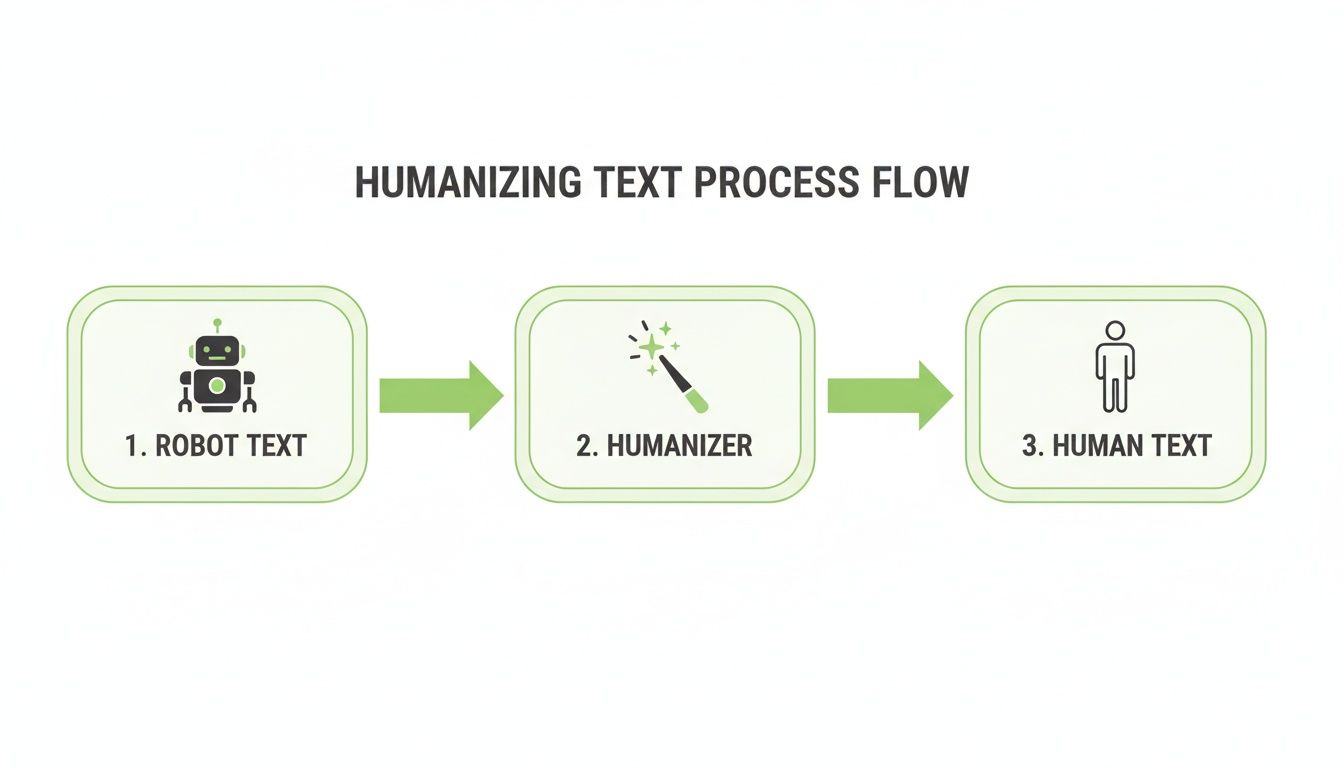
It’s about taking that rigid, formulaic AI output and injecting it with the beautiful chaos that defines how real people write.
The Science Behind the Magic
At its core, the whole game comes down to two key metrics that AI detectors live and die by: perplexity and burstiness.
Perplexity is just a fancy word for unpredictability. Burstiness, on the other hand, measures the variation in sentence length. Real human writing is all over the place—we use short, punchy sentences followed by long, winding ones. AI, left to its own devices, writes with the steady, boring rhythm of a metronome.
A tool like HumanText.pro has been trained on mountains of human-written articles, blog posts, and books. It learns the subtle quirks and nuances that make writing feel authentic and then applies that knowledge to your text.
Here’s how it works under the hood:
- Varying Sentence Structure: It smashes monotonous sentence patterns, mixing simple, compound, and complex structures to create a more dynamic rhythm.
- Introducing Sophisticated Vocabulary: It identifies and replaces overused, AI-favored words with better synonyms that actually fit the context.
- Adding Idiomatic Expressions: It weaves in common phrases and expressions that a machine would never think to use on its own.
- Adjusting Syntax and Flow: It rewrites sentences to improve their cadence, making them more engaging and less robotic.
An AI humanizer doesn't just put new clothes on the same text. It reverse-engineers the writing process itself, rebuilding the content to mimic the slightly imperfect, wonderfully varied style of a human author. The result is virtually indistinguishable from the real thing.
This approach solves a huge headache for content creators. A recent study found that 71% of marketers spend time manually editing AI content just to make it sound human. A humanizer turns that chore into a click, transforming a stiff draft into fluid, undetectable prose in seconds.
The best tools can do this while retaining 98% semantic accuracy, erasing over 500 common AI fingerprints. This process leads to content that sails past detectors like ZeroGPT with 99% success and can even double click-through rates.
By targeting these deep linguistic patterns, an AI humanizer doesn’t just fool a detector—it genuinely makes the content better and more readable. For a closer look at these methods, check out our guide on creating truly undetectable AI content. You can also find other great insights on how to make AI content undetectable.
Practical Ways to Use an AI Humanizer
So, where does the rubber meet the road? An AI humanizer online stops being a theoretical concept and becomes a seriously useful tool in all sorts of professional and academic fields. This isn't just about sneaking past AI detectors; it's about fixing real-world problems by injecting a dose of authenticity back into AI-assisted content. That shift is a game-changer for anyone needing to produce great work without spending all day on it.
From students trying to maintain academic integrity to marketers desperate to scale up their content, different people have different headaches. A humanizer offers a specific painkiller for each. Each scenario shows just how these tools bridge the gap between machine-like speed and a genuine human touch.
For Students and Academic Integrity
Students are increasingly turning to AI as a research partner, helping them bang out first drafts for essays and papers. The problem? That raw output often sounds generic and can get flagged by plagiarism and AI detection software in a heartbeat. An AI humanizer helps polish those drafts into original work that actually sounds like the student’s own analysis and voice.
Practical Example: Imagine a student generates a paragraph on the economic impact of the Industrial Revolution. The AI-generated text might say: "The Industrial Revolution led to significant economic changes, including the mechanization of production and the growth of urban centers." While correct, it's dry. After humanizing, it might read: "The Industrial Revolution didn't just change the economy—it completely upended it, sparking a seismic shift from agrarian life to bustling, factory-powered cities." The second version has more voice and conviction, turning a robotic fact into a compelling argument.
An AI humanizer lets students use AI the right way—as a launchpad for research and brainstorming, not a substitute for real, critical thinking. It helps them find their own voice within the AI-generated framework.
For SEO Specialists and Content Scalability
SEO specialists live under the constant pressure of the content treadmill. They have to churn out a high volume of quality articles just to stay relevant on search engines. Raw AI text is often repetitive and risks getting smacked down by Google for being unhelpful or spammy. This is where humanizing becomes non-negotiable for creating blog posts that both search engines and actual people will love.
Actionable Insight: An SEO team needs to produce 20 blog posts this month on "sustainable gardening." Instead of spending days writing each one from scratch, they can generate initial drafts with AI. Then, they run each draft through a humanizer. The key action is to apply a slightly different tone to each post (e.g., "Beginner's Guide," "Expert Tips," "Budget-Friendly Ideas"). This creates a diverse set of articles that feel unique and serve different search intents, boosting their overall content strategy without sounding repetitive. If you want a deeper dive, our guide on using a ChatGPT humanizer breaks it all down.
For Freelance Writers and Workflow Acceleration
Freelance writers are master jugglers. They’re balancing multiple clients, each with a unique brand voice and deadlines that always seem to be "yesterday." For them, an AI humanizer is like a super-powered assistant. It helps them speed up their workflow without ever compromising the quality their clients pay for. It turns a clunky AI draft into a near-final product that still has their personal touch.
Practical Example: A writer has a transcript from a podcast interview about financial planning. Using a tool like an AI Podcast Blog Post Generator creates a rough draft. It's accurate but reads like a transcript. By running this through a humanizer, the writer transforms conversational filler into a structured, engaging article. The humanizer refines quotes, creates logical transitions, and ensures the tone matches the client's authoritative-yet-friendly brand voice, cutting editing time in half. The demand for this tech is exploding—the human-centered AI market is expected to hit USD 93.66 billion by 2035. This boom is fueled by people needing to bypass detectors while getting real results, like seeing 2x higher click-through rates on their humanized content. You can read the full breakdown of these market trends for yourself.
Humanize Your Text in Four Simple Steps
Turning robotic AI text into something that sounds like it was written by a real person is surprisingly simple. With an AI humanizer online like HumanText.pro, you can get authentic-sounding content in just a few clicks. This quick walkthrough will show you exactly how it’s done, no guesswork required.
The whole process is designed to be intuitive. You can stop worrying about a complicated interface and just focus on the results. Let's break it down into four straightforward steps.
Step 1: Paste Your Content
First things first, grab the AI-generated text you want to fix. It could be a single paragraph for a school assignment or a full blog post draft you're working on.
Just head over to the humanizer's homepage and paste your text right into the input box. You don't need to do any special formatting—the tool is ready to go as soon as you drop the text in.
Step 2: Check Your AI Score
Before you change a thing, it helps to know your starting point. After you paste your content, HumanText.pro instantly analyzes it and gives you an initial AI detection score. Think of this as your baseline—it shows how likely your text is to get flagged by common AI detectors.
Seeing this initial score gives you a clear benchmark for success. You'll get to see just how much of a difference the humanization process makes.
Here's a look at the simple interface where you paste your text and get that instant analysis.
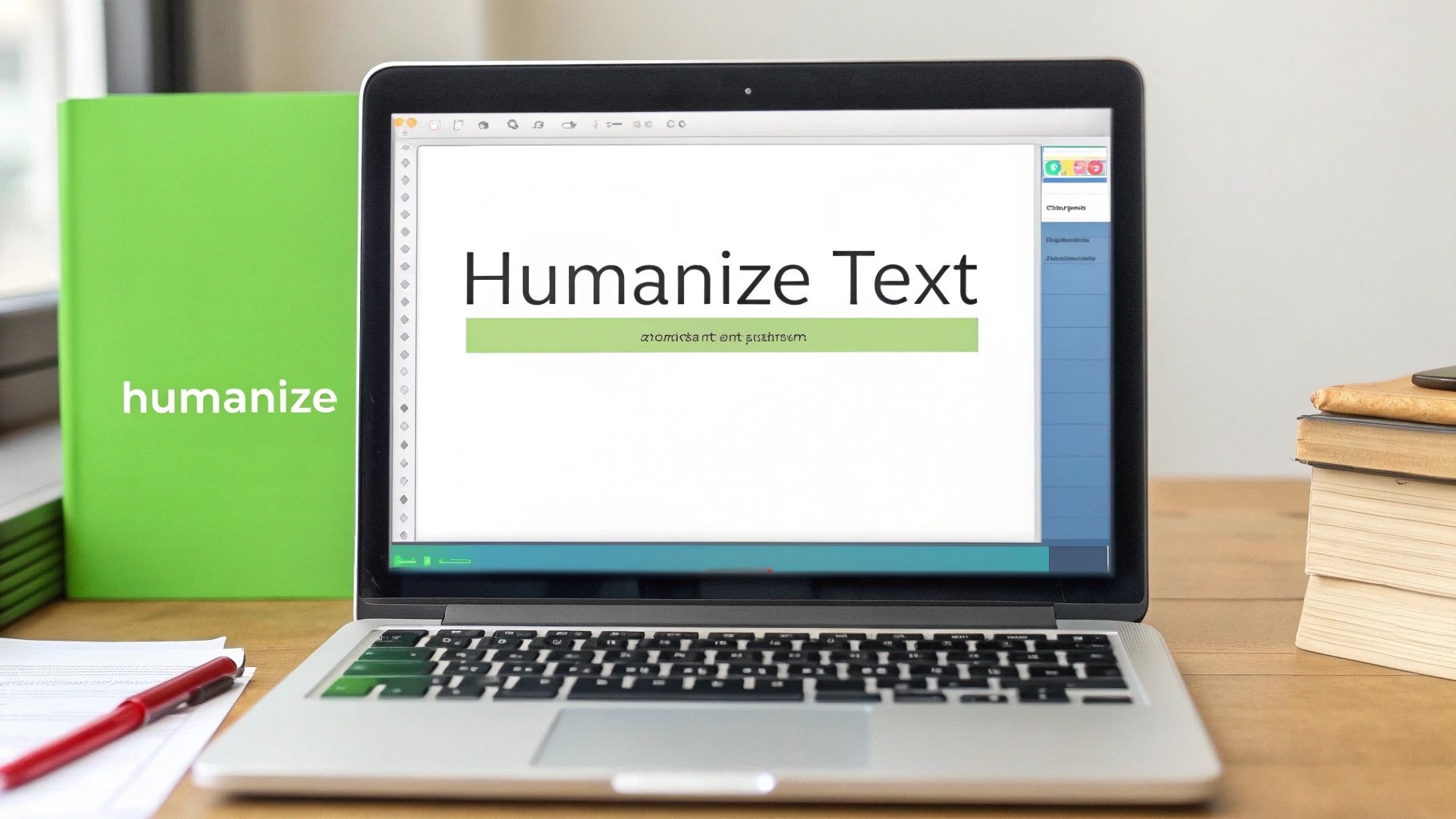
As you can see, the design is super user-friendly, with a clear spot for your text and another for the results. No clutter, no confusion.
Step 3: Humanize with One Click
Once you have your baseline score, this is where the magic happens. All you have to do is hit the big "Humanize" button.
In seconds, the tool's advanced algorithms get to work. They analyze everything from sentence structure and word choice to the overall rhythm of the text. It then rewrites your content to sound more like a person, strategically breaking up the predictable patterns that AI detectors are trained to spot.
This is way more than just swapping out a few words. The tool actually rephrases clunky sentences, adjusts the flow of the writing, and even introduces more nuanced vocabulary to produce a result that feels genuinely human.
Step 4: Review and Compare
The final step is the reveal. The tool shows you a side-by-side comparison of your original AI text and the newly humanized version. This lets you see the improvements to the tone and readability for yourself.
Actionable Insight: Don't just glance at the final text. Read it aloud. Does it flow naturally? Does it sound like something you would actually say or write? Use the side-by-side view to pinpoint specific phrases that have improved. This helps you learn what "human" writing sounds like and allows you to make minor tweaks to perfectly match your personal style or brand voice.
How to Choose the Right AI Humanizer Tool
With a flood of AI humanizers hitting the market, picking the right one can feel a little overwhelming. Let's be honest, not all of these tools are created equal. The best choice for you depends entirely on what you’re trying to accomplish, and making a smart decision means knowing what to look for.
Think of it like choosing a car. You wouldn't buy a two-seater sports car if you need to haul lumber, and you wouldn't buy a massive truck for zipping around the city. In the same way, a student focused on academic integrity has a completely different set of needs than an SEO specialist trying to scale up blog content.
To cut through the noise, you need a clear checklist of what actually matters.
Core Features to Evaluate
Before you get lost in fancy features, start with the fundamentals. A great tool has to deliver on its main promise: making your text sound human while keeping your original message intact. You’re looking for a sweet spot between effectiveness, ease of use, and security.
Here are the non-negotiables to look for:
- Detection Bypass Rate: How well does it actually work against the big-name detectors like Turnitin, GPTZero, or Originality.ai? Look for tools that are transparent about their success rates, ideally claiming 99% or higher effectiveness.
- Meaning Preservation: Does the tool keep the original context and meaning of your work? The goal is to refine your text, not rewrite it into something completely different. High-quality humanizers nail the semantic accuracy.
- Speed and Usability: How fast can it turn your text around? A good tool should deliver results in seconds through a clean, intuitive interface that doesn’t require a manual to figure out.
The most crucial, yet often overlooked, feature is the tool's privacy policy. A trustworthy AI humanizer should operate on a zero-storage basis, meaning it never saves, shares, or trains its models on your content. Your work should remain your own.
Security and Privacy Considerations
As the AI market explodes, so do concerns about data privacy. With the AI agent market projected to hit $47.1 billion by 2030, user trust is everything. While experts predict that 80% of customer chats will be handled by AI in the coming years, a solid 63% of customers are worried about how companies are using their data.
This is exactly why the zero-storage policies offered by tools like HumanText.pro are so critical, especially for students and professionals who need absolute confidentiality. You can learn more about these trends from these insightful AI agent statistics.
Feature Checklist for Selecting an AI Humanizer
Use this checklist to evaluate and compare different AI humanizer tools based on the most important features for quality and security. Before you commit to any tool, run it through this quick evaluation to find the perfect fit.
| Feature | What to Look For | Why It Matters |
|---|---|---|
| Effectiveness | Does it consistently get past the specific AI detectors I'm concerned about? | Ensures your content achieves its goal, whether for an academic paper or SEO ranking. |
| Quality of Output | Does the humanized text sound natural and clear, without awkward phrasing? | Maintains readability and professionalism, saving you from heavy manual edits. |
| Privacy Policy | Does the tool explicitly state that it doesn't store, share, or train on my data? | Protects your intellectual property and sensitive information from being misused. |
| User Experience | Is the interface simple to use, and does it deliver results quickly? | Saves you time and frustration, making the tool a seamless part of your workflow. |
| Pricing & Trial | Does it offer a free trial or a flexible plan that matches my usage needs? | Lets you test its effectiveness and see if it’s worth it before you spend any money. |
Answering these questions will point you toward a tool that doesn't just work, but works for you. For a deeper dive into specific features, check out our complete guide to choosing an AI humanizer tool.
Understanding the Ethical Use of AI Humanizers
Let's talk about the elephant in the room: ethics. Using an AI humanizer online responsibly is everything, and it’s critical to know where the line is. These tools were built to be powerful writing assistants, not get-out-of-jail-free cards for academic dishonesty or misrepresentation.
The real goal here is to refine a clunky, AI-assisted first draft, smash through writer's block, or make your content connect with readers on a more human level. Think of it as an expert editor who polishes your work, not a ghostwriter who claims your ideas. Using it to simply bypass a detector for an assignment you didn’t actually write? That crosses a very clear ethical boundary.
A Powerful Assistant, Not a Replacement
It's also important to be honest about where the technology is right now. Even the best humanizer isn’t flawless.
An AI humanizer is a tool to amplify your unique voice, not replace it. The final polish, the critical thought, and the ultimate integrity behind the work must always come from you, the human writer.
Actionable Insight: Always perform a final proofread yourself. After humanizing your text, comb through it one last time to catch any awkward phrases the tool might have missed and inject your own personal anecdotes or insights. For instance, if you're writing a blog post about productivity, add a short, personal story about a time a specific technique worked for you. This final human layer is what makes content truly authentic and valuable.
Your Questions About AI Humanizers, Answered
Jumping into the world of AI content tools can bring up some big questions. Let's clear the air and give you the straightforward answers you need to use any AI humanizer online with confidence.
Can Google Tell if I've Used a Humanizer on AI Content?
This is the big one for anyone in SEO or content creation. The short answer? Google cares about high-quality, helpful content, not how you made it. Their whole system is built to reward stuff that’s relevant and valuable to the reader.
Think of it this way: when an AI humanizer refines a clunky AI draft into something clear, original, and easy to read, that output is exactly what Google wants to see. The goal is to create something genuinely useful for a person, and humanizers are just a tool to help you get there faster.
Is Using an AI Humanizer a Form of Plagiarism?
Nope, not at all—as long as you’re working with content you have the right to use in the first place (like your own AI-generated drafts). Plagiarism is when you steal someone else's work or ideas and pass them off as your own.
An AI humanizer is simply a rewriting tool, much like a human editor. It takes existing text and rebuilds it with new sentence structures, different vocabulary, and a more natural rhythm. It’s all about changing the expression of an idea, not stealing the idea itself.
The real difference comes down to intent. Plagiarism is about copying. Humanizing is about creating a fresh, unique expression of a concept. It's a tool for authenticity, not theft.
What's the Difference Between a Humanizer and a Basic Paraphraser?
This is a key distinction. While both tools rewrite text, they operate on completely different levels. A basic paraphrasing tool is like giving your text a thesaurus and telling it to swap out a few words. The result is often awkward, clunky, and still sounds robotic because the core sentence structure remains the same.
Practical Example:
- Original AI Text: "The utilization of renewable energy sources is imperative for environmental sustainability."
- Paraphraser Output: "Using renewable power sources is necessary for environmental friendliness." (Awkward, still robotic)
- Humanizer Output: "If we're serious about protecting our planet, we've got to lean into renewable energy." (Natural, conversational, and clear)
An AI humanizer online does a much deeper analysis. It's focused on rhythm and flow to create something that’s not just reworded, but genuinely undetectable and engaging to read.
Ready to turn your AI drafts into content that truly connects? HumanText.pro makes it easy. Give it a try and see how quickly you can create compelling, undetectable text that bypasses AI detectors and resonates with your audience. Head over to https://humantext.pro to get started for free.
Ready to transform your AI-generated content into natural, human-like writing? Humantext.pro instantly refines your text, ensuring it reads naturally and authentically. Try our free AI humanizer today →
Related Articles
AI Detector Score: What It Means and How to Use It
Understand AI detector scores, learn how they are calculated, and discover practical ways to interpret and use them for quality assurance and compliance.

Data Monetization Platform Guide: Build, Price, and Scale
Master the data monetization platform model. Learn architecture, pricing strategies, compliance rules, and real examples to turn data into revenue safely.
10 Different Words for Sad: Ranked by Intensity and Tone
Explore different words for sad, ranked by intensity, register, and context, with example sentences and usage notes for writers and students.

