A Deep Dive into the QuillBot Paraphrasing Tool
Discover how the QuillBot paraphrasing tool works. Our guide covers its modes, features, and practical use cases to help you write better and faster.
Ever found yourself staring at a sentence, knowing it’s almost right but just not clicking? That’s where QuillBot’s paraphrasing tool comes in. It’s essentially an AI-powered writing partner built to help you find better ways to say what you mean. By leveraging sophisticated AI, it can rewrite sentences, paragraphs, or even whole documents to boost clarity and style.
What Exactly Is the QuillBot Paraphrasing Tool?
Think of it as a super-smart thesaurus that understands context. Instead of just swapping out one word for another (which often sounds weird), QuillBot analyzes your entire sentence to suggest phrasing that actually makes sense. It’s a seriously handy tool for a ton of different writing tasks.
At its heart, the tool is designed to do more than just reword things. It helps you bust through writer's block by offering fresh angles on your own ideas, lets you tweak your tone for different audiences, and ultimately makes your communication sharper. Whether you're a student polishing an essay or a marketer trying to nail that perfect ad copy, it’s built to adapt.
An AI-Powered Writing Assistant
QuillBot has carved out a major spot for itself among the best AI writing assistant tools available today. Its real strength is acting as a co-pilot, not an autopilot. You bring the original thought, and QuillBot lays out a menu of different ways to phrase it, leaving you in complete control of the final cut.
A huge part of its appeal is the dead-simple interface. When you first open it up, you're greeted with a clean, intuitive layout.
As you can see, it’s a simple two-panel setup. You paste your text on the left, and the rephrased version pops up instantly on the right.
This immediate feedback is what makes it so effective—you can tweak and refine your writing on the fly. This core feature is a big reason it's become a go-to tool for so many people, a fact backed up by some pretty impressive market data.
QuillBot has secured an impressive 18% market share in the AI writing tools sector, placing it just behind Grammarly. This positions it as the #2 paraphrasing tool globally, highlighting its massive appeal to students, freelancers, and professionals. Learn more about these QuillBot statistics on seosandwitch.com.
Ultimately, the tool’s power lies in its versatility. It can help you:
- Enhance Clarity: Untangle complicated sentences so they’re easier for your reader to digest.
- Adjust Tone: Effortlessly shift your writing from casual to formal, or from straightforward to creative.
- Improve Fluency: Smooth out awkward phrasing to make your text sound more natural and professional.
For anyone curious about how an AI can rewrite text, getting to know QuillBot is a great starting point. It’s a foundational piece of software for anyone aiming to produce polished, effective writing.
Unlocking the Power of QuillBot's Writing Modes
The real magic of QuillBot isn't just that it can rephrase a sentence; it’s how it does it. The tool’s strength really comes from its different writing modes, each one acting like a unique filter for your original message. Picking the right mode is what turns a generic piece of text into something with a specific purpose.
Think of these modes as different specialists on a writing team. You wouldn't ask a technical writer to craft a catchy slogan, and you wouldn’t ask a poet to draft a legal document. In the same way, each QuillBot mode is tuned for a particular outcome, giving you fine-grained control over your content's tone, complexity, and style.
Exploring the Core Paraphrasing Modes
QuillBot gives you a whole suite of modes to play with. Two are available on the free plan, with the rest unlocked when you go premium. Getting a feel for what each one does is the first step to using the tool like a pro.
Let's start with a clunky, jargon-filled sentence and see what happens:
Original Sentence: "The company's strategic implementation of new logistical frameworks resulted in a significant enhancement of operational efficiency."
Standard Mode: This is your go-to, everyday rewriter. It does a solid job of changing the text while staying true to the original meaning, making it a reliable choice for most tasks.
- Example Output: "The company's new logistical frameworks were strategically implemented, leading to a considerable improvement in operational efficiency."
Fluency Mode: This mode is all about making your text sound more natural and cleaning up any grammar mistakes. It makes smaller changes, focusing on readability and flow above all else.
- Example Output: "The company strategically implemented new logistical frameworks, which significantly enhanced its operational efficiency."
This is how QuillBot's core functions—improving clarity, tweaking the tone, and ensuring fluency—all work together to make your writing stronger.
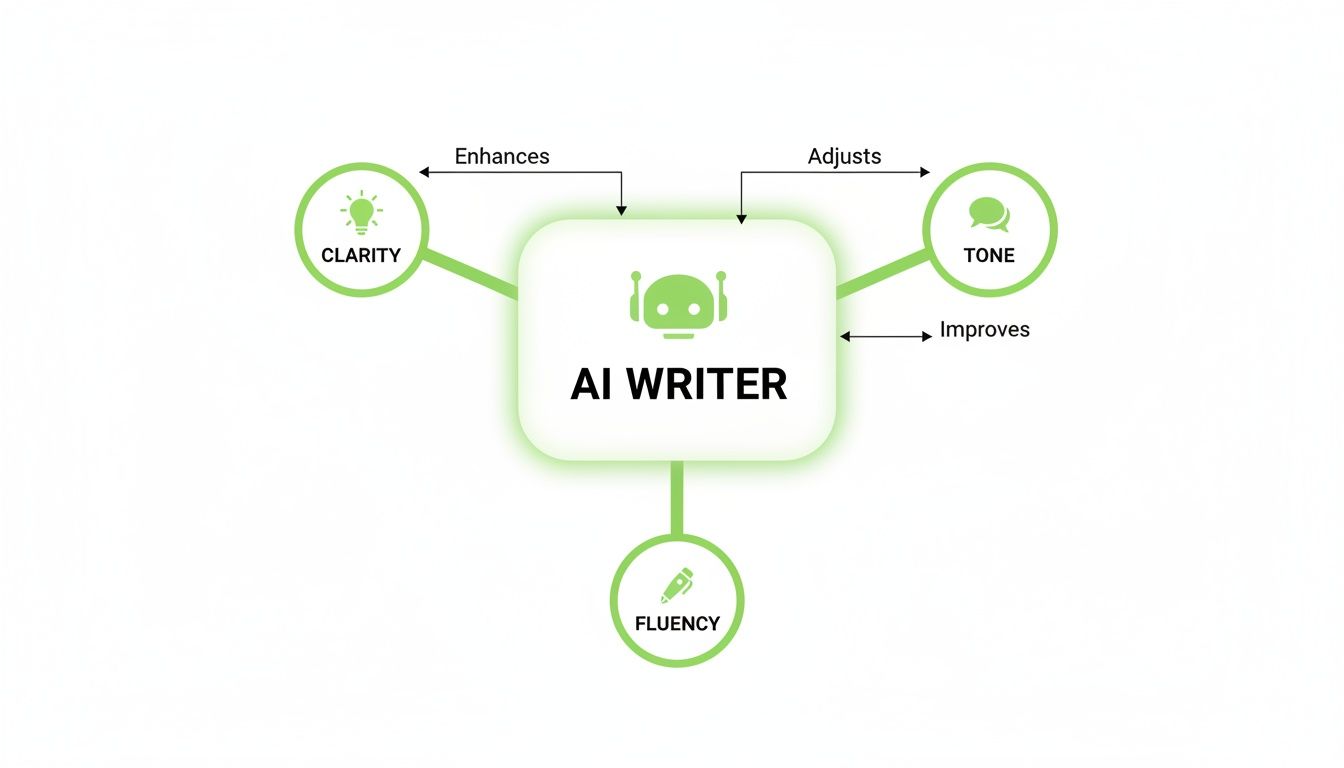
As you can see, the tool acts as a central AI writer that branches out to polish these three critical elements of good communication.
A Quick Guide to QuillBot's Paraphrasing Modes
Choose the perfect mode for your writing task with this simple comparison.
| Mode | Primary Goal | Best For |
|---|---|---|
| Standard | Balance changes with original meaning | General-purpose rewriting and everyday tasks. |
| Fluency | Ensure natural language and fix grammar | Improving readability and fixing awkward phrasing. |
| Formal | Elevate language for a professional feel | Academic papers, business reports, and official emails. |
| Simple | Make complex ideas easy to understand | Explaining technical topics to a non-expert audience. |
| Creative | Offer imaginative, stylistic rewrites | Overcoming writer's block or finding fresh angles. |
| Expand | Add more detail and increase word count | Elaborating on a simple idea to meet length requirements. |
| Shorten | Condense text to its core message | Creating summaries, headlines, or concise social media posts. |
These modes give you a ton of flexibility, letting you dial in the perfect output for whatever you're working on.
Advanced Modes for More Specific Goals
The premium modes are where you get the really specialized tools. They let you shape your content for very specific audiences and situations.
Formal Mode: This mode elevates your language, swapping out casual phrasing for more conventional and sophisticated alternatives. It's perfect for professional or academic writing.
- Example Output: "The strategic implementation of new logistical frameworks by the corporation resulted in a substantial enhancement of its operational efficiency."
Simple Mode: Need to make a complex idea dead simple? This mode breaks down complicated sentences and uses more accessible vocabulary.
- Example Output: "The company put new shipping plans into action, which made everything work much better."
Creative Mode: This one takes the most liberties with your text, spinning up imaginative and expressive rewrites. It's great for brainstorming, but you'll definitely want to double-check its work.
- Example Output: "By strategically rolling out innovative logistical systems, the company unlocked a remarkable new level of operational effectiveness."
Expand and Shorten Modes: These do exactly what they say on the tin. Expand fleshes out your text with more detail, while Shorten cuts it down to be more concise.
Fine-Tuning Your Results
Beyond picking a mode, QuillBot gives you two killer features for even more control: the Synonym Slider and Freeze Words.
The Synonym Slider lets you decide how much of the vocabulary gets changed. Slide it to the left for fewer changes and more accuracy, or slide it to the right for more variety. These settings are a great way of expanding your vocabulary and experimenting with different word choices.
The Freeze Words feature is a lifesaver for SEO pros and technical writers. It lets you protect specific words or phrases—like a brand name, a keyword, or technical jargon—from being changed during the rewrite. Just click the little snowflake icon, and QuillBot will leave that term untouched, ensuring your core message and keywords stay exactly where you need them.
A Practical Guide to Using QuillBot Effectively

Getting great results from the QuillBot paraphrasing tool is about more than just pasting text and clicking a button. To produce writing that’s genuinely high-quality, you need a smart approach that blends AI's speed with your own critical judgment. The key is to think of it as a collaboration, not a one-click fix.
This four-stage framework will help you get the most out of the tool. Following these steps ensures your final text not only reads well but also perfectly captures what you were trying to say in the first place.
Step 1: Prepare Your Text for Paraphrasing
A little prep work before you even open QuillBot goes a long way. The tool is at its best when you feed it clean, focused input. That means working in small chunks—like one or two paragraphs at a time—instead of dropping in an entire document at once.
Why does this matter so much? Trying to paraphrase a huge block of text can easily scramble the logical flow between your ideas, leaving you with a disjointed mess. By focusing on smaller sections, you stay in control of the narrative and can make sure each part connects smoothly to the next.
Actionable Insight: Before paraphrasing a multi-paragraph section, copy each paragraph's topic sentence into a separate document. After rephrasing each paragraph individually in QuillBot, re-read your new paragraphs and check them against the original topic sentences to ensure your core arguments haven't drifted.
Also, give your original text a quick proofread. Fixing any obvious typos or grammar mistakes beforehand gives the AI a clean slate to work from, leading to a much more accurate and relevant paraphrase.
Step 2: Choose the Right Mode for Your Goal
As we've covered, QuillBot’s modes are each designed for a specific job. The mode you pick fundamentally changes the output, so this step is critical for getting the tool to do what you want.
Before you hit paraphrase, just ask yourself one question: What am I trying to achieve here? Your answer will point you straight to the right mode.
- Need to make things clearer? If you're wrestling with a dense academic concept, Simple Mode is your best bet.
- Need to sound more professional? For a business proposal or a formal email, Formal Mode will elevate your language perfectly.
- Need to be brief? To turn a longer sentence into a snappy social media caption, Shorten Mode is the obvious choice.
Practical Example: You wrote: "Our innovative Q4 marketing strategy leverages synergistic multi-channel analytics to optimize customer journey touchpoints." To post on LinkedIn, use Formal Mode for a polished result. To explain it to a new team member, use Simple Mode to get something like: "Our marketing plan uses data from different channels to improve the customer's experience."
Matching the mode to your goal is the single most important decision in the process. It's the difference between getting a helpful suggestion and an output that completely misses the point.
Step 3: Fine-Tune with Synonyms and Manual Edits
Once QuillBot spits out a paraphrase, your job isn't over. This is where your human oversight becomes absolutely essential. The AI gives you a solid first draft, but it’s up to you to polish it into a final product.
Start with the built-in features. Click on any word in the output, and you’ll see a list of alternative synonyms. This lets you quickly swap out words that don't quite fit the context or tone. You can also play with the Synonym Slider to control how much of the vocabulary gets changed.
The most effective users of the QuillBot paraphrasing tool treat it as a starting point, not a final destination. The AI proposes, but the writer decides. This partnership ensures the final text retains its intended meaning, nuance, and authentic voice.
And don’t be afraid to make manual edits directly in the output box. The AI might generate a sentence that’s grammatically correct but just feels… off. Your job is to smooth out those awkward spots so every sentence sounds natural and flows logically.
Step 4: Conduct a Final Review for Clarity and Tone
The last step is a final, human-led read-through. This is your last line of defense against subtle errors, tonal mismatches, or meaning shifts that the AI might have missed.
During this review, check for a few key things:
- Original Meaning: Did the paraphrase accidentally twist the core message of your original text?
- Consistent Tone: Does the rewritten text’s tone match the rest of your document and speak to your intended audience?
- Overall Flow: Do the sentences and paragraphs connect smoothly, or does it feel choppy and robotic?
Actionable Insight: Read your final text out loud. This is the fastest way to catch awkward phrasing, robotic cadence, or sentences that are technically correct but don't flow well. If it sounds unnatural when you speak it, it will feel unnatural to your reader.
This final check is non-negotiable. It's what guarantees the AI-assisted output meets your standards and communicates your message exactly as you intended, without any confusing slip-ups. Make this step a habit, and you can confidently use QuillBot to genuinely improve your writing.
How Different Professionals Use QuillBot

It’s easy to dismiss the QuillBot paraphrasing tool as just a fancy word-swapper, but that would be missing the point entirely. In reality, it’s a versatile instrument that professionals from different fields have woven into their daily workflows. Its knack for quickly refining, rephrasing, and repurposing text makes it a trusted sidekick for anyone who writes for a living.
The tool’s growing popularity isn’t just anecdotal. The global market for paraphrasing tools hit $1.154 billion in 2024 and is on track to explode to $3.868 billion by 2035. That's not just growth; it's a clear signal of the massive demand for smart writing aids in a world drowning in content. For a deeper dive, check out the paraphrasing tool market's future on Market Research Future.
For Students and Academics
Academic writing is a classic balancing act. Students have to prove they understand dense source material while expressing that knowledge in their own voice to sidestep plagiarism. This is where QuillBot shifts from a simple tool to an essential study partner.
The Challenge: A student is trying to weave information from a jargon-heavy research paper into an essay. They need to avoid quoting huge blocks of text or accidentally borrowing too heavily from the original phrasing.
The Fix: They can drop a complex sentence into QuillBot and use Simple Mode to get a plain-English version. This first step is just about understanding the core idea. Once they get it, they can switch to Standard or Formal Mode to rephrase the concept in a proper academic style, ensuring the final text is genuinely their own.
Using a paraphrasing tool for comprehension before writing is a game-changer. It turns passive reading into an active learning process, helping students internalize complex information before they even begin to formulate their own arguments.
Over time, this process can even help sharpen a student's own writing skills. If you're curious about how technology can boost academic performance, our guide on AI writing tools for students is a great place to start.
For Content Creators and Marketers
In the relentless world of digital marketing, content is everything, and the demand for fresh material never stops. Marketers and content creators lean on the QuillBot paraphrasing tool to get more mileage out of their work, tailoring messages for different platforms without starting from scratch each time.
The Challenge: A marketer just published a killer 1,500-word blog post. Now they need to promote it on LinkedIn, Twitter, and in an email newsletter, but each channel demands a different tone and length.
The Fix: QuillBot becomes a content repurposing engine:
- LinkedIn Post: They can grab the blog’s intro and use Formal Mode to spin up a professional, thought-provoking post designed to earn clicks.
- Twitter Thread: The Shorten Mode is perfect here. It can distill the blog’s main points into a series of punchy, character-limited tweets that grab attention.
- Email Newsletter: Using Fluency Mode, they can rephrase key sections of the article into a smooth, engaging email that feels personal and delivers real value to subscribers.
This strategy transforms a single piece of content into a multi-channel campaign, saving hours of tedious rewriting while keeping the core message consistent.
For SEO Specialists
For anyone in SEO, duplicate content is public enemy number one. Google penalizes sites with identical or nearly identical text on multiple pages, seeing it as an attempt to game the system. This is a huge headache for e-commerce sites with thousands of very similar product descriptions.
The Challenge: An SEO specialist at an online clothing store needs to write unique product details and meta descriptions for 50 different blue t-shirts. They’re all from different brands but share most of the same features.
The Fix: Instead of writing 50 descriptions from scratch, they can create one solid, keyword-rich template. Then, they use the QuillBot paraphrasing tool to generate unique variations. By tweaking the Synonym Slider for more diverse wording and using the Freeze Words feature to protect critical keywords like "blue cotton t-shirt," they can produce distinct descriptions at scale. This keeps every product page unique in the eyes of search engines, boosting the site's overall SEO health and dodging potential penalties.
Navigating the Limits of Paraphrasing Tools
While the QuillBot paraphrasing tool is a fantastic ally for busting through writer's block or sprucing up a first draft, it's crucial to know where its capabilities end. No AI rephraser is a perfect substitute for human intuition. Relying on it blindly can leave your text feeling just a little… off. Like a song played in the wrong key.
The biggest challenge is nuance. Language is packed with subtle meanings, cultural context, and emotional weight that algorithms often struggle to grasp. A paraphrasing tool might swap words and technically be correct, but it can easily miss the original sentence's spirit, leaving you with text that’s grammatically sound but emotionally flat.
On top of that, AI detection tools are becoming standard in both academic and professional worlds. Content spun out by paraphrasers alone can sometimes get flagged because these detectors are trained to spot the statistical patterns and predictable sentence structures that algorithms leave behind.
When Paraphrasing Just Isn't Enough
This is where the next step in content creation comes in: AI humanization. It’s a critical distinction to make. A paraphraser changes the words, but a humanizer fundamentally rebuilds the text so it reads as if a person wrote it from scratch.
Think of it like this:
- A Paraphrasing Tool is like a skilled translator. It converts your text from one style to another, making sure the core message stays the same, but the delivery might still feel a bit mechanical.
- An AI Humanizer is more like a seasoned editor. It doesn't just translate; it re-creates the sentences with a deep understanding of natural rhythm, flow, and human expression.
This difference is everything for professionals who can’t afford to sound robotic or risk getting flagged by AI checkers. The goal shifts from simply rewriting content to producing something genuinely authentic.
HumanText.pro: The Essential Follow-Up Tool
This is exactly the gap HumanText.pro was built to fill. It's not a replacement for a tool like QuillBot but an essential follow-up step. You can use QuillBot for the initial heavy lifting—to brainstorm new phrasing or restructure a clunky paragraph—and then run that output through HumanText.pro to add the final, human touch.
HumanText.pro works by identifying and dismantling predictable AI patterns, then rebuilding sentences with the varied structures and word choices that define authentic human writing. This process is specifically engineered to make content undetectable to advanced AI detectors.
Let's break down the functional difference. QuillBot’s main job is swapping words (lexical substitution) and making basic sentence changes. HumanText.pro goes deeper by altering sentence complexity, rhythm, and logical flow to mimic how a human thinks and writes. For anyone needing to ensure their final work is both authentic and undetectable, learning how to make an AI paraphraser undetectable is a non-negotiable skill.
The table below breaks down the distinct roles these two tools play in a modern writing process.
QuillBot Paraphraser vs HumanText.pro AI Humanizer
Learn the critical differences between rephrasing text and making it sound human.
| Feature | QuillBot Paraphrasing Tool | HumanText.pro |
|---|---|---|
| Primary Goal | Reword existing text while preserving the original meaning. | Make AI-generated text sound natural and bypass AI detectors. |
| Core Function | Changes words, phrases, and basic sentence structures. | Restructures text, varies sentence length, and adjusts cadence. |
| Best For | Overcoming writer’s block, improving clarity, and creating drafts. | Finalizing essays, reports, and articles for authentic, human quality. |
| Focus | Meaning and vocabulary. | Authenticity and undetectability. |
Ultimately, using these tools together creates a powerful, comprehensive workflow. Start with the QuillBot paraphrasing tool to get your ideas down and refine your core message. Then, finish with HumanText.pro to ensure your final piece is polished, professional, and genuinely sounds like it came from you.
Common Mistakes That Sabotage Your QuillBot Results
QuillBot can feel like a magic wand for writers, but a few common missteps can quickly turn that magic into a mess. If you've ever gotten a clunky or nonsensical result, it probably wasn't the tool's fault—it was the process.
Let's break down the most frequent errors people make and how you can sidestep them to get great output every single time.
The Biggest Mistake: Blindly Trusting the First Draft
The number one error, by a long shot, is hitting "Paraphrase" and copying the result without a critical eye. This is like letting a GPS drive your car without holding the steering wheel. It might get you there, but you might also end up in a lake.
AI paraphrasers are incredible at manipulating grammar and syntax, but they don't understand context or nuance. They can easily miss an idiom, strip the personality from your voice, or slightly alter a key point until it means something else entirely. Always treat the output as a starting point, not the final product.
Another huge blunder is trying to feed the tool way too much text at once. Dropping an entire essay or a long article into QuillBot is a surefire way to get a disjointed, illogical rewrite. The AI simply can't maintain a coherent narrative thread across that much content, and the natural flow of your argument will shatter.
Work in smaller chunks. A paragraph or two at a time is the sweet spot. This keeps you in the driver's seat, ensuring each rephrased section connects smoothly to the next.
Think of QuillBot as a talented but very literal assistant. It needs your guidance. The best results come from a partnership where you provide the critical thinking and the AI handles the heavy lifting of sentence restructuring.
With that in mind, here are a few specific slip-ups to watch out for.
A Checklist for Smarter Paraphrasing
Avoid these common traps to get the most from QuillBot:
Forgetting to Freeze Your Keywords: This is a classic rookie mistake. The "Freeze Words" feature is one of the most powerful tools in your arsenal, yet it's often ignored. If you don't freeze essential brand names, technical jargon, or crucial SEO keywords, QuillBot might change them, watering down your message or tanking your search rankings.
- The Fix: Before you paraphrase anything, scan your text for non-negotiable terms. Freeze them. It takes five seconds and saves you a major headache later.
Using the Wrong Mode for the Job: Every mode has a purpose. Using Creative Mode on a formal business report will sound bizarre, just as using Formal Mode on a casual blog post will feel stiff and out of place. This mismatch creates an instant tonal disconnect with your reader.
- The Fix: Pause and ask yourself, "Who am I writing for, and what do I want them to feel?" Match the mode to your audience and your goal. It's the single best way to control the output's tone.
Assuming the Output is Undetectable: It’s a common myth that running text through a paraphraser makes it invisible to AI detectors. While QuillBot is great at changing words, the underlying sentence structure and cadence can still carry the tell-tale fingerprints of AI.
- The Fix: If your work is going to be scrutinized for AI content, treat the QuillBot output as a rough draft. Your next step should be a round of manual edits to inject your own style, or running it through a dedicated AI humanizer to ensure it reads naturally and can pass detection.
QuillBot FAQs: Your Questions Answered
Once you start using a tool like QuillBot, a few key questions almost always come up. Let's tackle the big ones so you know exactly what you're working with, especially when it comes to academic integrity, value for money, and its core functions.
Getting these details straight from the start will save you a lot of headaches down the road.
Can Turnitin Detect QuillBot?
This is a big one. While QuillBot is pretty good at rewording text to get past simple plagiarism scanners, it’s not designed to fool sophisticated AI detectors like the ones Turnitin uses. These systems are trained to spot the subtle, machine-like patterns left behind by paraphrasing algorithms.
If you're writing for school or any environment where AI detection is a real concern, just paraphrasing isn't enough. You’ll want to run your text through a dedicated AI humanizer afterward. It's the only reliable way to smooth out those AI fingerprints and protect your academic integrity.
Is It Worth Paying for QuillBot Premium?
For casual users, the free version might be enough. But if you’re using it for any serious work, QuillBot Premium is a smart investment. The free version hits you with tight character limits and only gives you two writing modes, which feels limiting fast.
Upgrading to Premium is a game-changer. You unlock all the writing modes (Formal, Simple, Creative, etc.), get much higher character limits, a plagiarism checker, and faster processing speeds. For students, writers, and SEO pros who use it daily, the upgrade pays for itself in sheer efficiency and better output.
What Is the Difference Between Paraphrasing and Summarizing?
It’s easy to get these two mixed up, but they do completely different jobs.
Paraphrasing is all about saying the same thing in a different way. It takes your original text and rewrites it, keeping the length and meaning pretty much the same. Summarizing, on the other hand, is about condensation. It takes a long article or document and boils it down to the essential points, creating a much shorter version.
Think of it this way: use the paraphraser to tweak a clunky sentence or freshen up a paragraph. Use the summarizer when you need to get the gist of a long report without reading every single word. They’re two different tools for two very different tasks.
Ready to elevate your AI-generated drafts into truly authentic, human-sounding content? HumanText.pro is the essential final step in your writing workflow, ensuring your work is not only polished but also undetectable by leading AI detectors. Try it now and experience the difference. Get started for free at https://humantext.pro.
Ready to transform your AI-generated content into natural, human-like writing? Humantext.pro instantly refines your text, ensuring it reads naturally and authentically. Try our free AI humanizer today →
Related Articles
10 PimEyes Alternatives for Safer Image Verification
Compare 10 PimEyes alternatives for face search, image reuse, privacy, pricing, and safer verification of online identities and media.

Fake Profile Picture Detector: How to Verify Photos Online
Learn how a fake profile picture detector works and verify online photos manually. Step-by-step guide for detecting AI images, catfish, and scams.

Who Is This Person Photo: A Practical Verification Guide
Wondering who is this person photo? Use reverse image search, face search, and AI checks to verify online identities safely and protect yourself from scams.

