The 12 Best Winston AI Alternative Tools in 2026: An In-Depth Review
Searching for a Winston AI alternative? Discover the top 12 AI detectors and humanizers, with detailed comparisons, use cases, and actionable insights.
In the growing field of AI-generated content, tools like Winston AI have become essential for identifying machine-written text. However, no single tool is perfect for every situation. Whether you're a student ensuring your essay is flagged correctly, an SEO specialist needing to verify outsourced content, or a content agency managing high volumes of articles, finding the right Winston AI alternative is crucial for maintaining quality and academic integrity.
This comprehensive guide is designed to help you navigate the options effectively. We will move beyond simple feature lists and provide a practical, comparative analysis of the top AI detection and humanization platforms available today. You'll find detailed breakdowns of each tool's strengths, weaknesses, and ideal use cases.
Here's what you can expect from this resource:
- In-depth Reviews: We'll explore 12 leading platforms, including powerful options like HumanText.pro, Originality.ai, GPTZero, and Copyleaks.
- Direct Comparisons: See how each tool stacks up on key features like detection accuracy, language support, privacy policies, and pricing models.
- Actionable Recommendations: Discover our top picks specifically for students, professional writers, SEO agencies, and other user groups.
- Practical Guidance: Each review includes screenshots and direct links to help you get started quickly and make an informed decision based on your specific needs.
Our goal is to provide a clear, scannable resource that cuts through the noise. This list will equip you with the insights needed to select the best platform to verify content, avoid false positives, and ensure your text meets the required standards for human authorship. Let's find the perfect tool for you.
1. Humantext.pro
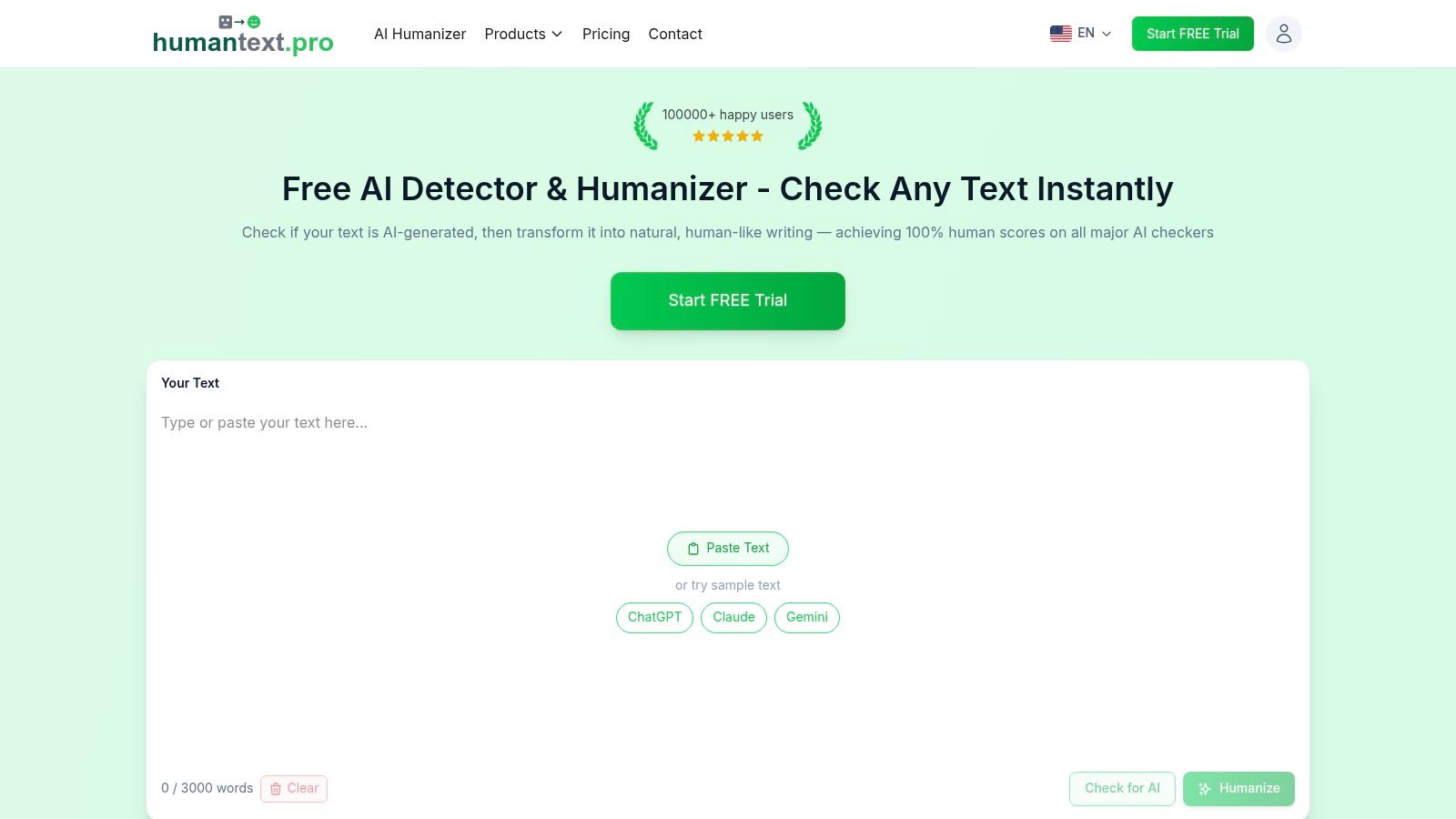
For users seeking a powerful, reliable, and precise winston ai alternative, Humantext.pro emerges as a premier choice, specializing in transforming AI-generated text into content that is virtually indistinguishable from human writing. It leverages sophisticated linguistic models trained on a massive dataset of human writing samples to achieve an exceptional success rate. This focus on deep linguistic restructuring, rather than simple word-swapping, allows it to maintain the original meaning and context of your work with remarkable accuracy.
The platform is engineered for efficiency and accessibility. Its core strength lies in its ability to consistently bypass top-tier AI detectors like Turnitin, GPTZero, and Grammarly, claiming up to a 99% human score. This makes it an invaluable tool for students, SEO professionals, and content creators who rely on AI for drafting but require outputs that pass stringent checks without manual, time-consuming edits.
Key Features and Advantages
Humantext.pro stands out with a feature set designed for high-stakes use cases where authenticity is non-negotiable.
- High-Fidelity Humanization: The algorithm goes beyond basic synonym replacement, altering sentence structure, tone, and stylistic nuances to mimic human writing patterns effectively. For instance, it might change a passive voice sentence like "The report was written by the AI" to an active, more natural "The AI drafted the report."
- Broad Language Support: With functionality across over 50 languages, it's a versatile solution for global teams, multilingual SEO strategies, and international students.
- Instant, No-Signup Trial: You can immediately test its capabilities by pasting text directly on the homepage without creating an account. This frictionless experience allows you to verify its effectiveness before committing.
- Privacy-Focused Approach: Humantext.pro emphasizes user privacy with encrypted content handling, providing a secure environment for sensitive documents like research papers or proprietary marketing materials.
Practical Use Cases
- For Students: A student can input a draft of an AI-assisted essay into Humantext.pro to refine its phrasing and structure, ensuring it reads authentically and adheres to academic integrity standards before submission.
- For SEO Specialists: A marketing team can process hundreds of AI-generated product descriptions or blog posts through the API, ensuring the content is unique and avoids search engine penalties for AI-generated content.
Pricing and Access
Humantext.pro offers a free trial with a limited word count (check the site for the current limit, as it can vary) for immediate testing. For more extensive needs, it provides straightforward paid plans that offer higher word counts and API access for scalable workflows.
Website: https://humantext.pro
2. Originality.ai
Originality.ai stands out as a professional-grade Winston AI alternative built for high-volume content operations, particularly popular with SEO agencies, publishers, and content marketing teams. It combines robust AI detection with a modern plagiarism checker, offering a unified solution for ensuring content integrity. The platform is designed for workflow integration, providing features like API access and team management that are crucial for scaling content production. This focus on operational efficiency makes it a go-to tool for professionals who need more than just a basic checker.
Key Features and User Experience
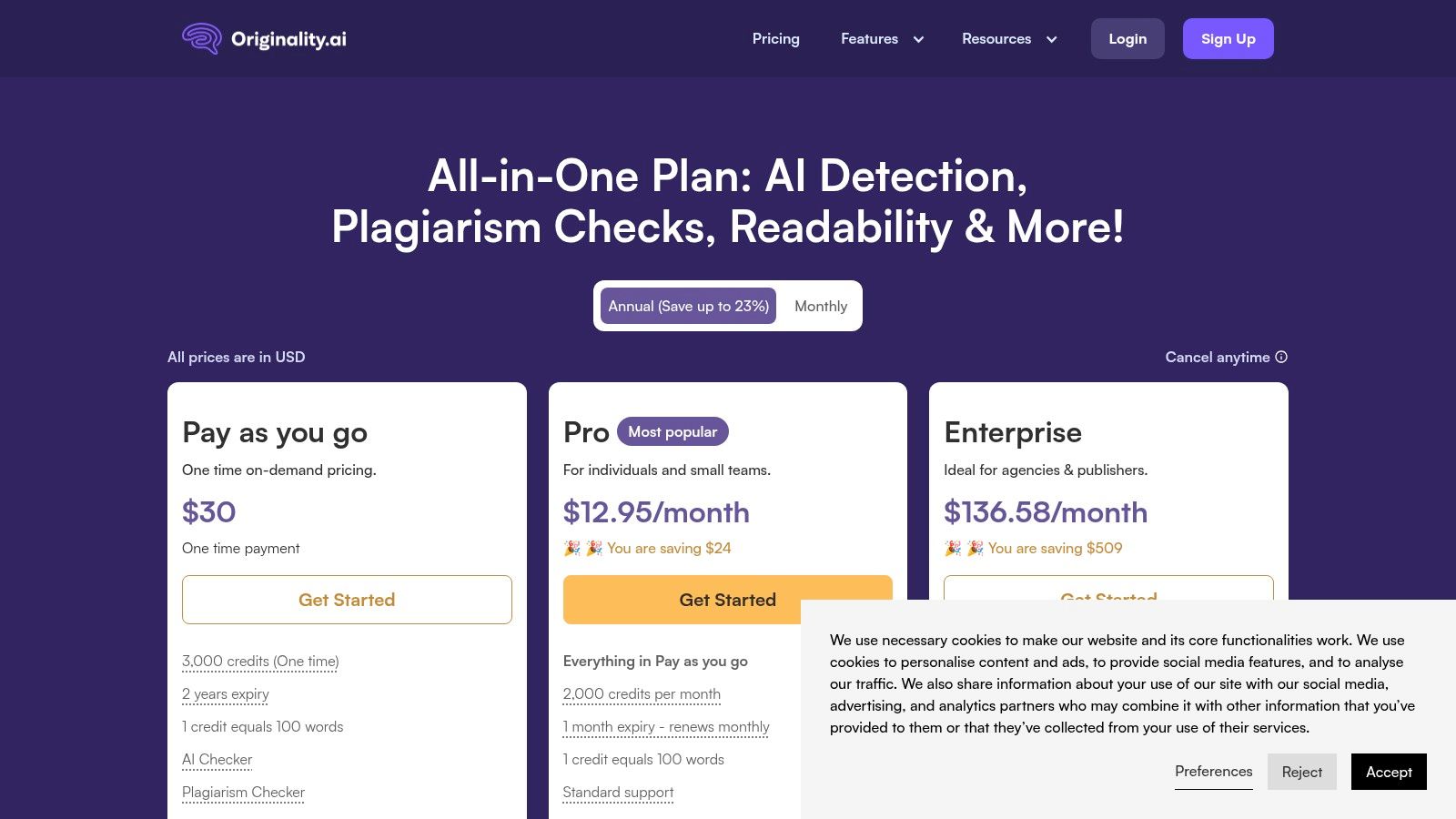
The user experience revolves around a transparent, credit-based system where 1 credit scans 100 words. This pay-as-you-go model, available alongside monthly subscriptions, allows for predictable budgeting. For a content agency, this means you can accurately forecast costs per client or project. An actionable insight is to use their API to automate scans for all submitted drafts from freelance writers, creating an automated first line of defense that catches potential issues before they reach an editor and saving significant time.
However, the credit model can be a limitation. Subscription credits expire monthly, which penalizes inconsistent usage. For individuals or small teams with fluctuating needs, this might lead to wasted credits or higher costs compared to unlimited plans. While it excels at detection, remember that no tool is perfect. For a deeper understanding of the techniques involved, you can learn more about how to bypass AI detection to produce more natural-sounding content.
Best For: SEO agencies and publishing houses needing integrated plagiarism and AI checking with detailed reporting.
- Pros: Strong team management features, transparent credit system, API for workflow automation.
- Cons: Credit-based model can become expensive at scale, and monthly subscription credits expire.
- Website: https://originality.ai/pricing
3. GPTZero
GPTZero has cemented its place as a popular Winston AI alternative, especially within the academic community, but its features extend to professional use cases as well. Originally developed to help educators identify AI-generated text in student submissions, it has evolved to include plagiarism checking and detailed writing analytics. The platform is valued for its straightforward interface and clear, sentence-by-sentence highlighting, which provides granular feedback on text probability. This makes it a strong contender for individuals and institutions prioritizing ease of use and transparent reporting.
Key Features and User Experience
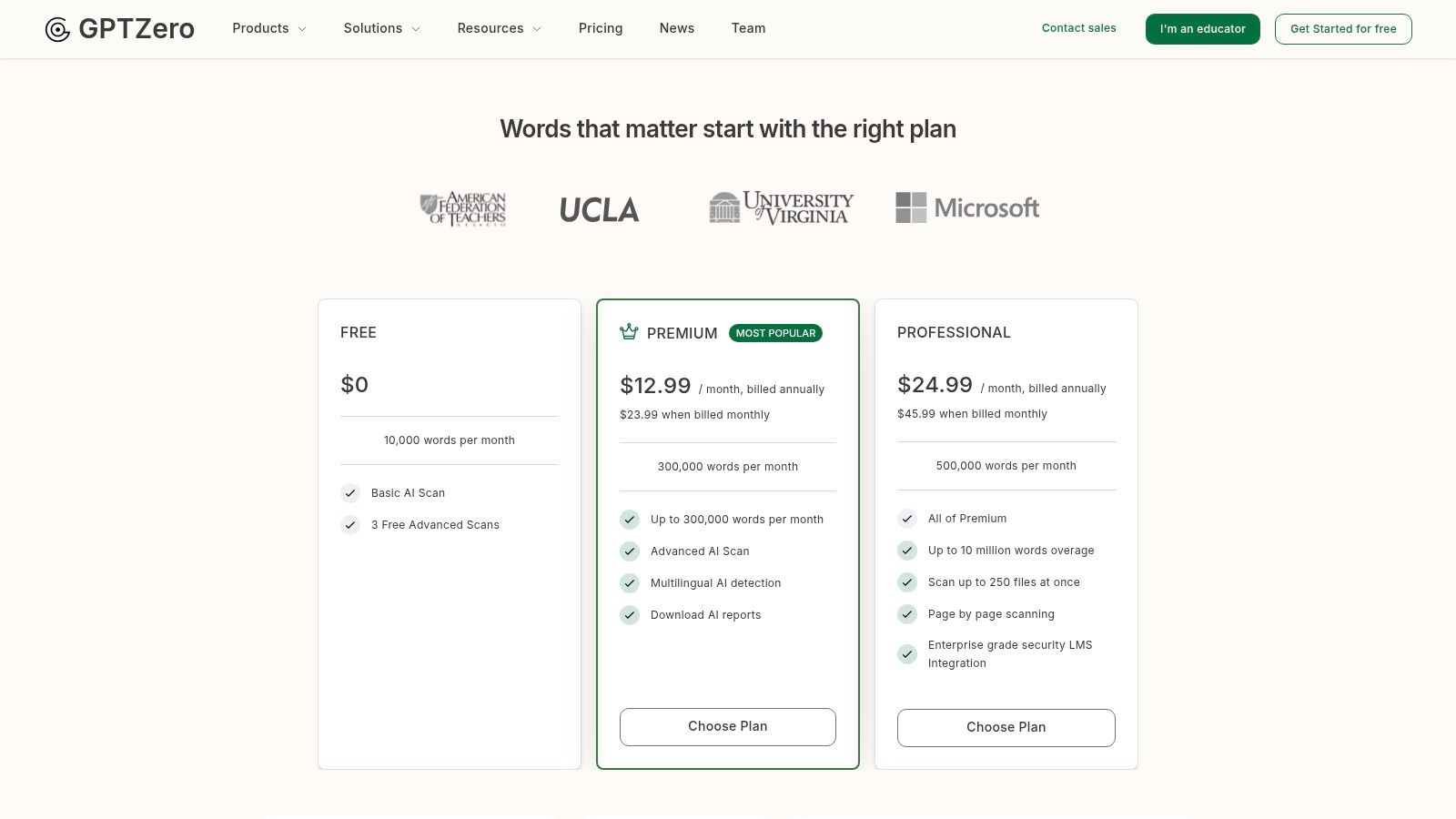
The user experience on GPTZero is clean and focused on providing a direct analysis. Users can paste text, upload files, and receive a quick overall score. The paid tiers offer unlimited scans, which is a significant advantage for users with high-volume needs, such as grading multiple essays or vetting dozens of articles. An actionable insight for teams is to use the dashboard to monitor scanning activity and manage user permissions. For instance, an editor could grant view-only access to writers, allowing them to see reports without using scan credits, creating a centralized hub for content integrity.
However, its free tier is quite restrictive with a low word count limit, pushing frequent users toward a subscription. Furthermore, its accuracy can sometimes be inconsistent with shorter texts or content that has been heavily edited and paraphrased. For writers looking to ensure their content reads as naturally as possible, it's helpful to understand the tool's limitations and learn more about techniques on how to reliably bypass GPTZero for authentically human-like results.
Best For: Educators, students, and individual writers who need a user-friendly interface with clear, sentence-level AI highlighting.
- Pros: Strong presence in education with a simple UI, unlimited scans available on paid plans, offers team and enterprise capabilities.
- Cons: The free version is very limited, and detection accuracy may decrease on short or heavily revised content.
- Website: https://gptzero.me/pricing
4. Copyleaks
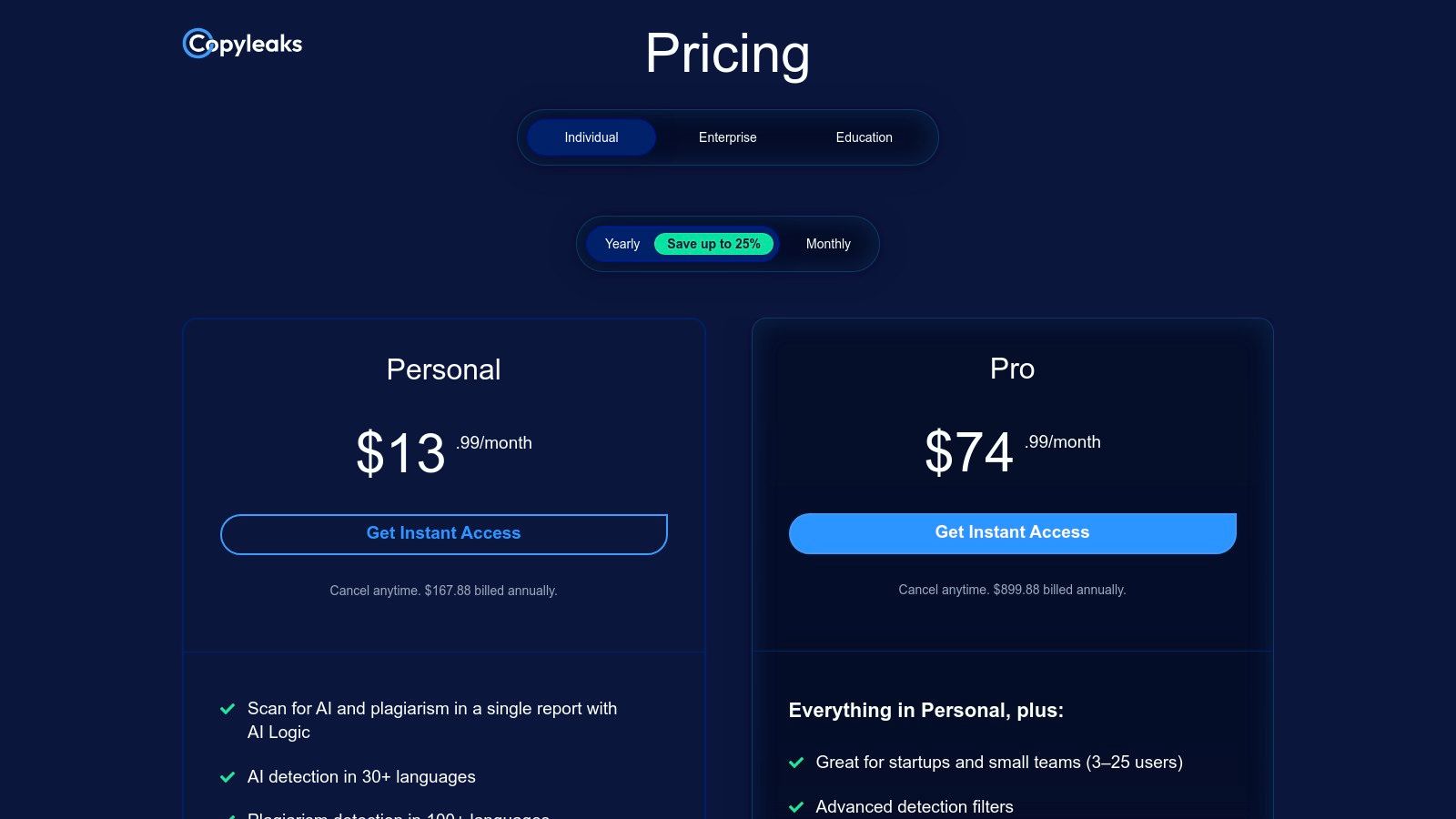
Copyleaks is an enterprise-grade Winston AI alternative that excels in academic and large-scale business environments. It provides a powerful, unified platform for both AI and plagiarism detection, making it a comprehensive solution for originality verification. The platform’s key strength lies in its extensive integration capabilities with Learning Management Systems (LMS) like Canvas and Moodle, alongside robust API access. This focus on fitting into existing educational and enterprise workflows makes it a top choice for institutions that require auditable and scalable content integrity checks.
Key Features and User Experience
The user experience is built around a credit-based system, where 1 credit scans 250 words. This model offers flexibility for varying needs, from individual students to entire universities. A practical insight for educators is to leverage the Google Docs add-on. By having students install it, they can check their own work for originality directly within their writing environment, fostering better academic habits and reducing the instructor's workload. The platform’s ability to detect AI content in over 30 languages and plagiarism in more than 100 languages is a significant advantage for global organizations.
However, the credit system can become costly for users with high-volume, continuous scanning needs compared to unlimited plans from other providers. Reports also suggest its detection accuracy is highest on longer text submissions, which may be a limitation for those analyzing short-form content. Despite this, its combined reporting and detailed analytics dashboards provide a streamlined and insightful review process.
Best For: Educational institutions and enterprise clients needing integrated AI and plagiarism detection with deep LMS and API capabilities.
- Pros: Mature enterprise and education capabilities, combined AI and plagiarism checks streamline review workflows, strong integrations for LMS and other platforms.
- Cons: Credit-based pricing can be pricier for high-volume users, and its best accuracy is reported on longer texts.
- Website: https://copyleaks.com/pricing
5. Turnitin (AI Writing Detection)
Turnitin is an institutional titan in the academic integrity space and serves as a unique Winston AI alternative primarily for educational institutions. Rather than being a standalone tool for individuals, its AI writing detection is integrated directly into the broader Turnitin suite, which includes its renowned plagiarism checker. This system is designed for universities and schools to maintain academic standards within their existing Learning Management System (LMS) workflows, like Canvas or Blackboard. Its core purpose is to provide instructors with a similarity score and an AI writing indicator, offering a comprehensive view of a student's submission.
Key Features and User Experience
For students and instructors, the experience is seamless yet opaque. A submitted paper is automatically processed, and the instructor receives a report highlighting potential plagiarism and an AI writing percentage. The key here is that individuals cannot purchase or access Turnitin directly; it must be provided by their institution. This creates a controlled environment where academic integrity policies are enforced uniformly. A practical insight for instructors is to use the AI score as a conversation starter with a student about their writing process, rather than an immediate accusation, helping to clarify intent and usage.
However, its biggest strength is also its main limitation. The inaccessibility to the general public means freelancers, writers, and businesses cannot use it. Furthermore, there have been public debates regarding the reliability of its AI detector and the potential for false positives. Institutions often caution instructors not to use the AI score as the sole basis for disciplinary action, acknowledging it as an indicator rather than definitive proof.
Best For: Educational institutions seeking to integrate AI detection into their existing academic integrity and plagiarism-checking workflows.
- Pros: Deep LMS and campus integrations, widely adopted across higher education, strong administrative controls for institutional use.
- Cons: Not sold directly to individuals, access is institution-dependent, public debates about reliability and false positives.
- Website: https://www.turnitin.com
6. Sapling.ai (AI Detector)
Sapling.ai offers a unique developer-first approach as a Winston AI alternative, combining a powerful AI writing assistant with a sophisticated AI content detector. While many tools focus solely on a user-facing interface, Sapling.ai excels by providing robust API and SDK options, making it a prime choice for teams wanting to integrate AI detection directly into their own applications, content management systems, or editorial workflows. This dual functionality allows businesses to not only check content but also assist their writers within the same ecosystem.
Key Features and User Experience
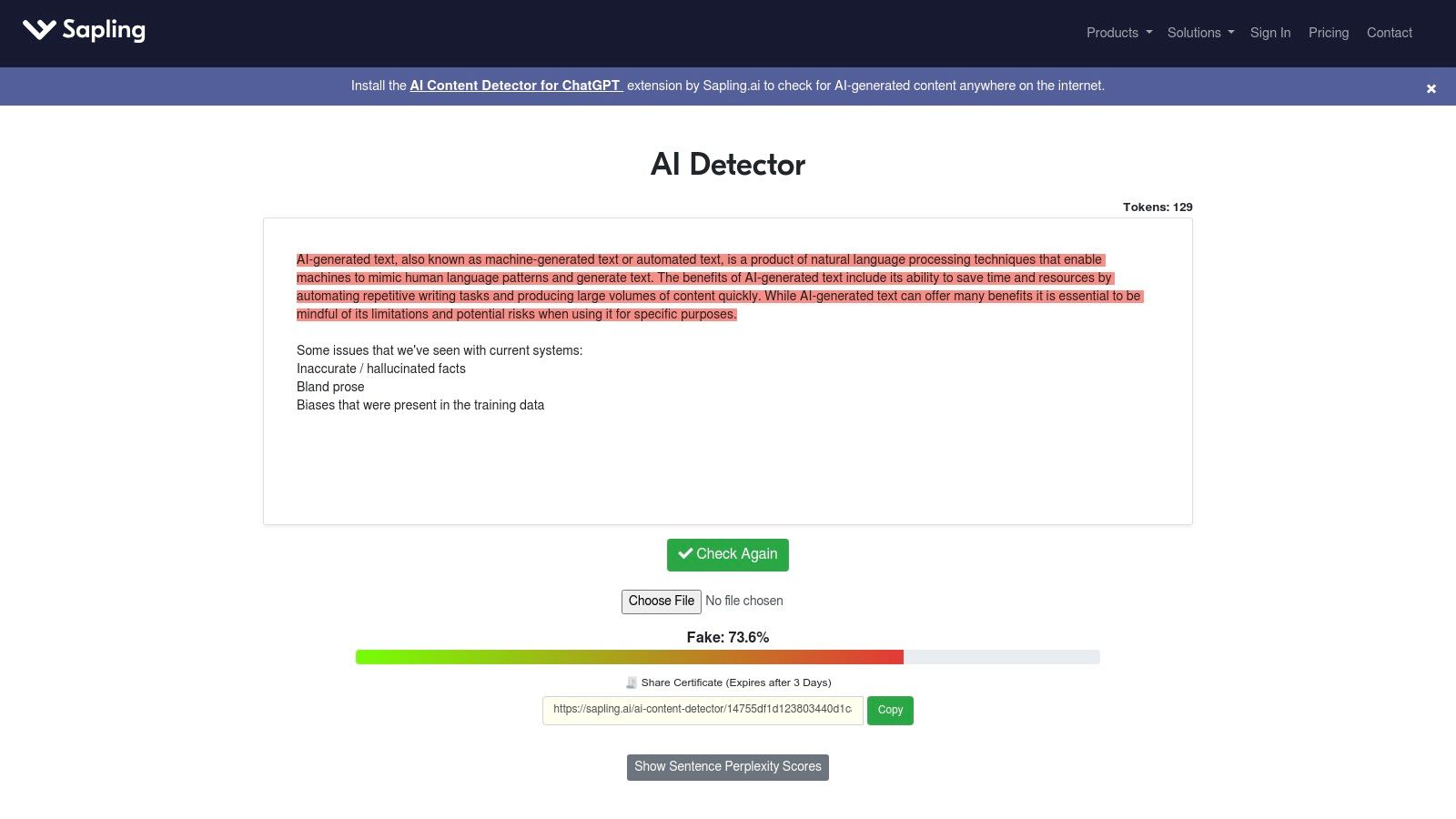
The platform’s free web detector provides a clean user experience with useful visualizations, highlighting sentences with a high probability of being AI-generated. A practical example is an editor using this to quickly identify specific sections in a long article that need humanization, rather than having to proofread the entire document for signs of AI. Developers can leverage the API to get detailed probabilities for each token and sentence, allowing for custom scoring. For example, they could build a system that automatically flags content for review only if more than 30% of its sentences exceed an 80% AI probability score.
However, the free version comes with character limits, pushing larger-scale users toward its paid Pro and Enterprise tiers. For developers, the per-character or usage-based pricing model can be difficult to forecast accurately, especially with fluctuating content volumes. This makes it less predictable than a fixed-rate subscription if your usage is inconsistent. Despite this, its strong documentation and frequent updates to support newer AI models make it a reliable technical solution.
Best For: Development teams and tech-savvy businesses that need to embed AI detection into their existing software or internal tools.
- Pros: Developer-friendly with detailed API/SDKs, useful sentence-level visualizations, and actively updated to detect new models.
- Cons: The free version has shorter text limits, and usage-based API pricing can be complex to estimate.
- Website: https://sapling.ai/ai-content-detector
7. ZeroGPT (ZeroGPT Plus)
ZeroGPT positions itself as a consumer-friendly Winston AI alternative that bundles high-volume AI detection with content enhancement tools. It’s particularly attractive to students, bloggers, and content teams who need generous word allowances without complex credit systems. The platform offers tiered subscriptions that provide large monthly word caps, sentence-level analysis, and access to an optional "humanizer," making it a versatile toolkit for those who both check and refine AI-generated text. This all-in-one approach simplifies the workflow for users who frequently move between detection and rewriting.
Key Features and User Experience
ZeroGPT's user experience is straightforward, focusing on a clear input-and-analyze process. The platform’s main draw is its pricing structure, which offers substantial word limits at a competitive price point, a significant advantage over pay-as-you-go models for heavy users. For example, a content team can process dozens of long-form articles each month without worrying about hitting a restrictive cap. Its sentence-level highlighting helps users quickly identify specific AI-like phrases to revise.
However, the effectiveness of its bundled "humanizer" can vary, and users should always manually review the output to ensure it meets quality standards. The free version is quite limited in its word count, effectively pushing serious users toward a paid subscription. An actionable insight is to use its batch processing feature (on paid plans) to upload and scan multiple files at once. A blogger could check an entire week's worth of draft posts in a single action, streamlining their pre-publication checklist.
Best For: Students and content creators who require high-volume AI detection and bundled rewriting tools on a fixed budget.
- Pros: Competitive pricing for large word limits, bundled features (detector + humanizer) are useful for content teams.
- Cons: Marketing claims on accuracy may vary, so validate with your own samples; the free plan has a limited word cap and features.
- Website: https://www.zerogpt.plus
8. Scribbr AI Detector
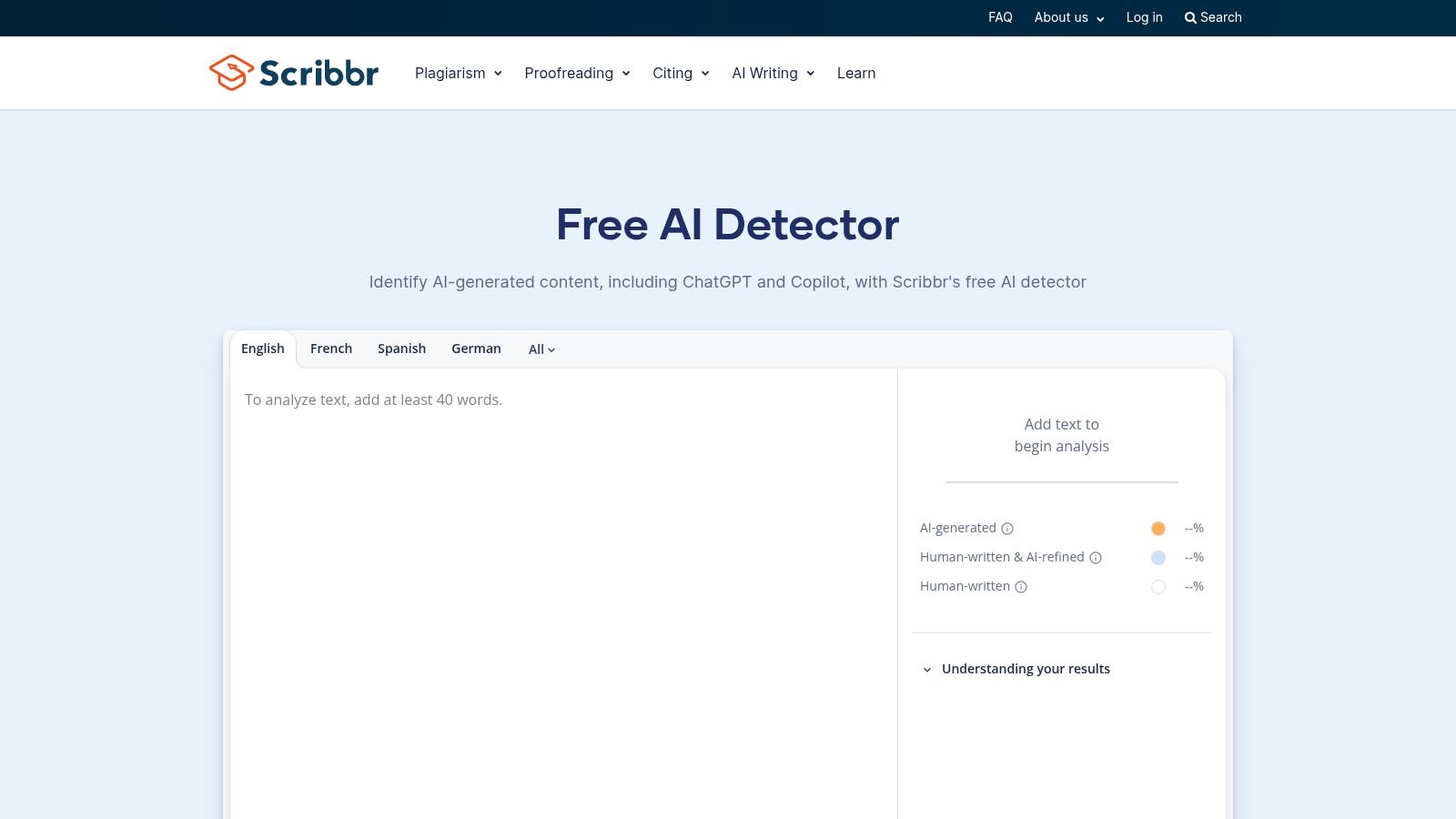
Scribbr's AI Detector is a strong Winston AI alternative rooted in the academic world, offering a free and straightforward tool for students, educators, and individual writers. Backed by the reputation of Scribbr's suite of academic services, it provides a simple, no-signup-required interface for quick text analysis. The platform stands out by classifying text not just as human or AI, but by also identifying content that may be "AI-refined," a useful distinction for users who use AI for editing assistance rather than full generation. This focus on accessibility makes it a practical first-stop checker for academic assignments and personal projects.
Key Features and User Experience
The user experience is designed for simplicity: paste your text and get an instant result without creating an account. This frictionless approach is perfect for a student on a deadline who needs a quick check before submission. A practical example is using Scribbr for paragraph-level analysis; its highlighting helps identify specific sentences that might sound overly robotic, allowing for targeted revisions. The educational guidance provided alongside the results, such as explaining why a sentence might be flagged, helps users understand the nuances of AI writing and improve their own editing skills.
However, its simplicity comes with limitations. The tool imposes a word count cap per submission, which is around 1,200 words, requiring users to break down longer documents into smaller chunks. This makes it impractical for analyzing entire research papers or book chapters in one go. Furthermore, it lacks the advanced team management features, API access, or batch processing found in enterprise-grade solutions, making it less suitable for high-volume content operations.
Best For: Students and educators needing a quick, free, and easy-to-use tool for checking academic papers and assignments.
- Pros: Completely free with no signup required, simple interface ideal for academic use, provides useful educational context with results.
- Cons: Word limit per submission requires breaking up long texts, lacks advanced features for professional or agency workflows.
- Website: https://www.scribbr.com/ai-detector/
9. Quetext (AI Detector)
Quetext serves as a strong Winston AI alternative by bundling AI detection with its well-established plagiarism checker, creating an all-in-one tool for academic and professional use. It is designed for users like teachers, HR teams, and creators who need a straightforward way to verify originality and authorship. The platform’s key differentiator is its line-by-line analysis, which visually highlights AI-generated sentences and provides a confidence score, offering more granular feedback than a simple overall percentage. This makes it particularly useful for pinpointing specific areas that may need revision.
Key Features and User Experience
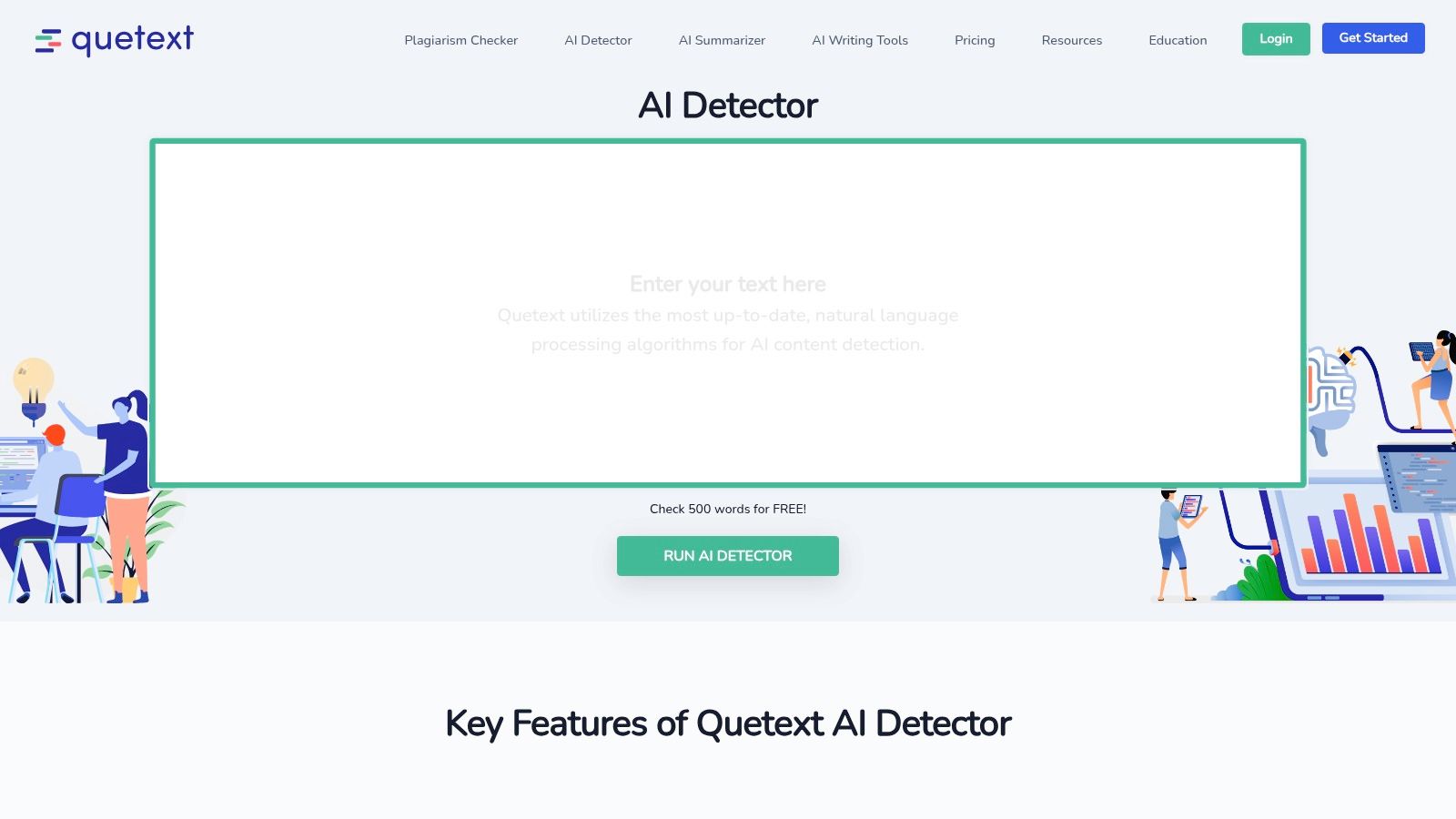
The user experience is clean and intuitive, focusing on ease of use. A practical insight for educators is to use the color-coded sentence highlighting to quickly show students exactly where AI writing patterns are detected, turning the tool into an instructional aid for improving writing style. For example, a teacher could assign students to rewrite all the sentences Quetext flags in red. The integrated AITutorMe feature offers rewriting suggestions directly within the interface, streamlining the editing process. Its privacy-focused approach, which states that checked text is not stored, is a significant benefit for users handling sensitive documents.
The main limitation is the strict word count on its free plan, which is limited to about 500 words, making it insufficient for longer essays or articles. To access features like longer document scans or batch processing, a paid Pro plan is necessary. While the integrated ecosystem is a major plus, those needing only a standalone AI detector might find the bundled approach excessive for their needs.
Best For: Teachers, students, and HR professionals who need a combined plagiarism and AI detector with clear, sentence-level feedback.
- Pros: Simple onboarding and combined plagiarism/AI ecosystem, privacy-focused (states no storage of checked text).
- Cons: Free checks are limited (e.g., ~500 words), advanced and batch features require paid plan.
- Website: https://www.quetext.com/ai-detector
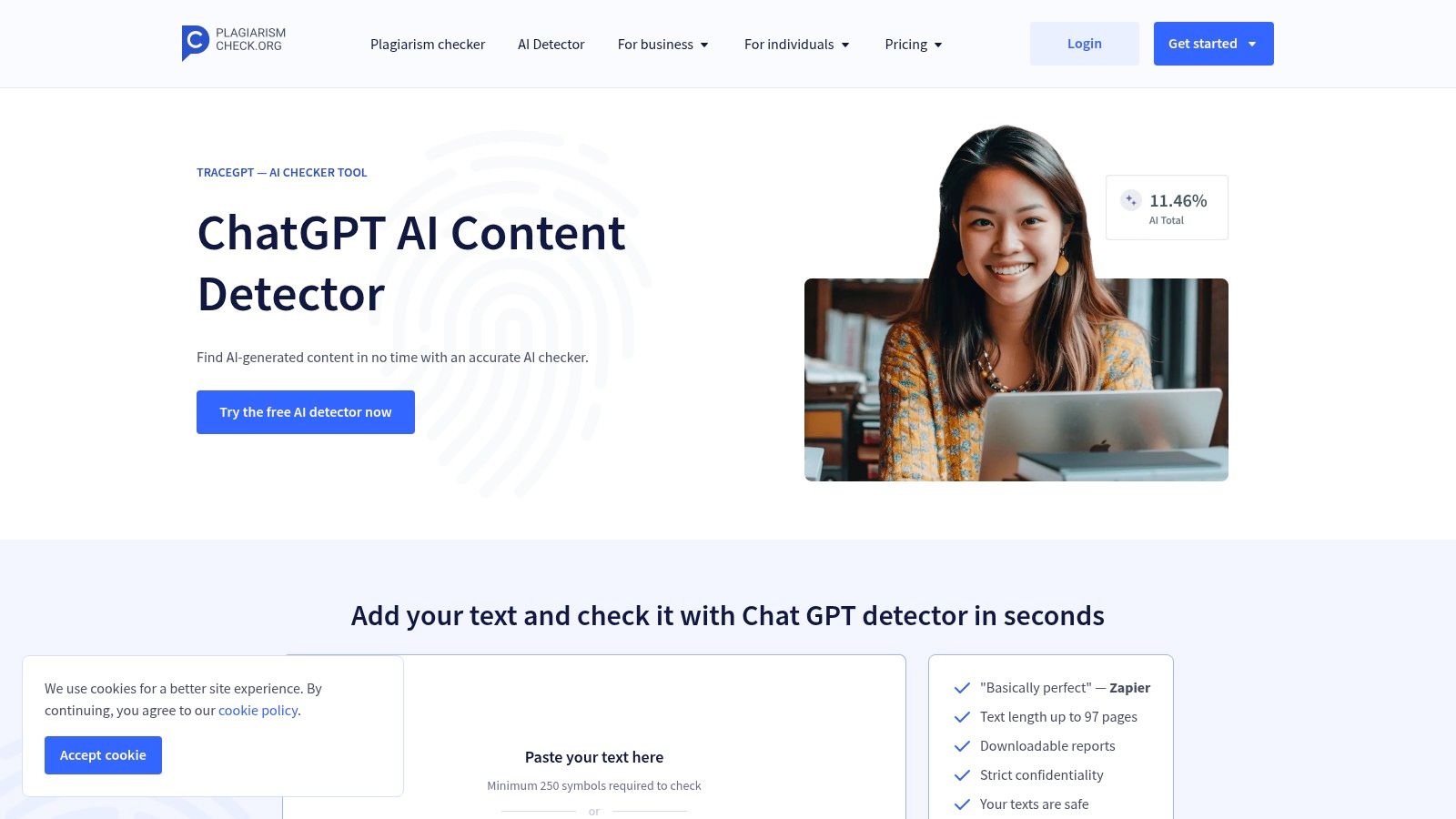
10. PlagiarismCheck.org (TraceGPT AI Detector)
PlagiarismCheck.org positions its TraceGPT tool as a robust Winston AI alternative primarily for the academic and educational sectors. It bundles its AI detector with a comprehensive plagiarism checker, creating an all-in-one originality toolkit designed for instructors, students, and administrators. The platform emphasizes workflow integration, offering LMS connectivity, Google Docs add-ons, and a Chrome extension to fit seamlessly into existing educational and business processes. This focus on verifiable originality through shareable reports makes it a practical solution for institutions needing to uphold academic integrity.
Key Features and User Experience
The user experience is built around generating clear, actionable reports. When you submit a document, the system highlights AI-generated and plagiarized segments, providing a detailed originality score that is easy to interpret and share. A practical insight for educators is to use the direct integration with Google Classroom or Moodle to check student submissions automatically, saving hours of manual review. A business could use the Chrome extension to quickly check a candidate's writing sample during the hiring process directly from their browser, providing an instant originality assessment. The platform also makes a point of its privacy policy, stating it does not use submitted texts to train AI models, a key consideration for proprietary documents.
However, while the tool combines AI and plagiarism detection, the pricing for AI-only scanning is not immediately clear and may require a direct inquiry. This could be a hurdle for users who only need AI detection. Like any detector, its accuracy claims should be validated with your own content types to understand its performance and limitations within your specific context.
Best For: Educational institutions and businesses that require an integrated AI and plagiarism checker with detailed, shareable reporting.
- Pros: All-in-one originality toolkit (AI, plagiarism, grammar), helpful reporting and integrations for instructors, strong privacy assurance.
- Cons: Accuracy claims may vary with different content types, and pricing for AI-only use is not transparent.
- Website: https://plagiarismcheck.org/ai-detector/
11. BrandWell (formerly Content at Scale) – AI Checker / WriteWell
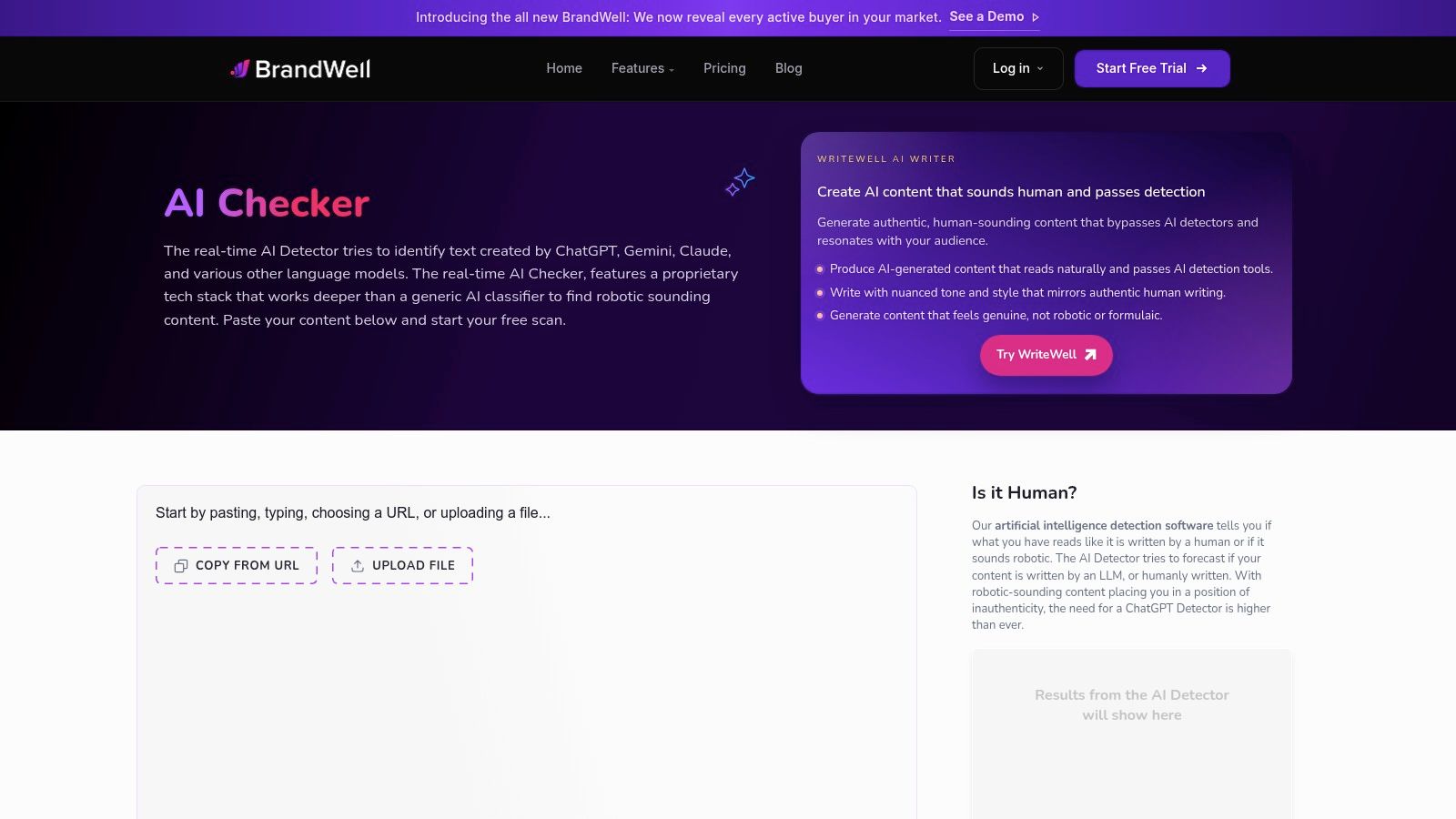
BrandWell, which evolved from the well-known Content at Scale, offers a unique value proposition as a Winston AI alternative by integrating a free AI detector directly into its broader suite of content creation tools. This makes it particularly convenient for marketers and SEO teams who need to both generate and verify content within a single ecosystem. Rather than being just a standalone checker, its AI detection function is a gateway into their content optimization and writing platform, WriteWell. This approach positions it as a practical, all-in-one solution for content professionals.
Key Features and User Experience
The user experience starts with a straightforward, free AI checker that provides a human probability score. A practical workflow feature is the "Humanize it" button that appears alongside the results, encouraging users to refine their text and immediately re-check it. For those already using their content tools, this creates a seamless loop of creation, verification, and optimization. An actionable insight for an SEO team is to use the free checker to quickly vet a batch of articles from a new freelance writer. If several articles are flagged, it provides concrete data to justify a request for revisions before accepting the work.
The main limitation is that the free detector is primarily focused on English. Furthermore, to access unlimited AI detection and plagiarism checks, you must subscribe to one of their bundled product plans. This can be overkill if you only require a dedicated detection tool. However, for a marketing team wanting to consolidate their software stack, bundling these services could be a cost-effective and efficient strategy.
Best For: Marketing teams and SEO specialists who want an integrated solution for content creation, optimization, and AI detection.
- Pros: Quick, free checks with a convenient re-detect workflow, well-suited for users needing both detection and content tools.
- Cons: The detector is currently English-focused, and bundled plans may be excessive if only a detector is needed.
- Website: https://brandwell.ai/ai-content-detector
12. Grammarly (AI Detector and Authorship)
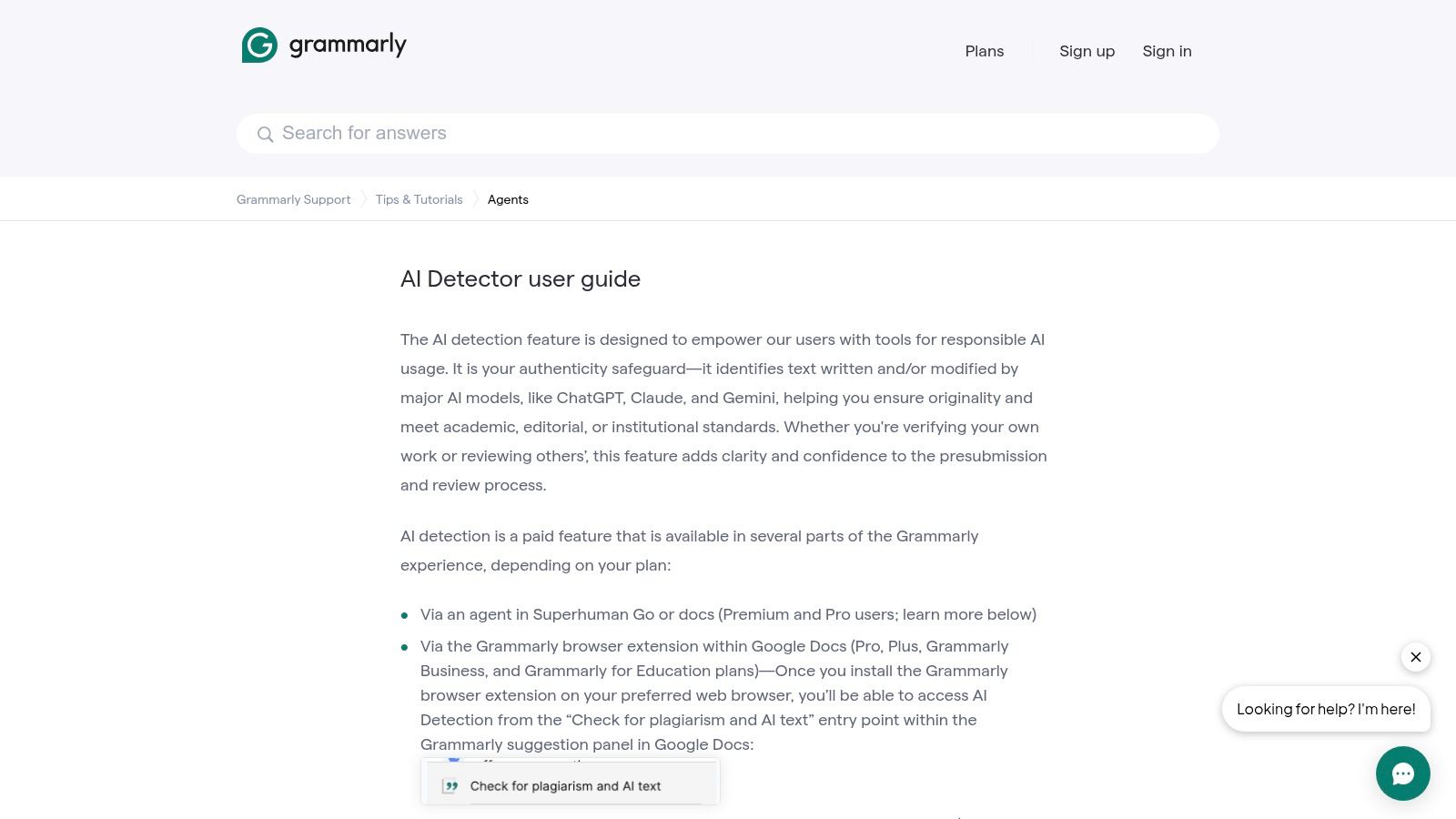
Grammarly expands its role from a writing assistant to a comprehensive Winston AI alternative by integrating AI detection and authorship features directly into its ecosystem. This tool is ideal for teams and institutions already using Grammarly for grammar and style checks, as it adds a layer of content integrity without requiring a separate platform. It focuses on workflow visibility, allowing users to see how a document was created, distinguishing between typed, pasted, and AI-generated text. This makes it less about a punitive score and more about providing transparency in the writing process.
Key Features and User Experience
The user experience is seamless for existing Grammarly users, with the AI detector appearing within the familiar interface in Google Docs or the Grammarly editor. A key feature is "Authorship," which replays a document's creation history, providing administrators in business or educational settings with powerful analytics on AI usage. A practical example is a university using this feature to understand AI adoption patterns across departments, identifying where students rely heavily on AI generation versus using it as a simple editing aid. This data can then inform faculty training on responsible AI use.
However, the AI detector is a paid feature, and its availability varies by plan, which can be confusing. Its core strength lies in tracking provenance, not necessarily in having the most aggressive detection algorithm. For creators focused on ensuring their final content reads as genuinely human, using one of the best AI humanizer tools can complement Grammarly's writing assistance.
Best For: Educational institutions and businesses already embedded in the Grammarly ecosystem needing workflow transparency.
- Pros: Seamless integration with writing assistant tools, strong authorship and provenance tracking, provides admin analytics on AI usage.
- Cons: AI detection is a paid feature with plan-dependent availability, less focused on pure detection than specialized tools.
- Website: https://support.grammarly.com/hc/en-us/articles/28936304999949-AI-Detector-user-guide
Top 12 Winston AI Alternatives — Feature Comparison
| Tool | Core Features ✨ | Accuracy / Quality ★ | Price / Value 💰 | Target Audience 👥 | Unique Selling Points 🏆 |
|---|---|---|---|---|---|
| 🏆 HumanText.pro | AI humanizer: paste → instant score → rewrite; 50+ languages | ★★★★★ (claims ~99% detector bypass) | 💰 Free trial (500–3k words); paid plans & API | 👥 Students, writers, marketers, teams | ✨ Privacy-forward, instant meaning-preserving rewrites |
| Originality.ai | AI + plagiarism detection; credits & API | ★★★★☆ (publisher-grade) | 💰 Credit-based (1 credit = 100 words); pay-as-you-go | 👥 Publishers, SEO teams, agencies | ✨ Detailed reports, team & workflow integrations |
| GPTZero | AI detection + analytics; grammar & rewriter tools | ★★★★☆ (education-focused) | 💰 Free limited; Pro/subscription or lifetime options | 👥 Schools, educators, individuals | ✨ Simple UI, strong education footprint |
| Copyleaks | Combined AI + plagiarism reports; LMS/API integrations | ★★★★☆ | 💰 Credit/enterprise pricing | 👥 Education & enterprise admins | ✨ Multilingual checks, LMS & Google Docs add-ons |
| Turnitin (AI Writing) | AI Writing Indicator + Similarity Reports; campus controls | ★★★★☆ (widely adopted; debated false positives) | 💰 Institution-licensed only | 👥 Universities, instructors, campus admins | ✨ Deep LMS integration & administrative controls |
| Sapling.ai | Per-sentence perplexity, API/SDK, uploads (PDF/DOCX) | ★★★★☆ (token-level detail) | 💰 Free limited; per-character/usage pricing | 👥 Devs, product teams, support & content teams | ✨ Developer-friendly SDKs & visualizations |
| ZeroGPT (Plus) | High word caps; sentence analysis; optional humanizer | ★★★★☆ | 💰 Tiered subscriptions with large word allowances | 👥 Content teams, students | ✨ Bundled detector + humanizer; student discounts |
| Scribbr AI Detector | Free paragraph-level classifier (AI/AI-refined/human) | ★★★☆☆ | 💰 Free (per-submission word caps ~1,200) | 👥 Students, educators | ✨ No signup required + educational guidance |
| Quetext (AI Detector) | Line-by-line AI analysis + plagiarism & rewrite suggestions | ★★★☆☆ | 💰 Free (~500 words); Pro for longer docs | 👥 Teachers, creators, HR teams | ✨ Integrated AITutorMe rewrites; privacy-focused |
| PlagiarismCheck.org (TraceGPT) | TraceGPT AI + plagiarism; shareable reports & add-ons | ★★★★☆ | 💰 Paid plans; AI-only pricing by inquiry | 👥 Instructors, admins, businesses | ✨ Shareable highlighted reports; LMS plugins |
| BrandWell (Content at Scale) | Free AI checker + "Humanize it"; WriteWell bundles | ★★★★☆ | 💰 Free checker; bundled WriteWell plans for heavy users | 👥 Marketers, SEO teams | ✨ Fast re-check workflow & integrated writing tools |
| Grammarly (AI Detector) | In-doc detector & authorship provenance; analytics | ★★★★☆ | 💰 Paid feature within Grammarly plans | 👥 Teams using Grammarly, businesses, educators | ✨ Integrated writing assistant + provenance visibility |
Final Thoughts
Navigating the landscape of AI content detection can feel overwhelming. As we've explored, while Winston AI is a capable tool, a single solution rarely fits every need. The right winston ai alternative for you hinges entirely on your specific goals, from a student ensuring academic integrity to a marketing agency scaling content production without triggering AI flags.
This comprehensive review has highlighted the diverse capabilities available. We’ve seen tools like Originality.ai and Copyleaks offer robust, multi-layered detection that includes plagiarism checks, making them ideal for professional and academic environments where source verification is paramount. On the other hand, free and accessible options like GPTZero and ZeroGPT provide quick, on-the-fly checks for casual users or initial drafts.
Your Path to Choosing the Right Tool
Making the final decision requires a clear understanding of your priorities. It’s not just about finding a tool that works; it's about integrating a solution that enhances your workflow and protects your credibility.
Here’s a simple framework to guide your choice:
- For Accuracy and Depth: If your primary concern is the most precise detection possible, especially for professional publishing or academic submissions, tools like Originality.ai and Turnitin are built for this rigor. Their extensive databases and sophisticated algorithms provide a higher degree of confidence, which is crucial when your reputation is on the line.
- For Content Humanization: If your goal is to refine AI-assisted content to make it undetectable and more engaging, a specialized humanizer is non-negotiable. This is where HumanText.pro stands out, focusing exclusively on transforming robotic text into authentic, human-like prose, a critical step that pure detectors do not offer.
- For All-in-One Workflow: For those who need a combination of writing assistance, plagiarism checking, and AI detection, platforms like Grammarly and Quetext offer a more holistic suite. These are excellent for writers and students who want a single subscription to manage multiple aspects of the writing process.
- For High-Volume Needs: Agencies and SEO specialists handling content at scale should prioritize tools with robust APIs and flexible pricing plans. Copyleaks and BrandWell (WriteWell) are designed with these enterprise-level requirements in mind, allowing for seamless integration into existing content pipelines.
Final Takeaways and Next Steps
The key takeaway is that the AI content ecosystem is evolving rapidly. A tool that is highly effective today might be less so tomorrow as AI writing models become more advanced. Therefore, a proactive and strategic approach is essential. Consider using a combination of tools: one for an initial AI check and another, like HumanText.pro, to refine and humanize the content before final publication.
This approach creates a vital system of checks and balances. The world of AI is expanding beyond just writing; we're now seeing the rise of sophisticated analytical platforms, including some of the best AI search tracker tools, which highlights the growing integration of AI into every facet of digital strategy. Your ability to adapt and leverage the right tools will determine your success.
Ultimately, whether you are a student striving for an authentic voice in your essay or an SEO professional aiming for top rankings with high-quality content, the goal remains the same: to communicate effectively and authentically. The right winston ai alternative is the one that empowers you to achieve that goal with confidence and integrity.
Ready to ensure your AI-assisted content reads with genuine human flair and bypasses even the most advanced detectors? Humantext.pro is designed specifically for this task, transforming robotic text into undetectable, high-quality prose. Try Humantext.pro today and experience the difference a dedicated AI humanizer can make.
Ready to transform your AI-generated content into natural, human-like writing? Humantext.pro instantly refines your text, ensuring it reads naturally and authentically. Try our free AI humanizer today →
Related Articles
Sightengine API Review for Media Moderation
Explore how the Sightengine API handles image and video moderation. Learn about its accuracy, pricing, and when a browser-based checker is a better fit.
10 PimEyes Alternatives for Safer Image Verification
Compare 10 PimEyes alternatives for face search, image reuse, privacy, pricing, and safer verification of online identities and media.

Fake Profile Picture Detector: How to Verify Photos Online
Learn how a fake profile picture detector works and verify online photos manually. Step-by-step guide for detecting AI images, catfish, and scams.

