Grammar and Punctuation Checker: Improve Writing with Precise Edits
Discover how a grammar and punctuation checker improves accuracy and flow, with tips on limitations and when to trust automated edits.
Ever sent an email and noticed a typo the second after hitting "send"? We’ve all been there. A grammar and punctuation checker is essentially your digital safety net, an AI-powered assistant that scans your writing for mistakes in spelling, grammar, punctuation, and even style. It’s like having an instant proofreader looking over your shoulder, helping make sure your work is clear, professional, and error-free before it goes public.
Why a Grammar Checker Is Your Secret Weapon
In writing, tiny mistakes can cast long shadows. One misplaced comma or an embarrassing typo can completely derail your message, chipping away at your credibility. This is where a grammar and punctuation checker becomes your indispensable co-pilot, ensuring your ideas are judged on their merit, not on a minor slip-up.
Think about the real-world impact. An email to a new client that says, "Your getting a great deal," instead of, "You're getting a great deal," can instantly make you look unprofessional. A well-researched essay from a student loses its authority if it’s littered with punctuation errors. These tools provide a crucial layer of quality control that every writer needs.
Building Trust Through Precision
Clean, error-free writing is fundamental to building trust. Whether you're a marketer writing a landing page, a founder sending a pitch, or a professional submitting a critical report, precision is non-negotiable. A solid grammar checker proofreader elevates your writing by catching those subtle mistakes you might otherwise miss after reading the same paragraph ten times.
This demand for accuracy is why the market is booming. The global grammar check software market hit about USD 1.5 billion in 2024 and is on track to more than double to USD 3.2 billion by 2033. This growth is fueled by our ever-increasing need for crisp, clear digital communication. You can dig into more market insights over at Verified Market Reports.
A grammar checker is more than just a tool for catching mistakes. It empowers you to communicate with confidence, knowing your message is polished and professional.
These tools aren't just about fixing what's broken; they’re about upholding a standard. They handle the nitty-gritty technical details so you can stay focused on the bigger picture—your message. While they can't replace the deep, contextual understanding of a human editor, they are an incredibly powerful first line of defense. (We explore this distinction more in our guide comparing copy editing vs. proofreading.)
Here's a quick look at the kinds of issues these checkers are designed to flag.
Common Errors Corrected by Grammar and Punctuation Checkers
This table summarizes the most frequent types of errors that grammar and punctuation checkers identify and suggest corrections for.
| Error Category | Common Examples | Why It Matters |
|---|---|---|
| Spelling | Typos (e.g., "teh" instead of "the"), homophones (e.g., "their" vs. "there"). | Obvious spelling errors are the fastest way to appear careless and unprofessional. |
| Grammar | Subject-verb agreement ("The team are..." vs. "The team is..."), incorrect verb tenses. | Grammatical mistakes can change the meaning of a sentence and confuse the reader. |
| Punctuation | Missing commas, comma splices, incorrect use of semicolons, apostrophe errors. | Proper punctuation guides the reader, ensuring your intended pace and meaning. |
| Style & Tone | Passive voice overuse, wordiness ("due to the fact that" vs. "because"), clichés. | Style suggestions help make your writing more direct, engaging, and impactful. |
| Capitalization | Inconsistent capitalization in headings, incorrect use for proper nouns. | Consistent capitalization is a key element of professional formatting and clarity. |
Ultimately, using a checker is about removing any friction between your ideas and your audience, ensuring nothing gets in the way of your message.
How These Writing Tools Actually Work
Ever wondered what’s happening behind the screen when a grammar checker flags a misplaced comma or a clunky phrase? It's not magic, just a fascinating evolution of technology. These tools have grown up, moving from simple digital rulebooks to sophisticated systems that understand language in a much more fluid, human-like way.
Early checkers were built on a rule-based system. Think of this like a strict, old-school grammar teacher who has memorized every rule in the book. This system scans your writing and checks it against a massive, hard-coded list of grammatical laws.
Practical Example: If you write "The dogs runs fast," the system immediately sees a mismatch. It knows the plural subject ("dogs") doesn't agree with the singular verb ("runs") and flags it. This approach is great for catching clear-cut errors, but it stumbles badly when context or nuance comes into play.
Moving Beyond Simple Rules
The next big leap was into statistical methods. This approach is less like a rigid teacher and more like a well-read librarian who has seen it all. Instead of just knowing the rules, it has analyzed mountains of text to learn which word patterns are common and which are statistical longshots.
Practical Example: Let's say you write, "I want to go too the store." A statistical checker knows from its vast database that the pattern "go to the" appears millions of times more often than "go too the." Based on pure probability, it flags "too" as a likely mistake. This method is much better at spotting context-specific errors, like those tricky homophones.
The best tools don't just fix typos; they look at how all the pieces of good writing fit together.
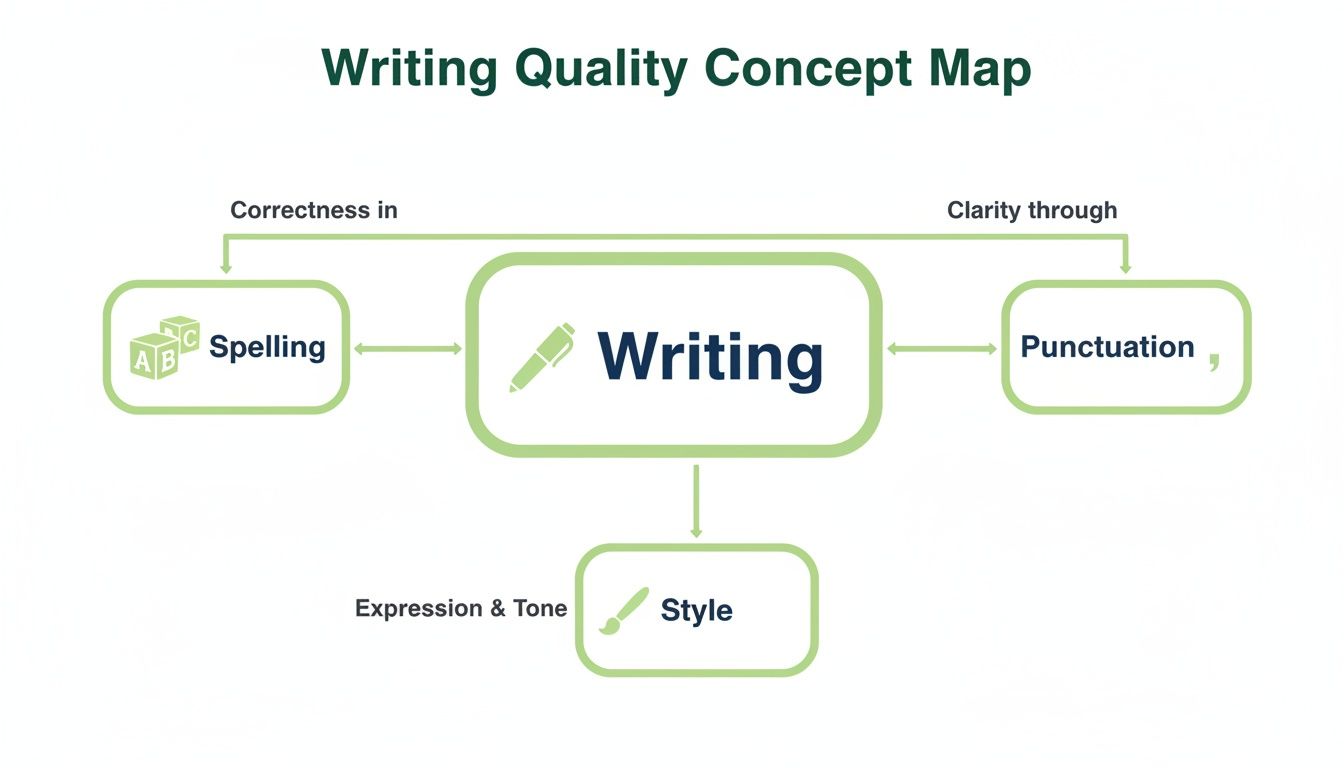
As this shows, it's the interplay between correctness, clarity, and style that truly elevates a piece of writing.
The Rise of Artificial Intelligence
Today's top-tier grammar and punctuation checkers are powered by artificial intelligence and machine learning. Many now use advanced tech like large language models (LLMs) to grasp context with incredible depth. Instead of just memorizing rules or patterns, these AI models act like an adaptive student that has learned from billions of sentences written by actual humans.
This is a game-changer. It allows them to understand subtle nuances like tone, style, and intent. An AI-powered tool can do more than just fix a comma splice; it might suggest rephrasing a wordy sentence for better flow or swapping a passive verb for a more dynamic one. If you're curious about how other AI writing assistants operate, our deep dive explains how paraphrasing tools like QuillBot work using similar principles.
Understanding the technology behind your grammar and punctuation checker is key. It helps you know when to trust a suggestion and when your own writing instinct should take the lead.
Ultimately, these systems have evolved from simple error-spotters into genuine writing partners. By understanding how they "think," you can use their feedback more wisely, combining their analytical power with your own creative judgment. Knowing this helps you appreciate both their strengths and their very real limitations.
Putting Your Grammar Checker to Work
Knowing how a grammar checker works is one thing. Seeing what it can actually do for you is another entirely. These tools are much more than a beefed-up spell-check; they’re versatile assistants that can adapt to just about any writing task, helping you create cleaner, more effective work.
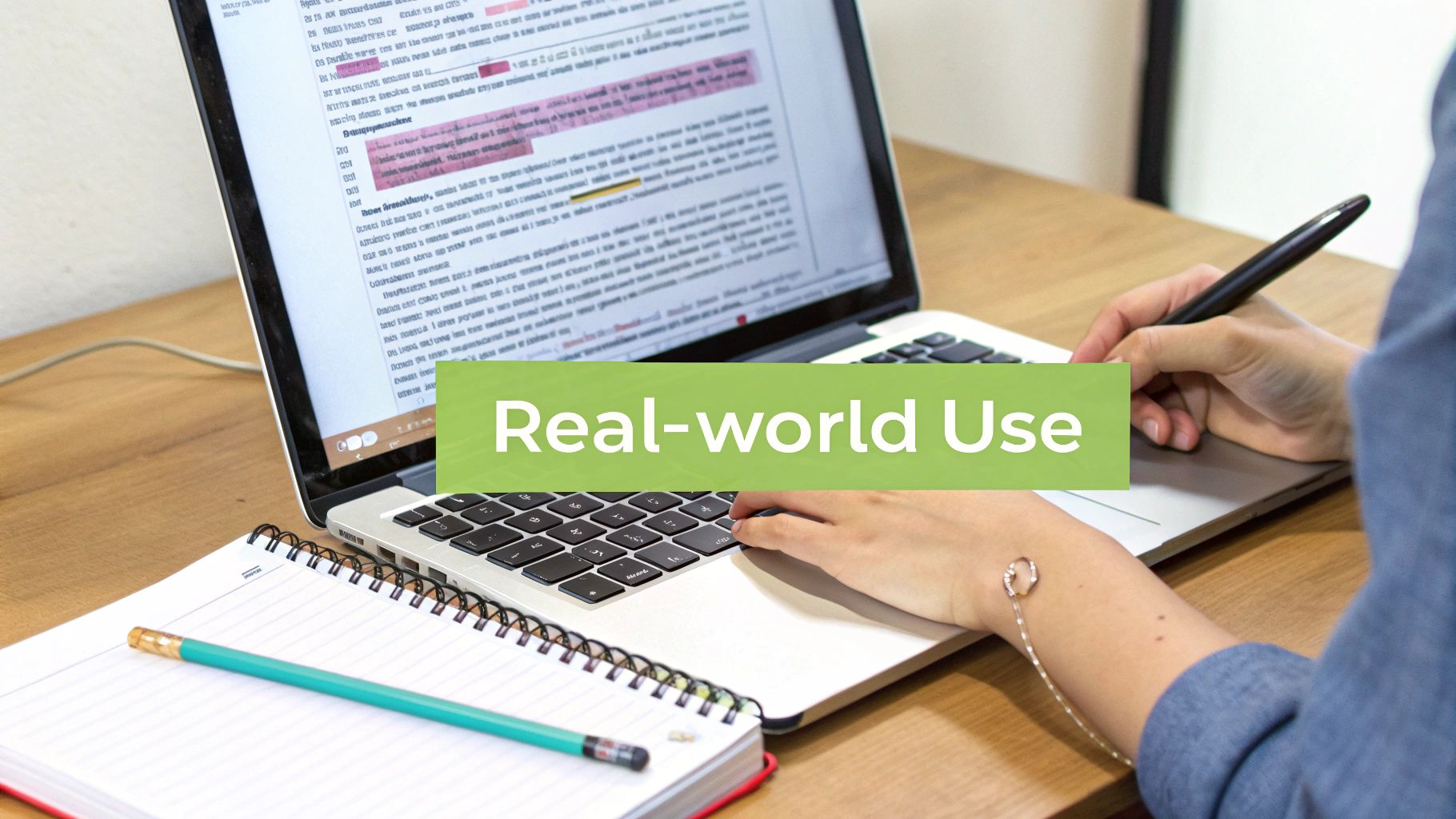
Whether you’re drafting a final paper or a high-stakes business proposal, the right tool can make a massive difference. Let's look at how they perform in a few common scenarios.
For Students and Academics
For any student, a good grammar checker is basically a study partner that never sleeps. It’s the tool that helps turn a rough first draft into a polished academic paper—the kind that’s easier for your professor to read and grade. We’re talking a direct impact on your final mark.
Beyond just catching typos, it can flag structural problems that are easy to miss when you've been staring at the same essay for hours.
- Before: "The experiment was successful, it proved our hypothesis. The results they were clear and showed a significant correlation."
- After: "The experiment was successful; it proved our hypothesis. The results were clear and showed a significant correlation."
Actionable Insight: Run your checker specifically to hunt down comma splices and run-on sentences. Cleaning those up is a simple step that makes your arguments feel more coherent and shows you have a solid grasp of academic writing, something professors definitely notice.
For Content Creators and Marketers
In the world of marketing, clarity isn't just nice—it's everything. Every single blog post, landing page, and social media update needs to feel professional and trustworthy. This is how you build an audience and, ultimately, drive sales. A grammar checker is your first line of defense.
A single awkward sentence can be enough to make a potential customer lose trust and click away. Your checker is the gatekeeper that protects your brand’s credibility from sloppy copy.
Think about it: long, rambling sentences are a nightmare to read on a phone, which is where most people see your content. If it's hard to read, they'll just leave. That bounce rate hurts.
- Before: "Due to the fact that our new software is designed for mobile users, it is imperative that we utilize a responsive design in order to facilitate an optimal user experience."
- After: "Our new software is designed for mobile users, so a responsive design is crucial for the best experience."
Actionable Insight: Pay close attention to your checker’s style suggestions. Use them to chop up long sentences, replace wordy phrases, and break down dense paragraphs. Improving readability is a proven way to keep visitors on your site longer, sending all the right signals to search engines.
For Business Professionals
In the corporate world, every email, report, and memo is a reflection of you. A quick proofread before hitting "send" can save you from an embarrassing mistake that could undermine your authority or just create needless confusion.
This is all about ensuring your communication is consistently sharp and powerful.
- Before: "Attached is the report for your review, its important that we discuss its findings this week."
- After: "Attached is the report for your review. It's important that we discuss its findings this week."
Actionable Insight: Before sending any important external email, paste it into your grammar checker. Focus on correcting apostrophe errors (like "its" vs. "it's") and ensuring consistent verb tense. This five-second check can prevent simple mistakes that make a big impact on your professional image.
Understanding the Limits of Your Checker
Think of your grammar checker as a sharp but junior assistant. It’s brilliant at spotting technical mistakes—the kind a proofreader catches—but it’s not an editor. Believing it’s infallible is one of the most common mistakes writers make.
To get the most out of these tools, you have to know their blind spots. They're fantastic at flagging typos, comma splices, and subject-verb disagreements. What they struggle with are the very things that make writing feel alive: nuance, voice, and intent.
Where Your Checker Might Fall Short
The biggest limitation is, and always will be, context. A checker doesn’t know your audience, your inside jokes, or the subtle emotional undercurrent you’re trying to create. That’s where you, the writer, have to stay in charge.
Here are a few common areas where even the best checkers get it wrong:
- Nuance and Tone: Sarcasm, irony, and humor fly right over a machine’s head. The checker might "fix" a perfectly crafted sarcastic phrase by making it grammatically pristine, completely gutting its original meaning.
- Creative Voice: If you use sentence fragments for dramatic effect or bend a rule for rhythm, a checker will flag it every time. Accepting every suggestion can sanitize your writing until it sounds like everyone else's.
- Stylistic Awkwardness: Sometimes a suggestion is grammatically perfect but just sounds… wrong. The tool might recommend a more "proper" word that feels stuffy or disrupts the flow of your sentence.
A grammar checker optimizes for correctness. Great writing optimizes for connection. It’s about clarity and impact—qualities that still require a human touch.
The market for these tools is massive, valued at USD 467.8 million in 2024 and growing fast. But this growth is highly concentrated. Grammarly, for instance, holds a staggering 60% market share. This means millions of writers are being guided by the same algorithm, with the same strengths and weaknesses. You can see more data on this competitive landscape from Global Growth Insights.
Knowing When to Trust Your Gut
So, how do you decide when to click "accept" and when to ignore a suggestion? The trick is to treat every flag as a point for review, not a command to be obeyed.
Actionable Insight: Before you accept a change, ask yourself three simple questions:
- Does this actually make my point clearer? If it helps the reader understand you better, it’s probably a good fix.
- Does it fit the tone I’m going for? If a suggestion turns your friendly email into a legal contract, hit ignore.
- Does it sound like me? Don't let the tool scrub your personality from the page.
Ultimately, a grammar and punctuation checker is there to support you, not replace you. Let it handle the tedious work of catching technical slips, but always trust your own judgment to protect the heart and soul of your message.
Finding a Natural Voice with a Humanizer
So, you've run your text through a top-notch grammar and punctuation checker. Every comma is perfectly placed, every subject and verb agree. Technically, it’s flawless. But does it sound... human?
Often, in the pursuit of perfect grammar, our writing loses its natural rhythm. It can feel a bit stiff, almost robotic. This is where the real magic happens.
The final, game-changing step is humanizing your content. The goal isn’t just to be correct; it’s to be genuinely engaging. Pairing your grammar checker with a humanizer like HumanText.pro creates a powerful one-two punch that delivers the best of both worlds.
The Two-Step Workflow for Polished Writing
This simple process ensures your writing is both technically sound and authentically human. It’s an extra layer of refinement that makes all the difference.
- Correct with Your Checker: First, run your draft through your grammar checker. This initial pass is all about catching the clear-cut mistakes—typos, stray commas, and obvious grammatical slips. Think of this as laying a solid, error-free foundation.
- Refine with a Humanizer: With the technical errors fixed, copy that corrected text into an AI humanizer. This is where the art comes in. The humanizer smooths out clunky phrasing, improves the flow, and injects that natural tone that connects with people.
This combo lets each tool play to its strengths. The checker handles the strict rules of the road, while the humanizer focuses on the style and rhythm that make the journey enjoyable for your reader.
From Robotic to Relatable
Let’s look at this workflow in action. Imagine your checker cleans up a sentence, but the result still feels a little awkward.
- Original Draft: "The data which was collected showed a increase."
- Checker's Correction: "The data that was collected showed an increase."
Grammatically, the checker’s version is perfect. But it's still wordy and a bit passive. Now, let’s take that corrected sentence and run it through a humanizer.
- Humanized Result: "The collected data showed a significant increase."
See the difference? The humanized version is not just correct—it's direct, confident, and professional. It trims the fat ("that was collected") and even adds a touch of emphasis. This is how you go from merely correct to truly compelling.
A grammar checker ensures your writing can be understood. A humanizer ensures it can be felt. The combination moves your message from the reader's head to their heart.
This second step is more critical than ever, with AI detection tools becoming standard. A humanizer helps ensure your final text not only reads well but also maintains its authentic human feel. If you're curious about how these tools work their magic, you can learn more about how an AI text humanizer tool refines content to sound like it was written by a person.
By adding this final humanizing step, you can confidently produce writing that is polished, professional, and still sounds uniquely like you.
How to Choose the Right Checker for You
With a dozen grammar and punctuation checkers all promising perfect prose, picking the right one can feel like a chore. But the "best" tool isn't the one with the flashiest feature list. It's the one that slips right into your workflow and actually solves your specific writing problems, whether you're a student polishing a thesis or a marketer crafting a newsletter.
To make the right call, you have to look past the marketing hype. The most important factor is accuracy and relevance. A great checker doesn't just flag errors; it offers suggestions that make sense in your context. Some tools are brilliant for academic writing, while others are tuned for the conversational tone of a blog post.
Core Features to Evaluate
First things first, figure out how a tool handles the fundamentals. Does it integrate smoothly with the programs you live in every day, like Google Docs or Microsoft Word? If you write anything online—from emails to social media posts—a solid browser extension is non-negotiable.
Actionable Insight: Before committing to a premium tool, always use the free version or trial first. Test it on a real piece of your own writing—not a sample text. See how it handles your common mistakes and whether its suggestions fit your natural writing style.
- Ease of Use: Is the interface clean and intuitive? Suggestions should be quick to understand and act on, not slow you down with confusing explanations.
- Integration: Does it work where you work? Look for browser extensions, desktop apps, and add-ins for the software you already use.
- Core Accuracy: How well does it catch the basics? Test it with a sample of your own writing to see if it catches your typical spelling, grammar, and punctuation slip-ups.
Advanced Features for Specific Needs
Beyond the basics, many checkers pack in some seriously powerful add-ons. Tone detection can be a lifesaver for making sure an important email sounds friendly but still authoritative. For students and journalists, a built-in plagiarism scanner is an absolute must-have for maintaining academic and professional integrity.
It's also worth knowing that the market for these tools is heavily influenced by regional standards. North America, for instance, leads the global grammar checker market with a 35.76% share, and the United States alone makes up 82.36% of that. This concentration means many top tools are built with American professional and academic communication in mind. You can explore more about these market dynamics to understand the industry's focus.
The best grammar checker for you is one that solves your specific writing challenges. A marketer needs style and tone suggestions, while a student needs a robust plagiarism detector.
To help you sort through the options, let’s break down how different types of checkers generally stack up against each other.
Feature Comparison Across Checker Types
This table provides a comparative look at different tiers of grammar checkers to help you decide which level of functionality best suits your needs.
| Feature | Basic/Free Checkers | Premium Suites | Specialized Tools (e.g., Academic) |
|---|---|---|---|
| Spelling & Grammar | ✅ Basic | ✅ Advanced & Contextual | ✅ Highly Accurate |
| Browser Integration | ✅ Yes | ✅ Yes | ✅ Often Included |
| Tone & Style Suggestions | ❌ No | ✅ Yes | ❌ Limited |
| Plagiarism Detection | ❌ No | ✅ Yes | ✅ Yes, Often Advanced |
| Team Collaboration | ❌ No | ✅ Yes, with style guides | ❌ No |
By weighing these factors against your daily needs, you can move beyond a simple spell check and find a grammar and punctuation checker that acts as a true partner in your writing process.
Common Questions About Grammar Checkers
Even with the best tools, questions are bound to pop up. Getting straight answers helps you get the most out of your grammar and punctuation checker. Let's tackle some of the most common ones we hear from writers.
Can a Grammar Checker Replace a Human Proofreader?
Nope. It’s better to think of them as partners in crime. A checker is brilliant for blitzing through your text to catch technical mistakes—typos, stray commas, and spelling errors. For a first pass, its speed is unbeatable.
Practical Example: A grammar checker will instantly flag "The affect of the new policy was positive," and suggest changing "affect" to "effect." A human proofreader will do that too, but will also notice if the overall tone of the sentence feels too bland for a marketing email and suggest rephrasing for impact.
But a human proofreader brings something AI just can't: a deep understanding of context, tone, and intent. For high-stakes writing like a business proposal, a final manuscript, or a thesis, a human eye is non-negotiable. Use the tool to clean things up, then let a person add the final, crucial polish.
Are Free Grammar Checkers Good Enough?
For everyday, low-stakes writing—think a quick email to a colleague or a social media update—a free checker is usually all you need. It'll catch the most obvious blunders and keep your message clear.
However, when you're writing for professional, academic, or content marketing purposes, a premium tool is a worthy investment. They go beyond basic errors to offer insights into style, clarity, and even plagiarism. That last one is a must-have for producing high-quality, original work.
The real question isn't whether free tools are "good," but whether they're good enough for your specific goals. Professional work demands a professional-grade tool.
Will a Grammar Checker Make My Writing Sound Robotic?
It absolutely can—but only if you blindly accept every single suggestion it makes. These tools are programmed to optimize for formal correctness, which can sometimes suck the life right out of your writing.
Actionable Insight: The key is to use your own judgment. Look at each flagged issue and ask yourself, "Does this change actually improve the sentence, or does it just make it sound stiff?" For example, a checker might suggest changing "It's a really big deal" to "It is a very significant matter." For a friendly blog post, the first option is better, even if it's less formal. If a suggestion feels unnatural or doesn't fit your voice, ignore it. The goal is to be correct and authentic.
After you've nailed the grammar, the final step is ensuring your writing connects with readers. HumanText.pro is built for that exact purpose. It takes your technically perfect text and refines its flow, rhythm, and tone to sound natural and engaging, helping you bypass AI detection. Try it for free today at https://humantext.pro.
Ready to transform your AI-generated content into natural, human-like writing? Humantext.pro instantly refines your text, ensuring it reads naturally and authentically. Try our free AI humanizer today →
Related Articles
10 PimEyes Alternatives for Safer Image Verification
Compare 10 PimEyes alternatives for face search, image reuse, privacy, pricing, and safer verification of online identities and media.

Fake Profile Picture Detector: How to Verify Photos Online
Learn how a fake profile picture detector works and verify online photos manually. Step-by-step guide for detecting AI images, catfish, and scams.
Who Is This Person Photo: A Practical Verification Guide
Wondering who is this person photo? Use reverse image search, face search, and AI checks to verify online identities safely and protect yourself from scams.

