AI-inhimillistäjä opiskelijoille: Käytännön opas eettiseen käyttöön luokassa
Opi, kuinka opiskelijoiden AI-inhimillistäjä voi eettisesti tukea opiskelutottumuksia, lisätä sitoutumista ja suojata rehellisyyttä.
Opiskelijoiden AI-inhimillistäjä on työkalu, joka hioo tekoälyn tuottamaa tekstiä ja saa sen kuulostamaan luonnollisemmalta ja aidommalta. Ajattele sitä siltana kömpelön, robottimaisen ensimmäisen luonnoksen ja hiotun, inhimillisesti kuulostavan esseen välillä, joka on valmis palautettavaksi. Se auttaa sinua parantamaan kirjoitustyyliäsi samalla kun vältät ärsyttäviä tekoälyn tunnistuksen lippuja.
Miksi opiskelijat kääntyvät AI-inhimillistäjien puoleen
Kuvittele, että vietät tunteja käyttäen tekoälytyökalua aivoriiheen ja monimutkaiseen esseeseen Ranskan vallankumouksen syistä, vain jäädäksesi murehtimaan, tuleeko lopullinen luonnoksesi tunnistetuksi sellaisen tunnistimen kuin Turnitinin toimesta. Se on todellinen ongelma nykypäivän luokkahuoneissa. Tekoälyavustajat ovat fantastisia kirjoittajan tukkautuman murtamisessa ja ideoiden saamisessa paperille, mutta niiden tuotos usein puuttuu todellisen inhimillisen kirjoittamisen luonnollisesta rytmistä ja henkilökohtaisesta kosketuksesta.
Tässä juuri opiskelijoiden AI-inhimillistäjä tulee ratkaisevaksi kumppaniksi.
Nämä työkalut eivät ole vain tunnistusjärjestelmien kiertämistä varten. Ne toimivat enemmän kuin kehittyneet kirjoitusvalmentajat, jotka hiovat tekoälyn tuottamia luonnoksia vastaamaan korkeita akateemisia standardeja. Ne auttavat sinua muuttamaan mekaanisesti kirjoitetun tekstin esseeksi, joka aidosti heijastaa omaa ymmärrystäsi ja ainutlaatuista ääntäsi.
Tekoälyn ja ihmisen välisen kuilun silloittaminen
Ajattele AI-inhimillistäjää taitavana toimittajana, joka tasoittaa kömpelöt ilmaisut ja ennustettavat lauserakenteet, jotka ovat yleisiä tekoälyn kirjoittamisessa. Se vapauttaa sinut keskittymään siihen, mikä todella on tärkeää—ideoihisi ja argumentteihisi—jäämättä jumiin sävyn täydellisyyteen. Monille opiskelijoille tämä tekee koko kirjoitusprosessista nopeamman ja paljon vähemmän stressaavan.
Tehokas työnkulku sisältää usein tekoälyn käyttämisen alkututkimuksen ja luonnoksen raskaan nostamisen työssä, ja sitten tekstin ajamisen inhimillistäjän kautta kielen hiomiseksi. Tämä antaa sinun:
- Hioa sävyä ja tyyliä: Toiminnallinen näkemys: Jos tekoälyn luonnoksesi kuulostaa liian yleiseltä, käytä inhimillistäjää tehdäksesi siitä akateemisemman. Esimerkiksi muuta "monet ihmiset ajattelivat" muotoon "vallitseva mielipide väestön keskuudessa oli..."
- Parantaa luettavuutta: Käytännön esimerkki: Tekoäly saattaa tuottaa viisi samankaltaista lausetta. Inhimillistäjä vaihtelee tätä sekoittamalla pitkän, monimutkaisen lauseen lyhyeen, iskevään pitääkseen professorisi sitoutuneena.
- Lisää aitoutta: Lisää tekstiin hienovaraisia kielellisiä vivahteita, jotka saavat sen kuulostamaan siltä, että se tuli ihmiseltä, ei koneelta.
Yleinen väärinkäsitys on, että inhimillistäjät ovat vain huijaamista varten. Älykäs, eettinen lähestymistapa on käyttää niitä lopullisena hiomisena omaan työhösi—aivan kuten kieliopin tarkistinta tai synonyymisanakirjaa—kirjoittamisesi kohottamiseen, ei kriittisen ajattelusi korvaamiseen.
Lopulta tavoite on palauttaa työ, joka ei ole vain hyvin jäsennelty, vaan luetaan myös selkeydellä ja vakaumuksella. Vastuullisesti käytettynä opiskelijoiden AI-inhimillistäjä auttaa löytämään täydellisen tasapainon ja varmistaa, että lopullinen palautuksesi on todellinen heijastus akateemisista ponnisteluistasi. Saadaksesi paremman tunteen laajemmasta maisemasta, tutustu yksityiskohtaiseen oppaaseemme erilaisista tekoälyn kirjoitustyökaluista opiskelijoille.
Kuinka AI-inhimillistäjä toimii tunnistuksen välttämiseksi
Ymmärtääksesi, kuinka AI-inhimillistäjä toimii, sinun täytyy ensin tietää, mitä tekoälyn tunnistimet etsivät. Nämä työkalut on koulutettu havaitsemaan digitaaliset sormenjäljet, joita suuret kielimallit jättävät kaikkialle kirjoitukseensa. Niiden ainoa tehtävä on tunnistaa kuviot, jotka huutavat "kone kirjoitti tämän."
Ajattele tyypillistä tekoälyn tuottamaa tekstiä kuin täysin tasaista, monotonista rumpulyöntiä. Jokaisella lauseella on samankaltainen pituus ja rakenne, luoden ennustettavan rytmin. Tämä robotiikkamainen ennustettavuus on juuri sitä, mitä tunnistimet on suunniteltu havaitsemaan.
Tämä vuokaavio jakaa yksinkertaisen kolmivaiheisen matkan raakasta tekoälyn luonnoksesta hiottuun, aitoon työhön.
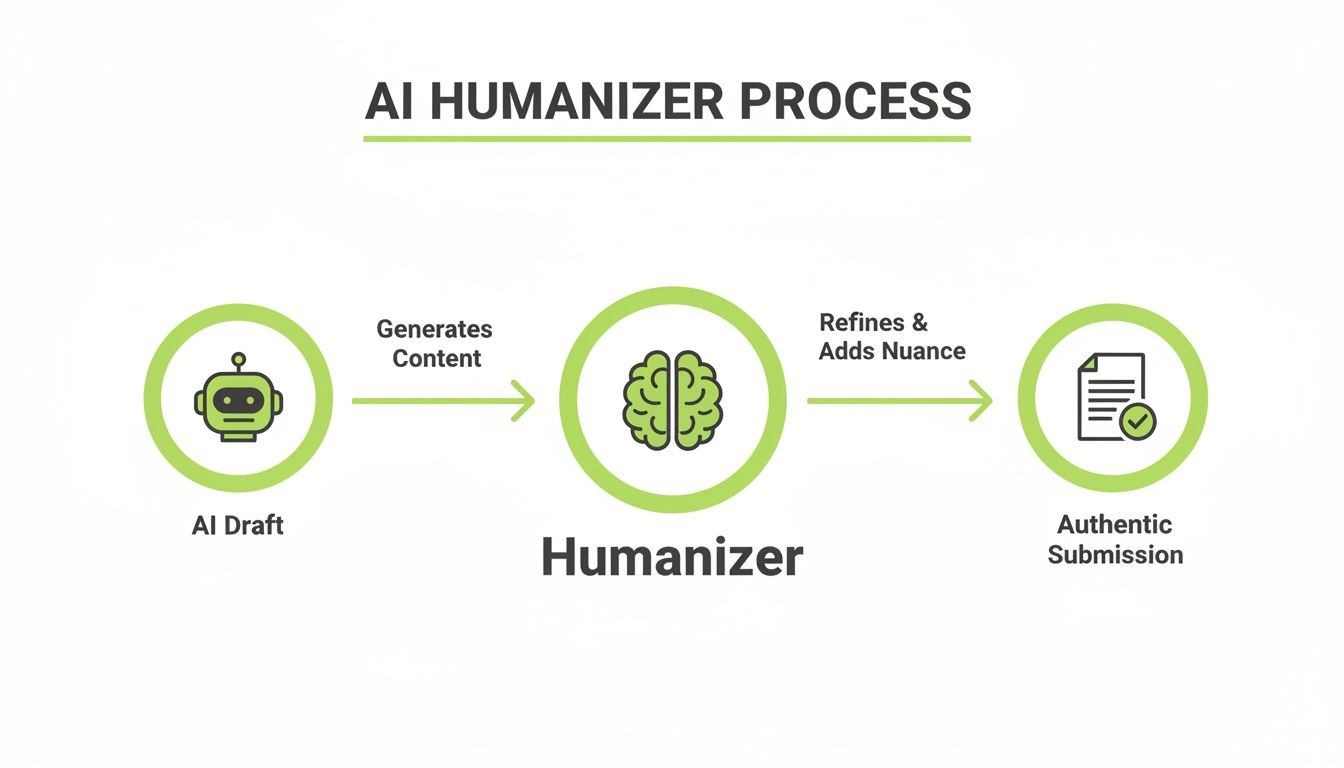
Periaatteessa inhimillistäjä on ratkaiseva silta, joka ottaa alkuperäisen tekoälyn tuotoksen ja tekee siitä valmiin todelliseen akateemiseen käyttöön.
Hämmennyksen ja räjähtävyyden tiede
Tekoälyn tunnistimet keskittyvät kahteen avainkonseptiin: hämmennys ja räjähtävyys.
- Hämmennys on vain hieno tapa mitata, kuinka ennustettava teksti on. Tekoälymallit, jotka on rakennettu valitsemaan tilastollisesti todennäköisin seuraava sana, tuottavat sisältöä, jolla on hyvin alhainen hämmennys. Se on loogista ja kieliopillisesti oikein, mutta siitä puuttuu yllätyskerroin, jonka löydät inhimillisestä kirjoittamisesta. Käytännön esimerkki: Tekoäly saattaa toistuvasti käyttää sanaa "Lisäksi." Ihmiskirjoittaja saattaa käyttää "Sitä paitsi," "Sen lisäksi," tai aloittaa kokonaan uuden kappaleen.
- Räjähtävyys kuvaa lauseiden pituuden ja rakenteen luonnollista vuorovaikutusta. Ihmiset kirjoittavat purskeina—pitkää, mutkikasta lausetta voi seurata lyhyt, iskevä. Tekoälyn kirjoittaminen sitä vastoin on yleensä tasaista, yhdenmukaisella, alhaisella räjähtävyyden rytmillä.
AI-inhimillistäjä on rakennettu nimenomaan rikkomaan nämä ennustettavat kuviot. Se ei ole vain hieno synonyymisanakirja, joka vaihtaa sanoja. Se on enemmän kuin taitava musiikin tuottaja, joka ottaa tekoälyn luonnoksesi tasaisen rumpulyönnin ja miksaa sen uudelleen dynaamisilla rytmeillä ja odottamattomilla sävelillä aidosta inhimillisestä ilmaisusta.
Ytimessään inhimillistäjän työ on nostaa tekstin hämmennystä ja räjähtävyyttä. Strategisesti muotoilemalla lauseita uudelleen, vaihtelemalla rakennetta ja käyttämällä vähemmän yleistä sanastoa se saa sisällön tuntumaan aidosti inhimilliseltä tekoälyn tunnistimelle.
Tämä prosessi on kriittisempi nyt kuin koskaan. Vuoden 2024 puolivälin maailmanlaajuinen tutkimus osoitti, että peräti 86% opiskelijoista käyttää tekoälytyökaluja koulutyöhön, ajamalla tunnistimet kehittymään salamannopeasti. Nämä työkalut ovat matkalla saavuttamaan yli 90% tarkkuuden raakaan tekoälytekstiin vuoteen 2025 mennessä yksinkertaisesti analysoimalla näitä kielellisiä merkkejä.
Robottimaisesta luonnoksesta aitoon ääneen
AI-inhimillistäjä tekee taikuutensa käyttämällä kehittyneitä malleja, jotka on koulutettu miljoonilla esimerkeillä todellisesta inhimillisestä kirjoittamisesta—kirjoista ja artikkeleista jokapäiväisiin keskusteluihin. Se oppii hienovaraiset erikoisuudet, idiomit ja tyylilliset hienoudet, jotka saavat kirjoittamisen tuntumaan elävältä.
Kun syötät sille tekoälyn tuottaman luonnoksesi, se kirjoittaa sisällön älykkäästi uudelleen heijastaakseen näitä aitoja inhimillisiä kuvioita. Lähempää tarkastelua mekaniikasta varten saatat haluta tutustua oppaaseemme siitä, mikä tekee hyvän AI-inhimillistäjän työkalun.
Ymmärtäminen siitä, kuinka muut tekoälypohjaiset työkalut toimivat, kuten tekoälyn kielenoppimistyökalut, voi myös antaa sinulle paremman käsityksen siitä, kuinka tekoälyä käytetään koulutuksessa.
Lopulta tavoite on yksinkertainen: antaa tekoälyavusteiselle luonnoksellesi aito, inhimillinen rytmi, varmistaen että se lentää tunnistuksen ohi samalla kun ydininäkemyksesi pysyvät ennallaan.
Vaiheittainen työnkulku opiskelijoille
Olkaamme selkeitä: AI-inhimillistäjän tehokas käyttö ei tarkoita ajattelemattomasti tekstin liittämistä ja "lähetä"-painikkeen painamista. Se on resepti katastrofiin. Älykäs lähestymistapa on työnkulku, joka käsittelee tekoälyä tutkimusassistenttiasi, inhimillistäjää tyylitoimittijaasi ja sinua lopullisena kirjoittajana.
Tämä prosessi varmistaa, että lopullinen paperisi on hiottu, kuulostaa sinulta ja heijastaa aidosti omaa kovaa työtäsi ja ymmärrystäsi.
Ajattele sitä kuin LEGOilla rakentamista. Voit käyttää tekoälytyökalua luomaan kasan vakiopaloja—raakoja ideoita ja perusrakennetta. Mutta sinun tehtäväsi on koota ne, lisätä ainutlaatuiset palat omasta kokoelmastasi ja rakentaa jotain, mikä on todella omaasi.
Robottimaisesta luonnoksesta hiottuun palautukseen
Paras työnkulku siirtää tehtäväsi geneerisestä, tekoälyn tuottamasta luonnoksesta henkilökohtaiseen, korkealaatuiseen palautukseen. Se on jäsennelty prosessi, joka yhdistää teknologian nopeuden omaan akateemiseen aivovoimaasi.
Tässä se jakaantuu kolmeen yksinkertaiseen vaiheeseen.

1. Luo raaka-aine (tekoälyn ensimmäinen luonnos)
Aloita käyttämällä tekoälyavustajaa päästäksesi tyhjän sivun ohi. Käytä sitä aivoriiheen, argumenttien hahmotteluun tai monimutkaisten lähteiden tiivistämiseen. Toiminnallinen näkemys: Sen sijaan, että pyytäisit tekoälyä "kirjoittamaan esseen ilmastonmuutoksesta," anna sille tarkka kehote kuten, "Hahmottele kolme keskeistä taloudellista vaikutusta nousevasta merenpinnasta, viitaten IPCC:n lähteisiin." Tämä antaa sinulle parempaa raaka-ainetta.
2. Hioa ja inhimillistä (työkalun työ)
Kun sinulla on raaka teksti, kopioi se inhimillistäjän työkaluun kuten HumanText.pro. Ensimmäinen asia, jonka näet, on analyysi—"tekoälypisteet" näyttäen, kuinka todennäköistä on, että teksti tullaan tunnistamaan.
Seuraavaksi paina "inhimillistä"-painiketta. Työkalu alkaa kirjoittaa tekstiä uudelleen, säätäen lauserakenteita, vaihtaen yleisiä tekoälyn sanavalintoja ja vaihtelemaan rytmiä. Tämä saa sen kuulostamaan paljon luonnollisemmalta ja vähemmän ennustettavalta.
3. Tarkista ja personalisoi (tärkein työsi)
Tämä viimeinen vaihe on ehdoton, ja se erottaa älykkään, eettisen käytön akateemisesta epärehellisyydestä. Inhimillistetty teksti on uusi lähtöpisteesi, ei maaliviiva. Nyt on sinun vuorosi tehdä työstä kiistatta omaasi.
Tekstin tekeminen aidosti omaksesi
Personalisointi on missä injektoit oman äänesi, tietosi ja kriittisen ajattelusi tehtävään. Näin todistat, että olet todella oppinut jotain.
Tavoite ei ole vain luoda tunnistamaton teksti; se on tuottaa korkealaatuinen työ, joka osoittaa ymmärryksesi aiheesta. AI-inhimillistäjän tulisi olla ponnahduslaudan, ei lopullinen määränpää.
Joten, miltä tämä "personalisointi" todella näyttää? Tässä toiminnallisia esimerkkejä:
- Lisää henkilökohtainen anekdootti: Esseessä sosiaalisen median vaikutuksesta voisit aloittaa lyhyellä havainnoilla: "Selatessani syötettäni viime yönä ymmärsin, että jokainen julkaisu, lomakuvasta uutislinkiin, oli kuratoitu projisoimaan täydellisyyden kuvaa." Tämä lisää välittömästi aidon, inhimillisen kosketuksen.
- Sisällytä erityisiä luokkakonsepteja: Mainitsiiko professorisi Foucault'n valtateoriaa luennossa? Kutoa se mukaan. Yleisen lauseen "Hallitukset kontrolloivat ihmisiä" sijaan voisit kirjoittaa, "Tämä on linjassa Foucault'n biovallan konseptin kanssa, jossa instituutiot säätelevät kansalaisia yhteiskunnallisten normien kautta." Tämä osoittaa, että olet sitoutunut.
- Säädä sävyä vastaamaan ääntäsi: Lue koko teksti ääneen. Kuulostaako se sinulta? Jos lause sanoo "Se on kiistattomasti monimutkainen kysymys," mutta sinä normaalisti sanoisit "Se on selvästi monimutkainen aihe," muuta se. Luonnollinen äänesi on aidompaa.
Alla oleva taulukko purkaa massiivisen eron laiskan, korkean riskin lähestymistavan ja älykkään, eettisen työnkulun välillä.
Opiskelijoiden työnkulku tekoälyn luonnoksesta lopulliseen palautukseen
| Vaihe | Tavallinen vain tekoäly -lähestymistapa (korkea riski) | Eettinen inhimillistäjän työnkulku (matala riski) | Miksi sillä on väliä |
|---|---|---|---|
| 1. Ideointi | Kopioi kehotteen suoraan tekoälytyökaluun. | Käyttää tekoälyä aivoriiheen, hahmotteluun ja kirjoittajan tukkautuman voittamiseen. | Aloittaa omasta ajattelustasi, käyttäen tekoälyä tukevana työkaluna, ei korvaajana. |
| 2. Luonnostelu | Käyttää tekoälyn ensimmäistä tulosta täydellisenä luonnoksena. | Käyttää tekoälyn tulosta karkeana ensimmäisenä luonnoksena tai "raaka-aineena." | Tekoälyn luonnos on lähtöpiste, täynnä yleisiä ideoita, jotka tarvitsevat asiantuntemustasi. |
| 3. Hiominen | Hyppää suoraan palautukseen tai tekee pieniä sanamuutoksia. | Liittää tekoälyn luonnoksen inhimillistäjään parantaakseen kulkua ja tyyliä. | Inhimillistäminen korjaa robottimaisen kielen ja ennustettavan rakenteen, joka on yleistä tekoälytekstissä. |
| 4. Personalisointi | Palauttaa tekstin sellaisenaan, ilman henkilökohtaista panosta. | Muokkaa manuaalisesti inhimillistettyä tekstiä lisätäkseen henkilökohtaisia näkemyksiä, luokkamuistiinpanoja ja ainutlaatuista analyysiä. | Tämä on kriittisin vaihe. Se todistaa omistajuuden ja akateemisen rehellisyyden. |
| 5. Lopullinen tarkastus | Tekee nopean oikeinkirjoitustarkistuksen, jos sitäkään. | Lukee koko paperin ääneen tarkistaakseen sävyn, selkeyden ja johdonmukaisuuden. Tarkistaa tehtävän arviointimatriisia vastaan. | Varmistaa, että lopullinen työ täyttää akateemiset standardit ja heijastaa todella ääntäsi. |
Eettisen työnkulun seuraaminen muuttaa tekstin jostain, joka vain kiertää tunnistimen, harkituksi, hyvin laadituksi tehtäväksi, joka esittelee ainutlaatuisen näkökulmasi. Kyse on älykkäämmästä työskentelystä, ei järjestelmän huijaamisesta.
Akateemisen rehellisyyden ja eettisen käytön navigointi
Mennään suoraan asiaan: onko opiskelijoiden AI-inhimillistäjän käyttö huijaamista? Vastaus ei ole yksinkertainen kyllä tai ei. Kaikki riippuu miten käytät työkalua.
Jos luot 100% tekoälyn kirjoittaman esseen ja vain ajat sen inhimillistäjän läpi jälkiesi peittämiseksi, se on akateemista epärehellisyyttä. Piste. Ylität eettisen rajan hetkellä, jolloin työkalu korvaa ajattelusi sen sijaan, että tukisi sitä.
Ajattele inhimillistäjää kehittyneenä tyylitoimitajana, ei haamukirjoittajana. Sen todellinen työ on hioa luonnosta, johon olet jo laittanut omaa ajatusta ja vaivaa. Sinun täytyy silti rakentaa argumentit, suorittaa tutkimus ja tarjota kriittinen analyysi itse.
Terävän rajan vetäminen eettisen ja epäeettisen käytön välille
Ero kiteytyy todella aikeisiisi ja ponnisteluihisi. Käytätkö työkalua piilottaaksesi sen tosiasian, ettet tehnyt työtä, vai käytätkö sitä tehdäksesi omista ideoistasi selkeämpiä ja ammattimaisempia?
Epäeettinen käyttö (käytännön esimerkki): Opiskelija saa kehotteen historiaesseelle Rooman valtakunnasta. He kirjoittavat kehotteen tekoälyyn, saavat 1000 sanan esseen, liittävät sen inhimillistäjään ja palauttavat tuotoksen lukematta sitä. Tämä on selkeää plagiointia.
Eettinen käyttö (käytännön esimerkki): Sama opiskelija käyttää tekoälyä Rooman valtakunnan avainjaksojen hahmotteluun. He kirjoittavat ensimmäisen luonnoksen itse, mutta kamppailevat yhdistääkseen ideansa sujuvasti. He käyttävät inhimillistäjää parantaakseen lauseiden kulkua ja tehdäkseen sävystä akateemisemman. Lopuksi he viettävät tunnin muokkaamalla inhimillistettyä tekstiä, lisäämällä tiettyjä yksityiskohtia luokkaluennosta ja muotoilemalla johtopäätöksen uudelleen omin sanoin. Tämä on vastuullista käyttöä.
Voit tutkia tämän teknistä puolta oppaastamme kuinka tehdä tekoälyn sisällöstä tunnistamaton oikealla tavalla.
Tavoite ei ole vain välttää tunnistustyökalua. Se on tuottaa korkealaatuista, aitoa työtä, joka näyttää mitä tiedät. Työkalun tulisi palvella ideoitasi, ei luoda niitä puolestasi.
Tämä erottelu on kriittisempi kuin koskaan. Se, mikä alkoi yliopiston huolena vuonna 2023, on räjähtänyt. Nyt kustantajat ja jopa yritysten rekrytointijärjestelmät seulovat tekoälyn tuottamaa tekstiä. Maailmanlaajuisen opiskelijoiden tekoälyn käytön saavuttaessa 86% vuoteen 2024 mennessä, ja 12% opiskelijoista raportoi merkittäviä GPA-hyppyjä ChatGPT:n käytön jälkeen, paine käyttää näitä työkaluja eettisesti ei ole koskaan ollut korkeampi.
Eettinen tarkistuslistasi AI-inhimillistäjän käyttöön
Ennen kuin edes ajattelet opiskelijoiden AI-inhimillistäjän käyttöä, käy läpi nämä kysymykset. Rehellisät vastauksesi ovat paras oppaasi pysymiseen akateemisen rehellisyyden oikealla puolella.
- Loinko pääargumentit ja teesit itse? Ydinnäkemystesi täytyy olla omia.
- Käytänkö tätä kirjoittamiseni parantamiseen vai ajatteluni korvaamiseen? Se on hioja, ei tuottaja.
- Olenko manuaalisesti tarkastanut ja personalisoinut koko tekstin jälkeenpäin? Tämä viimeinen kierros on se, mikä todistaa omistajuutesi.
- Heijastaako lopullinen paperi todella tietoani ja kuulostaako se minulta? Sen täytyy edustaa mitä olet oppinut, omalla äänelläsi.
Toiminnallinen näkemys: Jos et voi luottavaisesti vastata "kyllä" kaikkiin neljään kysymykseen, ylität todennäköisesti eettisen rajan. Ota askel taaksepäin ja keskity enemmän "personalisoi"-vaiheeseen työnkulussasi.
Oikean työkalun valitseminen tehtävääsi
Niin monien kirjoitustyökalujen leijuessa ympäriinsä on helppo hämmentyä. Sinulla on kieliopin tarkistimet, parafraasit ja nyt, opiskelijoiden AI-inhimillistäjä. Sen tietäminen, mitä kukin todella tekee, on avain oikean valintaan tehtävääsi ja pysymiseen koulusi akateemisen politiikan oikealla puolella.
Ajattele sitä näin: kieliopin tarkistin kuten Grammarly on oikolukijasi. Se on siellä nappaakseen kirjoitusvirheet ja korjatakseen pilkkuvirheet. Parafraasityökalu kuten QuillBot on enemmän kuin digitaalinen synonyymisanakirja, joka vaihtaa sanoja ja järjestelee lauseita uudelleen auttaaksesi sinua välttämään suoraa plagiointia lähteestä. Molemmat ovat hyödyllisiä, mutta kumpikaan ei muuta kirjoittamisen perustavanlaatuista DNA:ta.
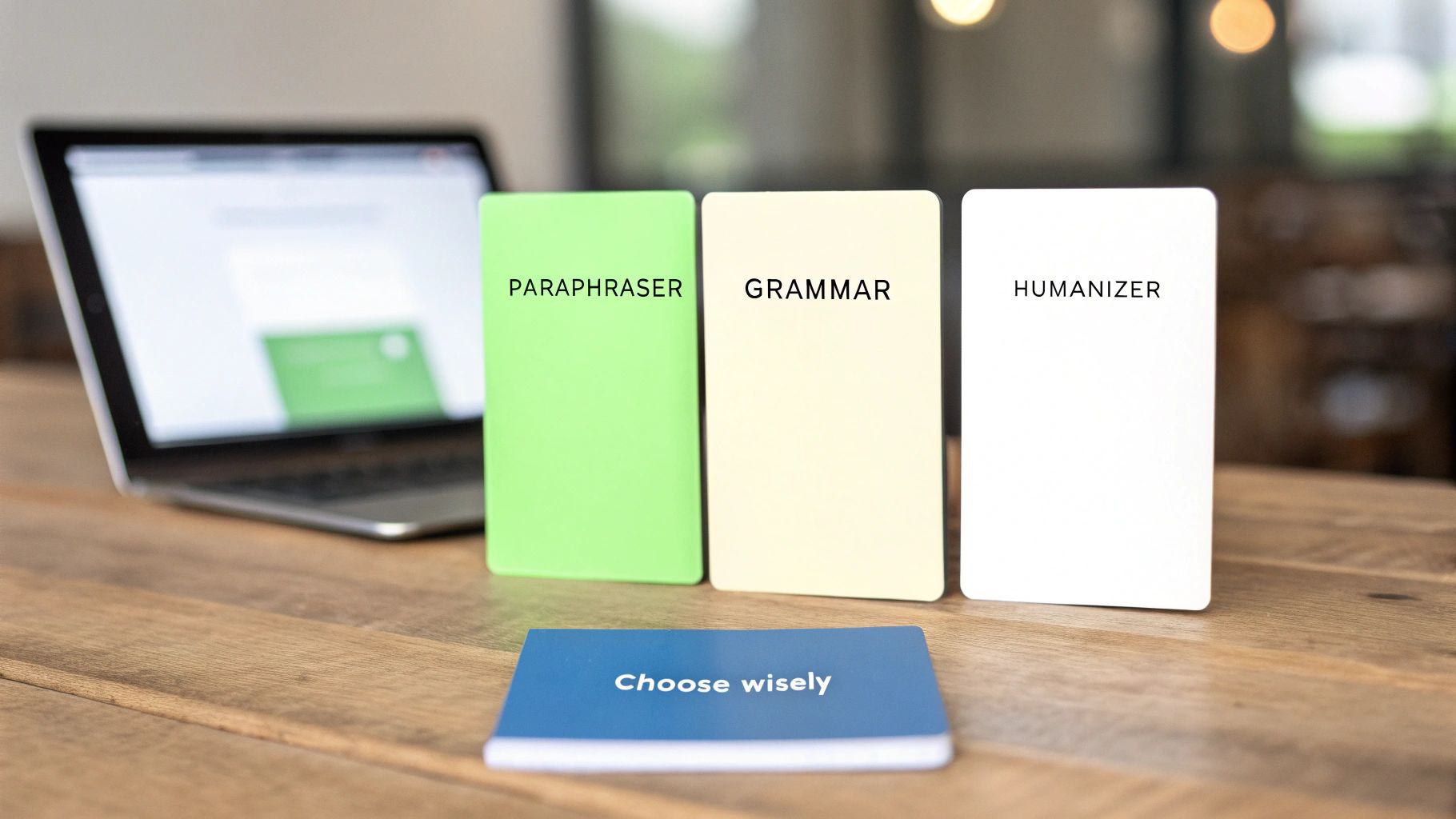
AI-inhimillistäjä pelaa täysin erilaista peliä. Se ei vain vaihda muutamia sanoja; se rakentaa tekstisi uudelleen pohjasta tavoitteenaan jäljitellä todellisen inhimillisen kirjoittamisen luonnollista rytmiä, lausevariaatiota ja ainutlaatuista kulkua.
Inhimillistäjä vs. parafrasi: selkeä erottelu
Kuvittele, että sinulla on klassinen, robottimaisesti kuulostava lause tekoälyltä: "Teknologian leviäminen on muuttanut viestintää."
Parafrasi saattaa säätää sen johonkin kuten, "Teknologian leviäminen on muuttanut kuinka kommunikoimme." Se on erilaista, varmasti, mutta se tuntuu silti hieman jäykältä ja ennustettavalta. Voit melkein kuulla hammasrattaat pyörivän.
AI-inhimillistäjä sitä vastoin kaivaa syvemmälle. Se saattaa muuttaa saman lauseen muotoon, "Teknologian nopea leviäminen on täysin muovannut sen rakenteen, kuinka yhdistymme toisiimme." Ydinnmerkitys on identtinen, mutta uudessa versiossa on persoonallisuutta, kadenssoa ja "räjähtävyyttä"—kaikki merkit jostakin, jonka ihminen todella kirjoittaisi.
Ydinero on tarkoitus. Parafrasi tähtää samankaltaisuuden välttämiseen (plagiointiin), kun taas inhimillistäjä tähtää kuvioiden häirintään (tekoälyn tunnistus).
Tämä on juuri miksi omistettu inhimillistäjä on usein se, mitä tarvitset päästäksesi ohi kehittyneiden tekoälyn tunnistimien. Pennsylvanian yliopiston tutkimus havaitsi, että yksinkertaiset temput kuten parafrasin käyttäminen saattaa laskea tunnistimen tarkkuutta 30%, mutta ne ovat kaukana idiottivarmalasta ratkaisusta. Erikoistunut työkalu sitä vastoin käyttää kehittynyttä kielellishmuotoilua saavuttaakseen jopa 99% ohitusnopeuden—massiivinen loikka tehokkuudessa.
Oikean valinnan tekeminen
Joten, milloin sinun pitäisi kurkottaa kunkin työkalun perään akateemisessa työkalupakissasi? Tässä on toiminnallinen opas:
- Kieliopin tarkistin: Käyttötapaus: Olet saanut kirjoitettua ja personalisoidanut esseen. Aja se kieliopin tarkistimen läpi ehdottoman viimeisenä vaiheena nappaaksesi kirjoitusvirheet, kieliopilliset virheet ja välimerkkirvirheet ennen palautusta.
- Parafraasityökalu: Käyttötapaus: Otat muistiinpanoja tiivisestä akateemisesta aikakauslehdestä. Käytä parafraasia muotoillaksesi tietyt lauseet uudelleen varmistaaksesi, että ymmärrät ne ja välttääksesi tahattoman plagioinnin muistiinpanoissasi. Älä koskaan käytä sitä koko esseesi uudelleenkirjoittamiseen.
- AI-inhimillistäjä: Käyttötapaus: Käytit tekoälyä luodaksesi karkean ensimmäisen luonnoksen, ja se kuulostaa robottimaiselta. Liitä teksti inhimillistäjään korjataksesi sävyn ja rakenteen. Käytä sitten parannettua tuotosta uutena lähtöpisteisinäsi manuaaliseen muokkaukseen ja personalisointiin.
Saadaksesi paremman tunteen siitä, mihin inhimillistäjä sopii, auttaa nähdä se yhdessä laajemman listan kanssa parhaista tekoälyn opiskelutyökaluista, jotka ovat saatavilla tänään. Tämä konteksti auttaa sinua rakentamaan täydellisen akateemisen työkalupaketin tarpeisiisi.
Onko sinulla kysymyksiä AI-inhimillistäjistä? Et ole yksin.
Kun tekoälyn kirjoitustyökalut tulevat vakio-osaksi opiskelijan elämää, paljon kysymyksiä nousee esiin. On älykästä olla utelias—ihmetellä, kuinka nämä työkalut toimivat, mihin ne sopivat työnkulkuusi ja kuinka käyttää niitä ylittämättä rajoja. Tämä osio on täällä selvittämään asioita.
Olemme keränneet yleisimmät kysymykset, joita opiskelijoilla on AI-inhimillistäjien käytöstä koulussa. Ajattele sitä käytännöllisenä, suorasukaisena oppaanasi näiden työkalujen vastuulliseen käyttöön.
Voiko Turnitin havaita kirjoituksen AI-inhimillistäjän käytön jälkeen?
Tämä on se iso kysymys, eikö? Vaikka mikään työkalu ei voi luvata olevansa 100% tunnistamaton ikuisesti, hyvä AI-inhimillistäjä on rakennettu pohjasta päästäkseen ohi kehittyneiden tunnistimien kuten Turnitinin ja GPTZeron. Se toimii muuttamalla perusteellisesti kielellisiä sormenjälkiä, joita nämä skannerit on koulutettu havaitsemaan.
Sen sijaan, että vain vaihtaisi sanoja, se muokkaa asioita kuten hämmennystä (kuinka ennustettava teksti on) ja räjähtävyyttä (pitkien ja lyhyiden lauseiden sekoitusta), saaden kirjoittamisen tuntumaan paljon luonnollisemmalta.
Toiminnallinen näkemys: Avain tunnistuksen välttämiseen ei ole vain työkalu; se on prosessisi. Lopullinen, manuaalinen muokkausvaiheesi on tehokkain "anti-tunnistus"-vaihe. Lisäämällä ainutlaatuisia ajatuksiasi ja luokkakohtaista tietoa esittelet aitouden kerroksen, jota mikään algoritmi ei voi kopioida. Tämä manuaalinen tarkastus on paras puolustuksesi.
Onko AI-inhimillistäjän käyttö koulutyöhön huijaamista?
Tämä riippuu täysin siitä, miten käytät sitä. Jos luot esseen tekoälyllä ja sitten ajat sen inhimillistäjän läpi vain piilottaaksesi sen tosiasian, ettet kirjoittanut sitä, niin kyllä, se on ehdottomasti akateemista epärehellisyyttä.
Mutta on älykäs, eettinen tapa tehdä se. Ajattele inhimillistäjää supertehokkaana tyylitoimitajana, ei haamukirjoittajana.
Tässä on vastuullinen työnkulku:
- Aivoriihitekoälyä ja hahmottele: Aloita omista ideoistasi. Voit käyttää tekoälyavustajaa auttaaksesi jäsentämään ajatuksiasi tai rakentamaan karkean hahmotelman, mutta ydinargumenttien täytyy olla omia.
- Hioa luonnosta: Kirjoititko kömpelön ensimmäisen luonnoksen? Anna inhimillistäjän siivota robottimaiset ilmaisut ja parantaa yleistä kulkua.
- Personalisoi ja muokkaa: Tämä on ehdoton vaihe. Sinun täytyy käydä läpi tuotos, lisäten omaa kriittistä analyysiasi, tiettyjä esimerkkejä luokasta ja ainutlaatuista ääntä.
Kun käytetään tällä tavalla, AI-inhimillistäjä ei ole erilainen kuin kehittynyt kieliopin tarkistin tai palautteen saaminen kirjoitusohjaajalta. Se on työkalu auttaakseen sinua hiomaan työtäsi, ei tehdäkseen sitä puolestasi. Tarkista aina yliopistosi erityinen akateeminen rehellisyyspolitiikka.
Miten AI-inhimillistäjä eroaa parafrasista?
Tämä on ratkaiseva erottelu. Tavallinen parafraasityökalu on melko yksinkertainen: se keskittyy sanojen vaihtamiseen ja lauseiden uudelleenjärjestelyyn plagioinnin välttämiseksi. Sen päätoiminto on sanoa sama asia käyttäen erilaista sanastoa, tavallaan kuin digitaalinen synonyymisanakirja steroideilla.
Opiskelijoiden AI-inhimillistäjä menee paljon syvemmälle. Se rakentaa kirjoittamisen uudelleen pohjasta jäljitelläkseen inhimillistä rytmiä, kadenssoa ja aitoja sanavalintoja. Se ei ole vain uudelleenmuotoilua; se on tekstin DNA:n perustavanlaatuinen uudelleenjärjestely kuulostaakseen siltä, että ihminen kirjoitti sen.
Käytännön esimerkki: Parafrasi saattaa muuttaa "Koe oli onnistunut" muotoon "Testi antoi positiivisia tuloksia." Inhimillistäjä saattaa muuttaa sen muotoon "Lopulta koe tuotti juuri ne tulokset, joita toivoimme," jolla on luonnollisempi, narratiivinen tuntu.
Muuttaako AI-inhimillistäjä kirjoitukseni merkitystä?
Hyvin suunniteltu inhimillistäjä on suunniteltu säilyttämään ydinviestisi, avainargumenttisi ja kaikki faktatiedot. Sen tavoite on muuttaa tyyliä ja rakennetta—toimitusta—ei työsi sisältöä.
On kuitenkin ehdottoman välttämätöntä, että luet tuotoksen huolellisesti läpi. Tämä lopullinen tarkastus on sinun vastuullasi. Sinun on varmistettava, että kaikki avainkohtasi ovat edelleen tarkkoja ja että uusi muotoilu saa täydellisesti kiinni argumentin, jonka halusit tehdä.
Toiminnallinen näkemys: Inhimillistämisen jälkeen aseta alkuperäinen teksti ja uusi teksti vierekkäin. Lue yksi kappale kummastakin, yksi toisensa jälkeen. Välittääkö uusi versio edelleen tarkoitetun merkityksesi tarkasti? Jos ei, muokkaa sitä manuaalisesti kunnes se tekee niin. Tämä tarkastus on turvaverkkosi.
Valmis muuttamaan tekoälyn luonnoksesi hiotuksi, aidoksi kirjoittamiseksi? Humantext.prolla voit hioa työtäsi kuulostaaksesi luonnolliselta ja läpäistäksesi tekoälyn tunnistuksen helposti. Kokeile sitä ilmaiseksi ja näe ero, jonka se tekee seuraavaan tehtävääsi.
Valmis muuntamaan tekoälyn tuottaman sisältösi luonnolliseksi, ihmismäiseksi tekstiksi? Humantext.pro hioo tekstisi välittömästi varmistaen, että se kuulostaa luonnolliselta ja aidolta. Kokeile ilmaista tekoälyn inhimillistäjäämme →
Liittyvät artikkelit
AI Face Search Explained: Verify Identity and Stay Safe
Understand how AI face search works, including embeddings, accuracy, and legal issues. Learn to use these tools for personal safety and verify identity online.

Reverse Face Search: A Verification Safety Guide
Learn how reverse face search works, when to use it for safety, and how to pair it with AI image checks to verify online contacts and reused photos.

Face ID Search Explained: How It Works and How to Verify
Learn how face ID search works, why it differs from reverse image search, and how to verify identities and photos safely with practical checks and tools.

