Who Is This Person Photo: A Practical Verification Guide
Wondering who is this person photo? Use reverse image search, face search, and AI checks to verify online identities safely and protect yourself from scams.
You've matched with someone online, and the profile photo feels familiar. Maybe the face appears on another account, the background looks oddly polished, or the person avoids a live video call. Searching “who is this person photo” can help you check whether an image has been reused, altered, or connected to public pages, but a visual match is only a lead. It isn't proof of someone's real-world identity.
Use photo searches for personal safety, especially when checking a dating profile, a possible romance scam, or unauthorized use of your own pictures. The safest process combines reverse image search, careful image inspection, limited face-search use, and independent context checks.
Immediate Verification Checklist
If a profile feels suspicious, follow these steps in order. Don't confront the person or send more personal information while you're still checking the image.
Save the profile picture. Keep the original file if possible, and record the profile URL and the date you found it. Avoid relying on a screenshot alone, because compression can remove useful visual details.
Run a multi-engine reverse image search. Upload the photo to more than one service and compare the results. Look for the same image under different names, on unrelated social accounts, dating profiles, websites, or stock-photo pages. A reverse search can reveal that a profile picture has been reused, but it may also return visually similar images that have nothing to do with the person.
Crop distinctive areas. Search the face separately, then try visible landmarks such as unusual glasses, a tattoo, jewelry, clothing, or a recognizable background. Cropping can uncover pages that don't appear for the full image.
Inspect it for AI-generation clues. View the image at full resolution. Check earrings, eyeglasses, reflections, teeth, fingers, hair, skin texture, and background details for inconsistencies. One odd detail doesn't establish that an image is synthetic, but several mismatches should make you slow down.
Check cross-source consistency. Compare the name, location, job, dates, and surrounding story attached to each appearance. The strongest warning sign is the same photo appearing under different names or in unrelated contexts, as described in guidance on detecting catfishing and fake profiles.
Protect yourself while verifying. Don't send money, identity documents, intimate images, passwords, or your home address. If the account appears fraudulent, save evidence, report it, and stop contact.
Safety rule: A photo can show that an image exists elsewhere. It can't, by itself, prove who is operating the account.
Mastering Reverse Image Search
Reverse image search works best as a forensic sequence, not as one upload followed by an immediate conclusion. These systems compare visual features, not the complete personal history behind an image, so a result can be a genuine copy, a cropped version, or merely a similar-looking photograph.
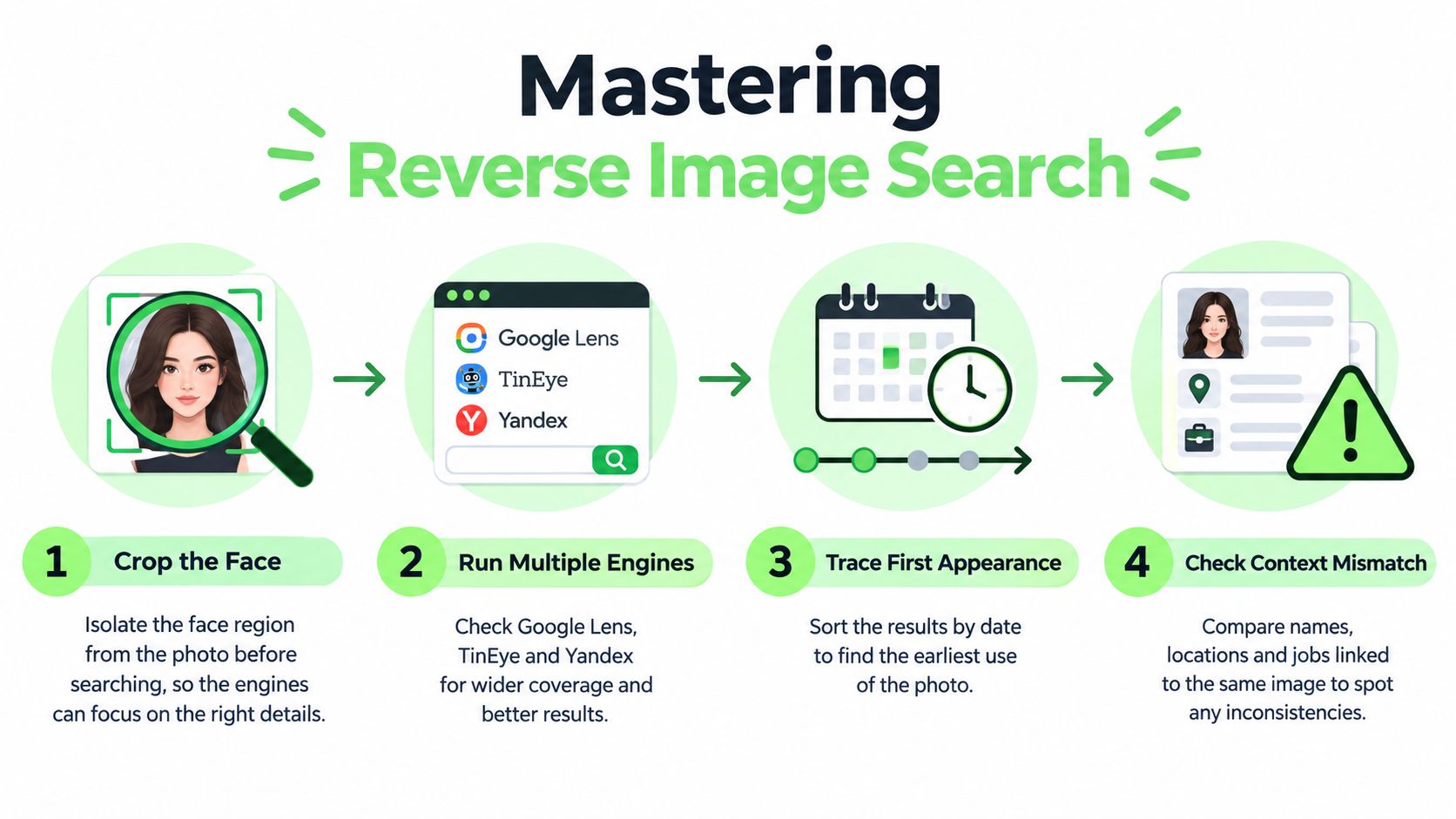
Start with the full profile image. Run it through multiple services, such as Google Lens, TinEye, and Yandex, because each index may contain different pages. Search engines can miss images that are private, poorly indexed, blurred, heavily edited, or rarely published. A missing result doesn't confirm that the picture is original.
Search the image in fragments
After the full-image search, crop the face and search again. Then try distinctive visible elements, such as a logo, landmark, necklace, tattoo, or unusual background. A profile owner may have mirrored, resized, or edited the original, while a smaller visual fragment still matches earlier copies.
This approach is especially useful when checking whether someone you met online is real. A dating profile may use a photo copied from a public account, while the full image search surfaces only a recent repost. A crop of the face or background can reveal an older page that provides better context.
For a more detailed walkthrough, use this free reverse image search guide.
Trace origin before interpreting identity
Compare the earliest appearances you can find. An older personal post, professional profile, or dated event page may provide useful context, while a collection of recent accounts using the same image suggests reuse. Dates don't automatically establish ownership, but they help you build a timeline.
Also compare the surrounding information. Do the names, locations, occupations, and relationships make sense across pages? Metadata can sometimes add context, although social platforms commonly remove or alter it. The reverse image search workflow from HP supports a sequence of broad search, cropping, timeline comparison, and context corroboration.
The practical conclusion is simple: a visual match is evidence to investigate, not an identity verdict.
For a visual demonstration of the search process, this video provides additional context:
Detecting AI-Generated Profile Photos
A profile photo can be misleading even when it hasn't been copied from another account. Synthetic images often contain technical inconsistencies that don't behave like ordinary camera captures. These clues are useful for screening a suspicious account, but they're not a substitute for independent verification.
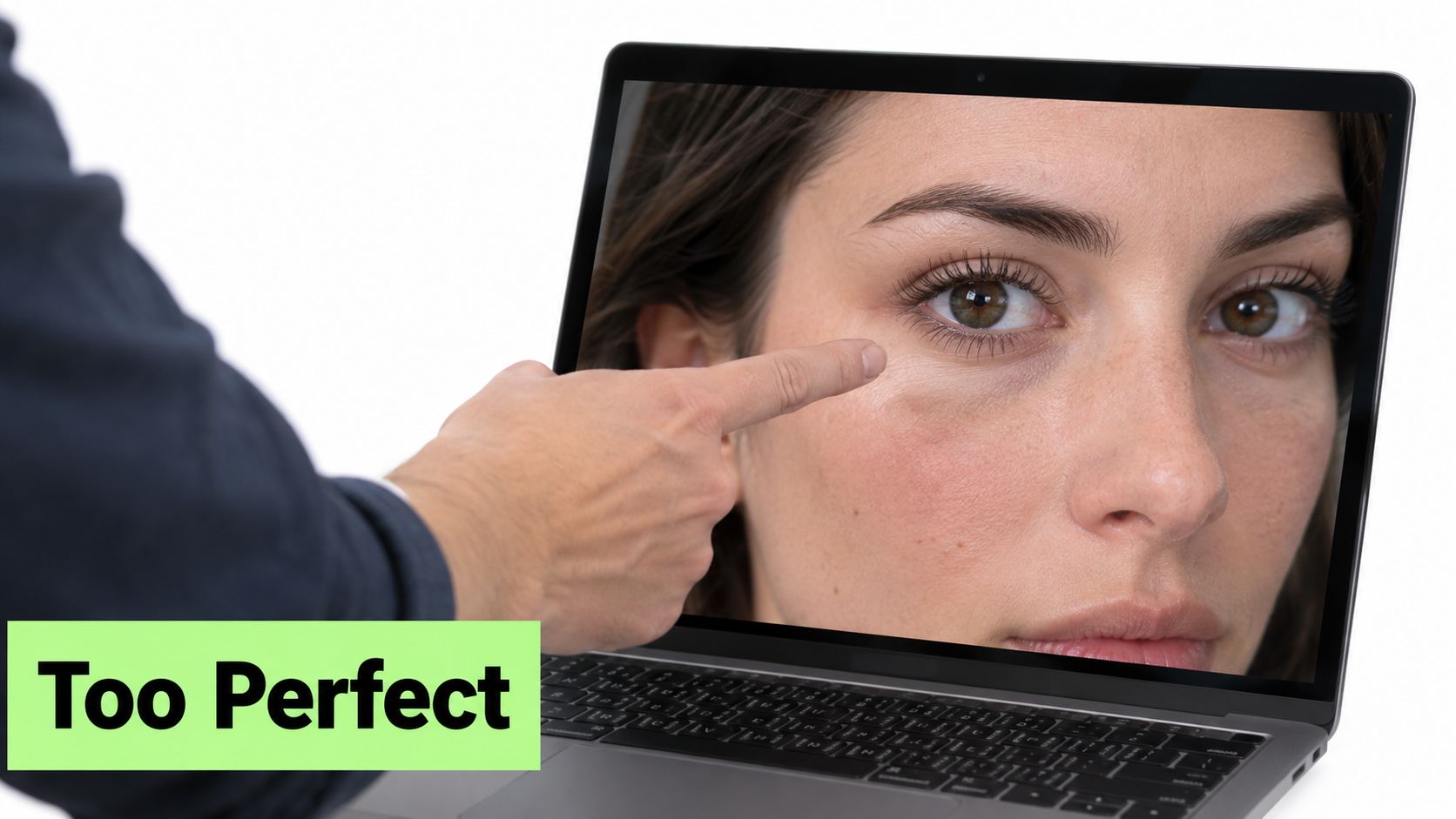
Open the image at its highest available resolution. Start with objects that should appear in pairs or follow consistent geometry. Inconsistent earrings, distorted eyeglasses, asymmetrical jewelry, mismatched reflections, and unnatural skin texture can indicate that the image was generated or heavily manipulated, as outlined in image-forensics guidance on AI-generated images.
Inspect the face and accessories
Look at both sides of the face. Earrings may differ in shape, attachment, or lighting. Eyeglass frames may bend strangely near the temples, lenses may reflect different scenes, or the bridge may not align with the nose. Jewelry can merge into hair or skin, and repeated decorative patterns may warp as they move across the image.
Examine teeth, fingers, and hair next. Teeth may have irregular spacing or unnatural edges. Fingers may blend together or attach at odd angles. Hair can contain repeated strands, blurred sections, or edges that dissolve into the background. These details matter because image-generation systems often produce a convincing overall portrait while mishandling small structures.
Check lighting, reflections, and backgrounds
A real camera image still contains imperfections, but its light sources and reflections usually follow a coherent scene. Compare the highlights in both eyes, the direction of shadows, the reflections in glasses, and the brightness of jewelry. If the face is lit from one direction while the glasses or background indicate another, record that inconsistency.
Backgrounds deserve equal attention. Signs, window frames, furniture, and architecture may bend, repeat, or lose clear boundaries. Skin may look unusually smooth in one area and textured in another. A single artifact can come from compression or retouching, so use a pattern of clues rather than treating one defect as conclusive.
Practical rule: Use an AI detector to support a quality and authenticity check, not to make a personal accusation from one score.
A strong response combines visual inspection with reverse search. If the same image appears elsewhere under another name, the reuse evidence may matter more than whether the image was generated. If the picture has no public matches, that still doesn't prove it shows a genuine person.
For a closer explanation of manual checks and detector-assisted review, see how to tell if an image is AI-generated.
Face Search Tools and Legal Boundaries
Reverse image search asks, where does this image appear? Face-search technology asks a more sensitive question, which other images may show the same face? That distinction creates both practical value and greater risk.
Use face search only for a legitimate safety purpose, such as checking whether a dating profile photo has been reused or finding where your own public image appears. Don't use it to stalk, surveil, or identify strangers against their wishes. Consent, platform rules, and local law matter, particularly when a service collects or analyzes biometric information.
Understand the two kinds of error
NIST explains that face-recognition accuracy must be read through false positives and false negatives. A false positive treats different people as the same person. A false negative misses a match involving the same person. In NIST evaluations of FBI mugshot-style searches, the best systems failed in about one quarter of one percent of cases, while difficult images, including injured faces or photographs separated by a long time lapse, produced more challenging conditions. NIST's evaluation report also reports that false-positive rates can differ by factors of 10 to more than 100 across demographics, with higher rates for women, very young people, and elderly people than for middle-aged adults.
Those figures come from a specific evaluation setting. They don't establish that a consumer face-search result identifies the person controlling a social account. A face match may point to related public pages, but the result still needs human review against names, dates, source pages, and non-image evidence.
Compare the available approaches
| Approach | Useful for | Main limitation |
|---|---|---|
| Reverse image search | Finding copies, earlier appearances, and reused profile photos | It can miss unindexed or edited images |
| Face search | Finding visually related public images | A match isn't proof of real-world identity |
| AI-image inspection | Flagging synthetic or heavily manipulated details | Artifacts can also come from editing or compression |
| Context verification | Testing whether the person's story is coherent | Public information can be incomplete or misleading |
A dedicated AI face-search overview can help you understand this category, but treat every result as a lead. Don't upload someone else's face casually, and don't assume that a high-confidence-looking result removes the need for consent or corroboration.
Identifying Stolen and Synthetic Identities
The most useful signal in a suspicious profile is often inconsistency across sources. The same image may appear on unrelated accounts, stock-photo pages, or profiles using different names. That pattern can indicate photo theft, impersonation, a synthetic identity, or simple unauthorized reuse.
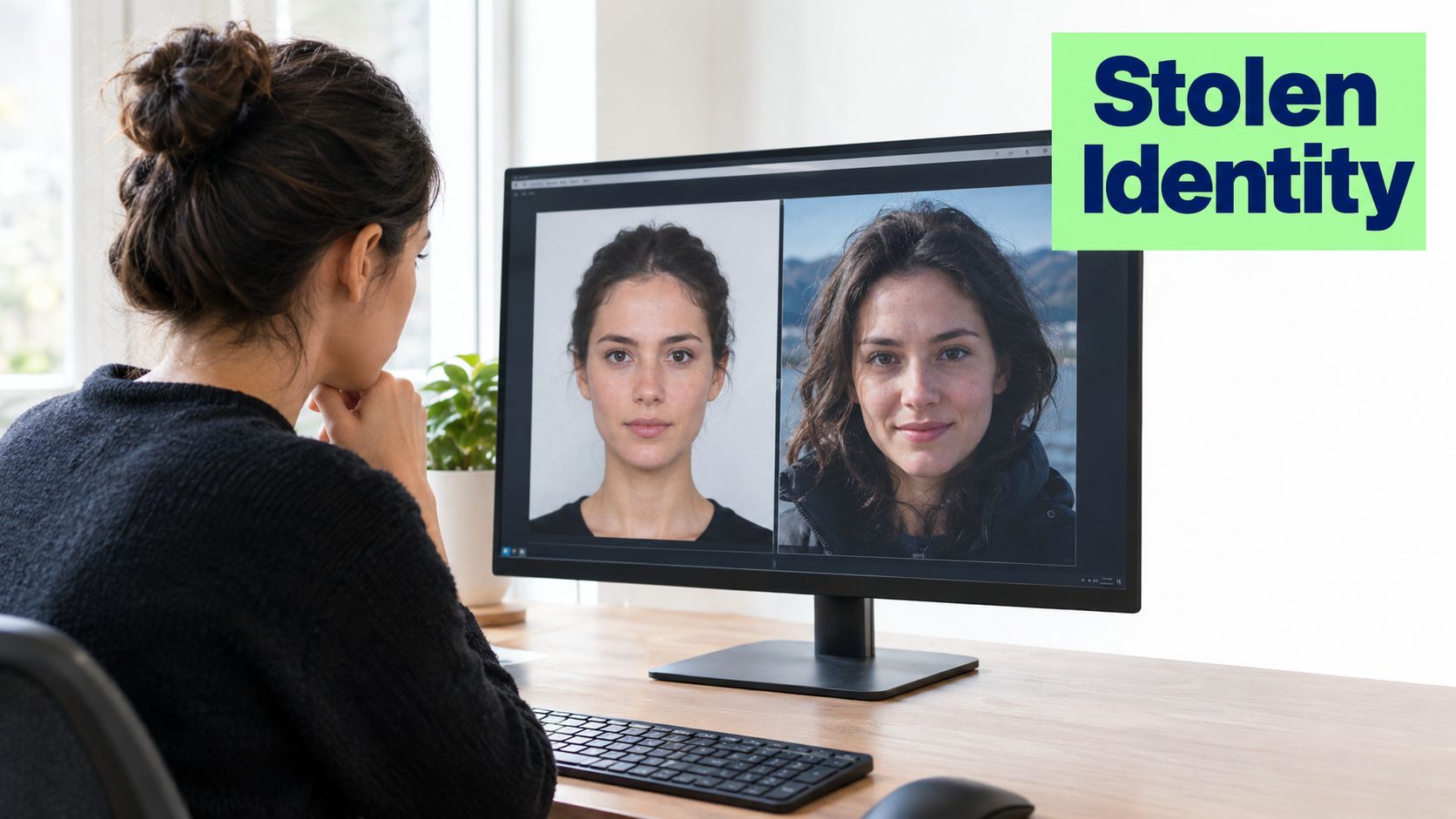
Suppose a person you met on a dating app sends a polished portrait. Reverse search finds the same image on an unrelated social profile with a different name, then on a stock-photo page. You still haven't established who that person is, but you have strong evidence that the dating profile's image is unreliable. Stop treating the photo as proof and assess the broader behavior, especially requests for money, secrecy, urgent travel help, or financial details.
Preserve evidence carefully
If you find a suspicious match, document it before reporting the account:
- Capture the profile: Save screenshots showing the username, profile photo, visible claims, and conversation context.
- Record the source: Note each URL and the date you accessed it.
- Compare claims: Write down differences in names, locations, jobs, relationships, and image captions.
- Report the account: Use the platform's impersonation, fraud, or safety reporting route.
- Protect your own accounts: Review public photos and report unauthorized copies of your images.
A face match alone isn't proof of identity. Guidance on finding a person by photo emphasizes the difference between a visual match and certainty about the real-world individual. That distinction prevents a common mistake: confronting an innocent person because a tool found a similar face, while overlooking the account that sent the messages.
If your own photo has been reused, preserve the pages and ask the platform or site operator to remove the unauthorized copy. If the image is connected to romance fraud, threats, extortion, or identity theft, contact the relevant platform and local support or law-enforcement service rather than trying to investigate the suspected operator directly.
Putting It All Together Safely
Consider a profile that seems genuine but refuses live verification. Start with the saved photo and run a multi-engine reverse search. Crop the face and distinctive background elements, then compare the earliest credible appearances. Inspect the image at full resolution for synthetic artifacts, and use face search only where the purpose is personal safety and the service's terms and local rules allow it.
The decision should come from the combined evidence. A clean reverse search doesn't prove authenticity, and an unusual reflection doesn't prove fraud. Look for agreement between the image, the person's story, the account history, communication patterns, and independent sources.
Biometric searches also carry legal responsibilities. NPR's overview of facial-recognition laws notes that the United States has no overarching federal facial-recognition law, while states have expanded biometric privacy rules. Colorado requires consent before facial or voice recognition is used, and Texas prohibits collecting biometric data without permission in certain contexts. Requirements vary by jurisdiction, so check the rules that apply to you before uploading someone's face.
Don't send money or sensitive documents while an identity remains uncertain. If the evidence points to a stolen or synthetic profile, preserve records, report the account, and disengage.
Humantext.pro offers face search for locating public pages where a matching image appears, plus an AI image detector for reviewing whether visual content may be synthetic. Use these tools as part of a documented safety check, then visit Humantext.pro to review your options.
Ready to transform your AI-generated content into natural, human-like writing? Humantext.pro instantly refines your text, ensuring it reads naturally and authentically. Try our free AI humanizer today →
Related Articles
Face Reverse Image Search: Safety and Verification Guide
Learn how to use face reverse image search for safety, catfish detection, and privacy verification. Compare tools, follow step-by-step workflows, and protect
Face Search Person by Photo: A Verification Guide
Learn how to face search person by photo safely. Step-by-step guide for reverse image search, scam detection, and identity verification.

AI Face Search Explained: Verify Identity and Stay Safe
Understand how AI face search works, including embeddings, accuracy, and legal issues. Learn to use these tools for personal safety and verify identity online.

